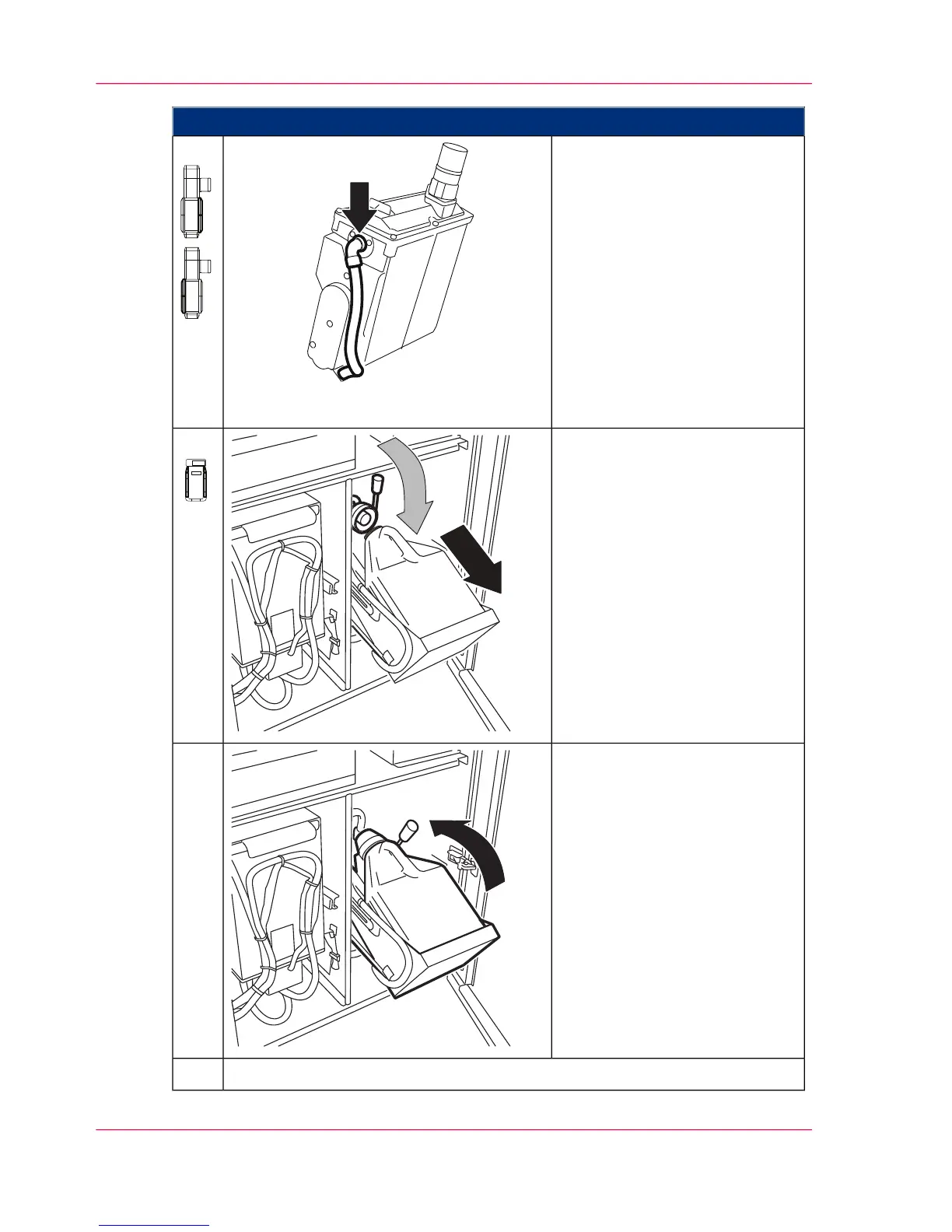
Proceed as follows:
■
On the left-hand side of the
printing system:
Remove the hose from the
respective developer station
and vacuum it clean.
Then reattach hose.
■
On the right-hand side of the
printing system:
Remove the hose from the
respective developer station
and vacuum it clean.
Then reattach hose.
10.
Reinsert the toner bottle into the
toner bottle holder on the con-
sole.
Press the locking lever of the
toner suction head down, thus
closing the toner bottle.
11.
Pull handle upwards until toner
bottle holder is turned.
Then push the handle back to
swivel the toner bottle holder
back into the printing system to
the stop point.
12.
Close all doors.13.
Chapter 7 - Cleaning the Printing System304
Cleaning the Toner Suction System


 To Next Page