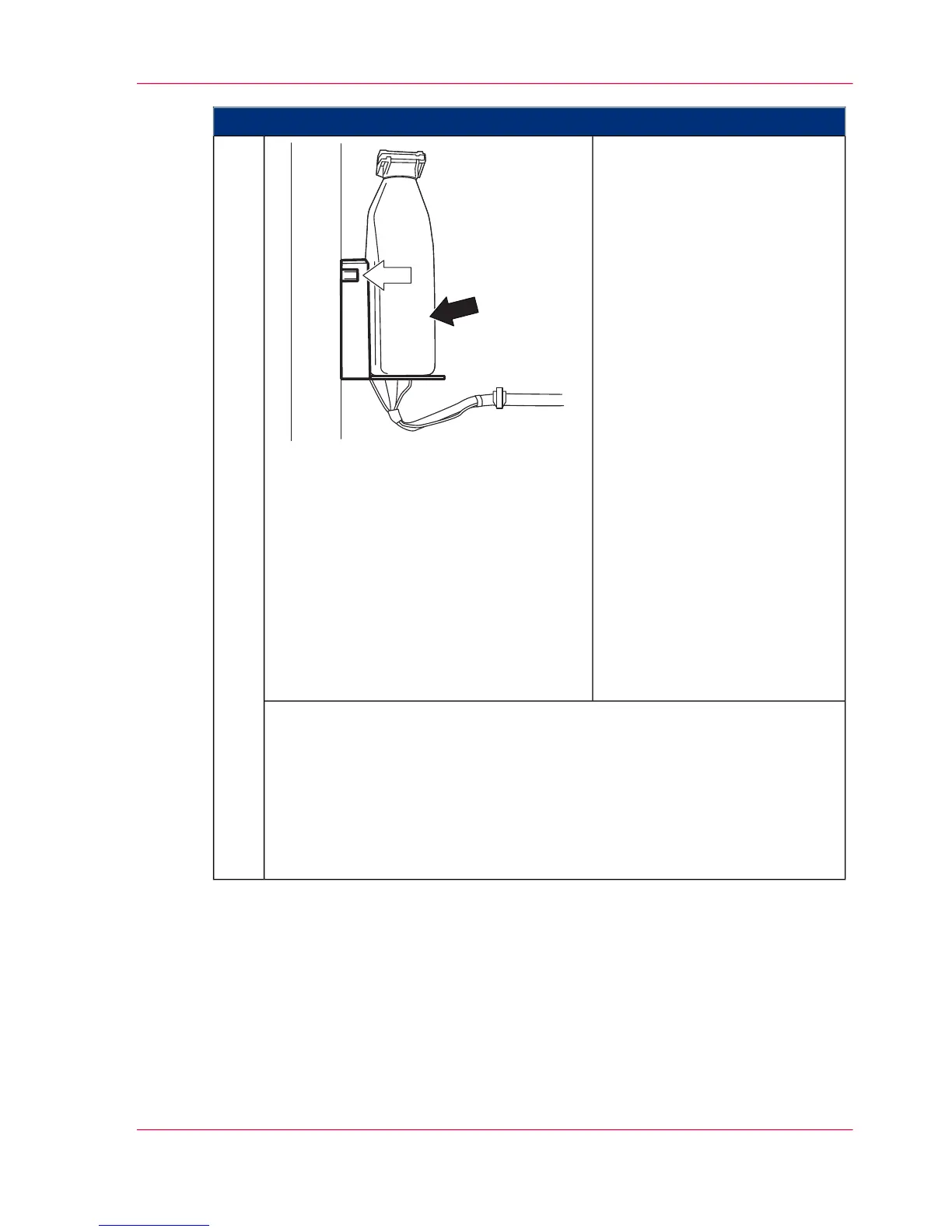
Proceed as follows:
Insert the new toner bottle into
the reader on the inside of the
door.
The toner bottle is checked. The
LED on the reader (white arrow)
indicates:
■
Flashing yellow
The toner bottle is being
identified; the process is not
yet complete.
■
Green
The toner bottle has been
identified.
■
Red
The toner bottle could not
be identified. No toner bottle
has been inserted or the
transponder on the toner
bottle is faulty or not present,
or the reader is faulty.
Correct the problem accord-
ing to the information in the
error message displayed on
the operator panel.
3.
The LED on the toner box of the associated developer station indicates:
■
Flashing green/green/off
This toner box is full or still sufficiently filled.
■
Flashing yellow/yellow
The toner supply is nearly empty. Toner should be refilled.
■
Flashing red/red
The toner supply has run out. Toner must be refilled.
Chapter 8 - Replacing Consumables 327
Refilling Toner (Option: 1 kg / 2.2 lb Toner Bottle)



 To Next Page