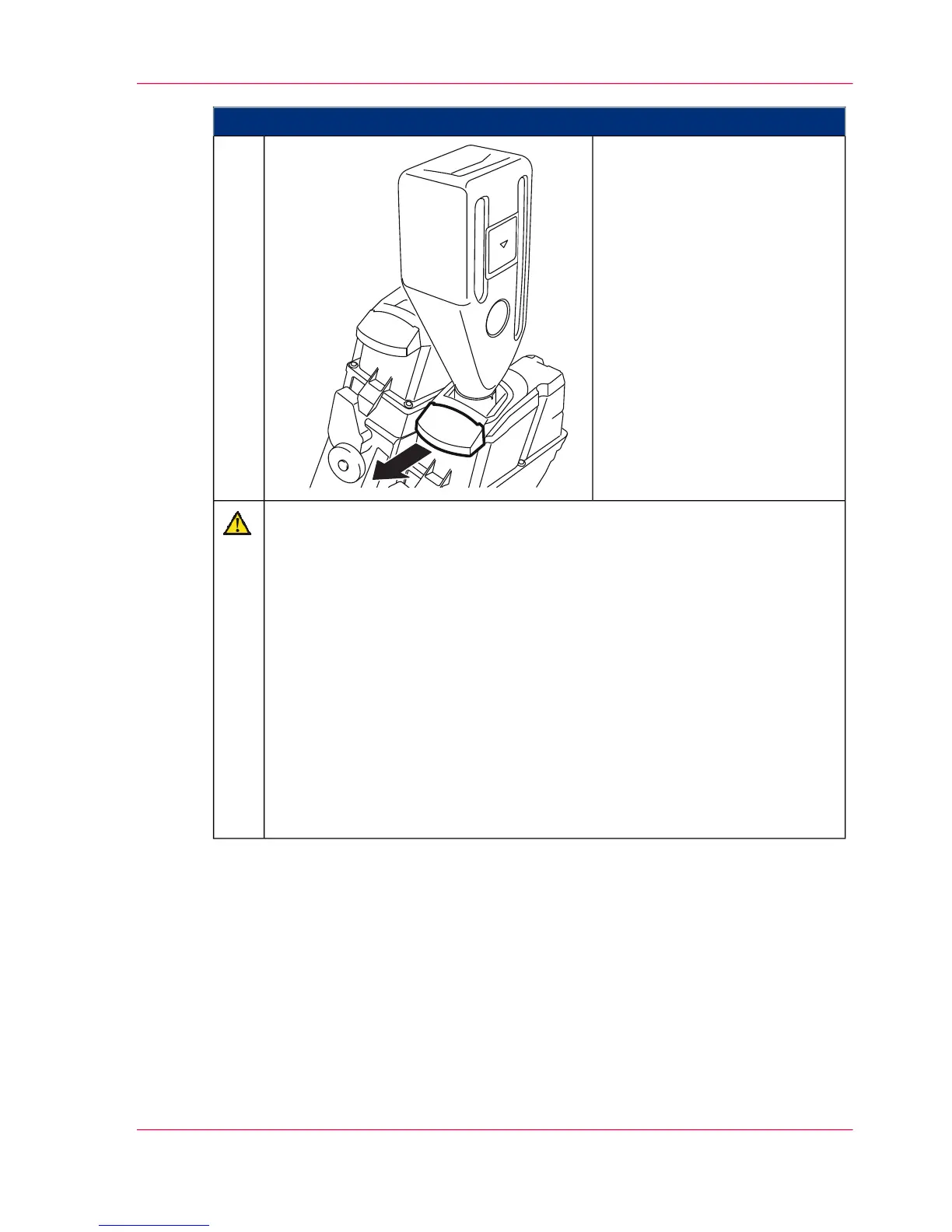
Proceed as follows:
Pull out the handle under the
toner bottle in order to open the
filler cap of the toner box.
The filler cap of the toner box
releases the opening of the toner
bottle at the same time.
6.
Caution
Wait until the toner bottle is empty.
Do not tap against the toner bottle and do not shake the toner bottle.
Tapping or shaking the toner bottle can damage the developer station. Tapping
or shaking will not help toner to flow into the toner box. Instead, if the toner
bottle does not completely empty:
■
Push the handle under the toner bottle in again to close the filler cap of
the toner box (see step 7).
■
Tip the toner bottle forward and remove it (see step 8).
■
Shake the toner bottle vigorously again for a few seconds.
■
Insert the toner bottle into the holder on the toner box and tip it backwards
until it engages (see step 5).
■
Pull out the handle under the toner bottle in order to open the filler cap
of the toner box (see step 6).
Chapter 8 - Replacing Consumables 329
Refilling Toner (Option: 1 kg / 2.2 lb Toner Bottle)



 To Next Page