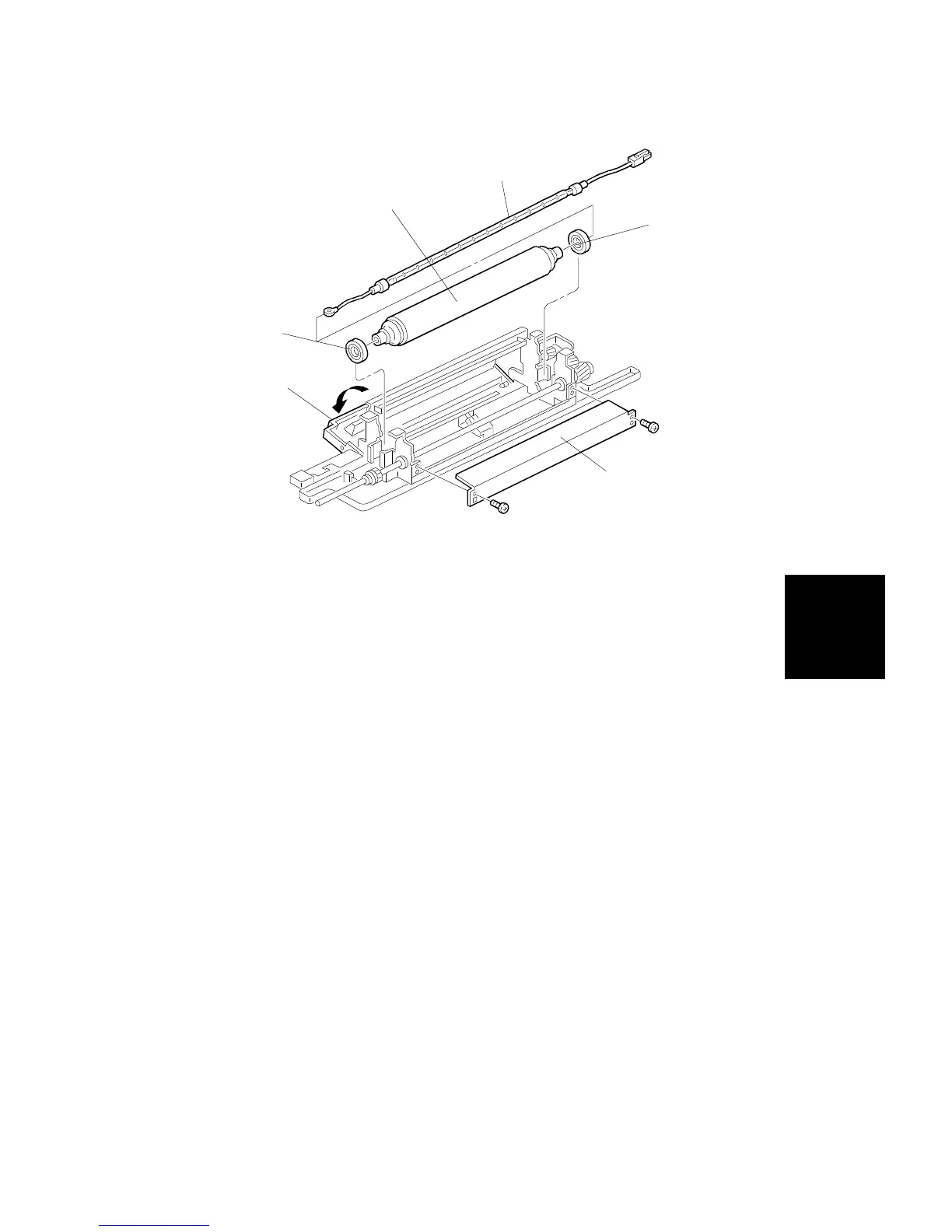
19. Open the paper it door [A].
20. Remove the fusing entrance guide plate [B] (2 screws).
NOTE: Be sure to use the upper screw holes when reinstalling the fusing
entrance guide plate. The lower screw holes are used to adjust the
paper feed path (see procedure 9.12).
21. Replace the pressure roller [C] and the pressure roller shaft bearings [D].
1) Remove the pressure roller lamp [E] by pulling it forward and
disconnecting the connector from the rear lamp holder.
2) Remove the pressure roller.
[C]
[E]
[D]
[D]
[A]
[B]
Replacement
and
Adjustment
PAPER TRANSPORT AND FUSING
SM 5-79 A166/A187/A189



 To Next Page