VM15 User Manual How to operate VM15
73
Note. It is possible to change patient information even after the patient has been
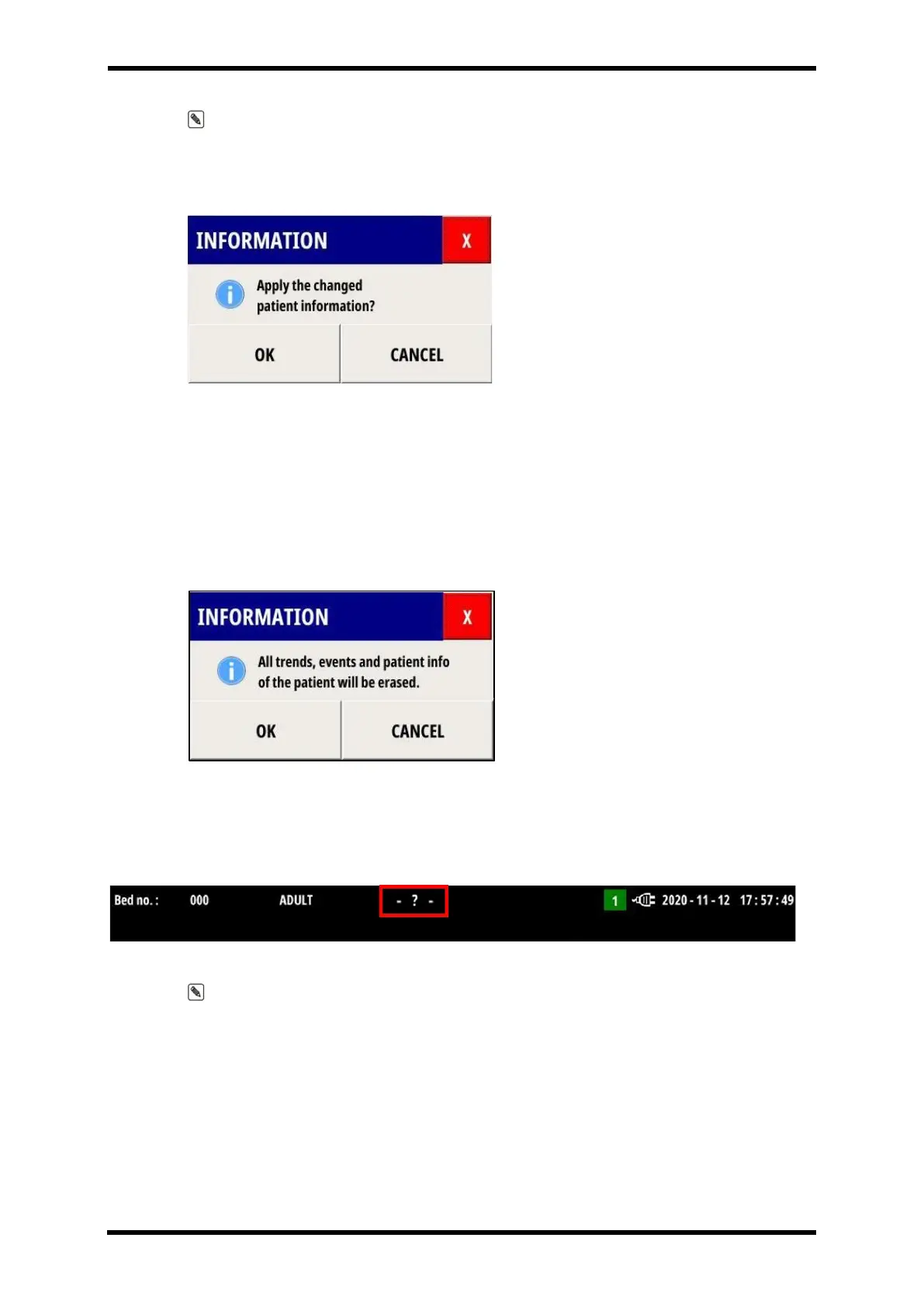
registered with the VM15. When patient information is modified, a warning window as shown
in Figure 8-6 is displayed. Click OK and the modified information will be entered into the
VM15.
Figure 8-6 Patient info change warning window
- END CASE :
Unregister a patient registered in VM15. All patient data that was being measured: Trend,
EVENT, Arrhythmia Review, NIBP Trend, and Patient info are deleted.
When the END CASE button is clicked, a warning window as shown in Figure 8-7 is
displayed.
Figure 8-7 END CASE progress warning window
If you press OK to proceed with END CASE, the FIRST NAME and LAST NAME that were
displayed at the top of the screen will be deleted, and the ‘-? –'is displayed.(Refer to
Figure 8-8)
Figure 8-8 FIRST NAME/LAST NAME output when executing END CASE
Note. It is advisable to cancel the previous patient registration before registering a new
patient. If you do not cancel the registration, it may be difficult to distinguish between the
measurement data of the existing patient and the measurement data of the new patient.
- ADMISSION : Connect to the hospital server (EMR) using HL7, and register patient
information corresponding to the entered Patient ID to VM15.
The following conditions must be met for ADMISSION to proceed normally.
1. ADMISSION button should be activated..
A. ADMISSION button activation condition
i. PATIENT ASSIGN must be made.



 To Next Page