Chapter 4. Basic operation for input channels
33
Changing the channel assignments
When the PM1D system is in its default state, INPUT blocks 1–4 are assigned input channels 1–12, 13–24, 25–36, and
37–48 respectively. Similarly, ST IN channels 1–4 are assigned to the ST IN block.
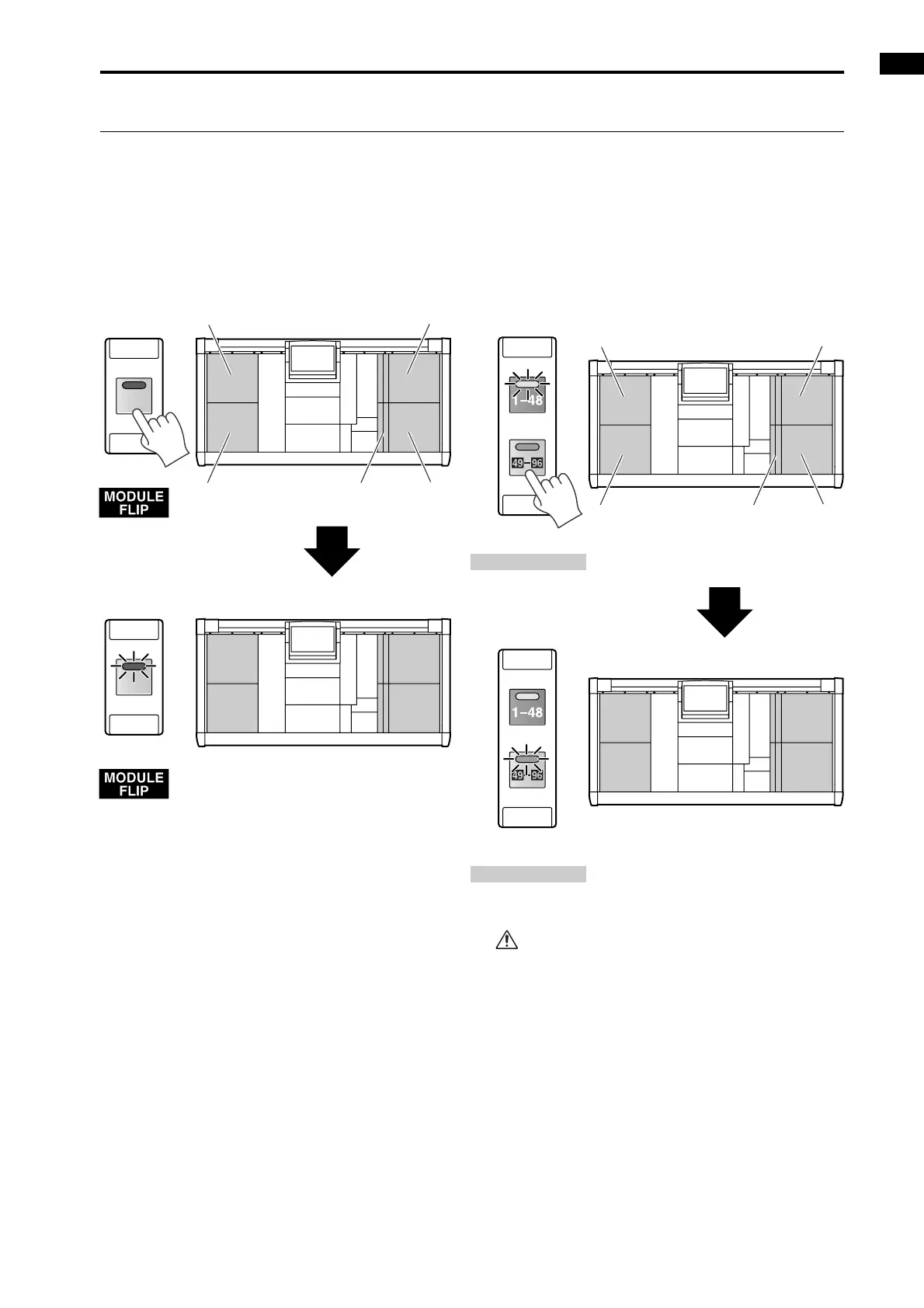
However, you can change these assignments by using the SELECTED INPUT CHANNEL block MODULE [FLIP] switch
and the MASTER block GLOBAL LAYER [1-48]/[49-96] switches, as described below. {On the 48 channel model, the
GLOBAL LAYER [49-96] switch cannot be selected. Only the GLOBAL LAYER [1-48] switch is valid.}
• Using the MODULE [FLIP] switch to change the
channel assignments
• Using the GLOBAL LAYER [1-48]/[49-96] switches
to change the channel assignments (96 channel
model only)
If operating the INPUT block/ST IN block does not
produce the expected result, make sure that the
above switches are set appropriately.
34
12
FLIP
FLIP
CH 13-24
CH 1-12
CH 37-48
CH 25-3612
34
CH 1-12
CH 13-24
CH 25-36
CH 37-48
INPUT block 2
INPUT
block 1
INPUT
block 3
INPUT block 4
ST IN block
CH 13-24
CH 1-12
CH 37-48
CH 25-3612
34
56
78
GLOBAL LAYER
GLOBAL LAYER
CH 61-72
CH 49-60
CH 85-96
CH 73-84
INPUT block 2
INPUT
block 1
INPUT
block 3
INPUT block 4
ST IN block



 To Next Page