Global functions
72
MONITOR B
[Function]
Make settings and operations for the MONITOR B output.
■ Console
In the LCD FUNCTION ACCESS
block, press the [MON/CUE] switch
(press repeatedly until the screen
shown at the right appears)
■ Display
MENU button → MON/CUE but-
ton → MONITOR B tab
[Screen functions]
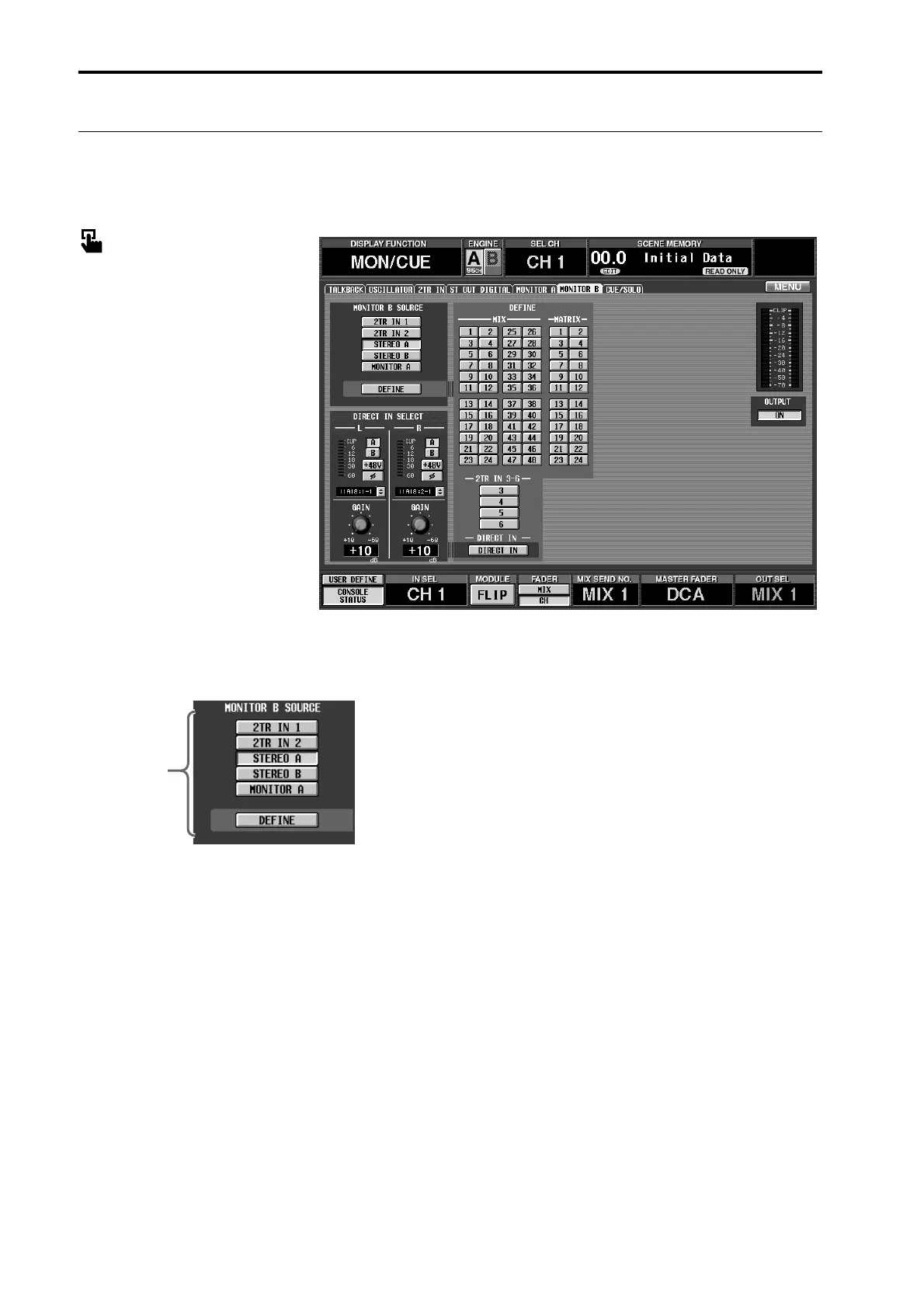
1 MONITOR B SOURCE (monitor B source)
These buttons select the monitor source for the
MONITOR B output. (Multiple selections are not
possible.)
These are linked with the MONITOR B SOURCE
switches located on the CS1D top panel.
Each button corresponds to the following source.
• 2TR IN1
Monitor the input signal from the 2-TRACK IN
DIGITAL/ANALOG 1 jacks located on the rear panel
of the CS1D.
• 2TR IN2
Monitor the input signal from the 2-TRACK IN
DIGITAL/ANALOG 2 jacks located on the rear panel
of the CS1D.
• STEREO A
Monitor the output signal of the STEREO A channel.
• STEREO B
Monitor the output signal of the STEREO B channel.
• MONITOR A
Monitor the same signal as the monitor source
selected in the MONITOR A SOURCE section of the
MONITOR A screen.
• DEFINE
Monitor the signal selected in the DEFINE section
(2) of this screen.
1



 To Next Page