CS1D Operating Manual (Start-up)
44
Send the input signals of input channels 1/2 to the STEREO bus
With the operations you have performed up to this point, the signals of the STEREO bus of the PM1D system will be
output to the output jacks to which your monitor system is connected. Now we will send the signals of the input source
to the STEREO bus to verify that they can be monitored via your monitor system.
[Procedure]
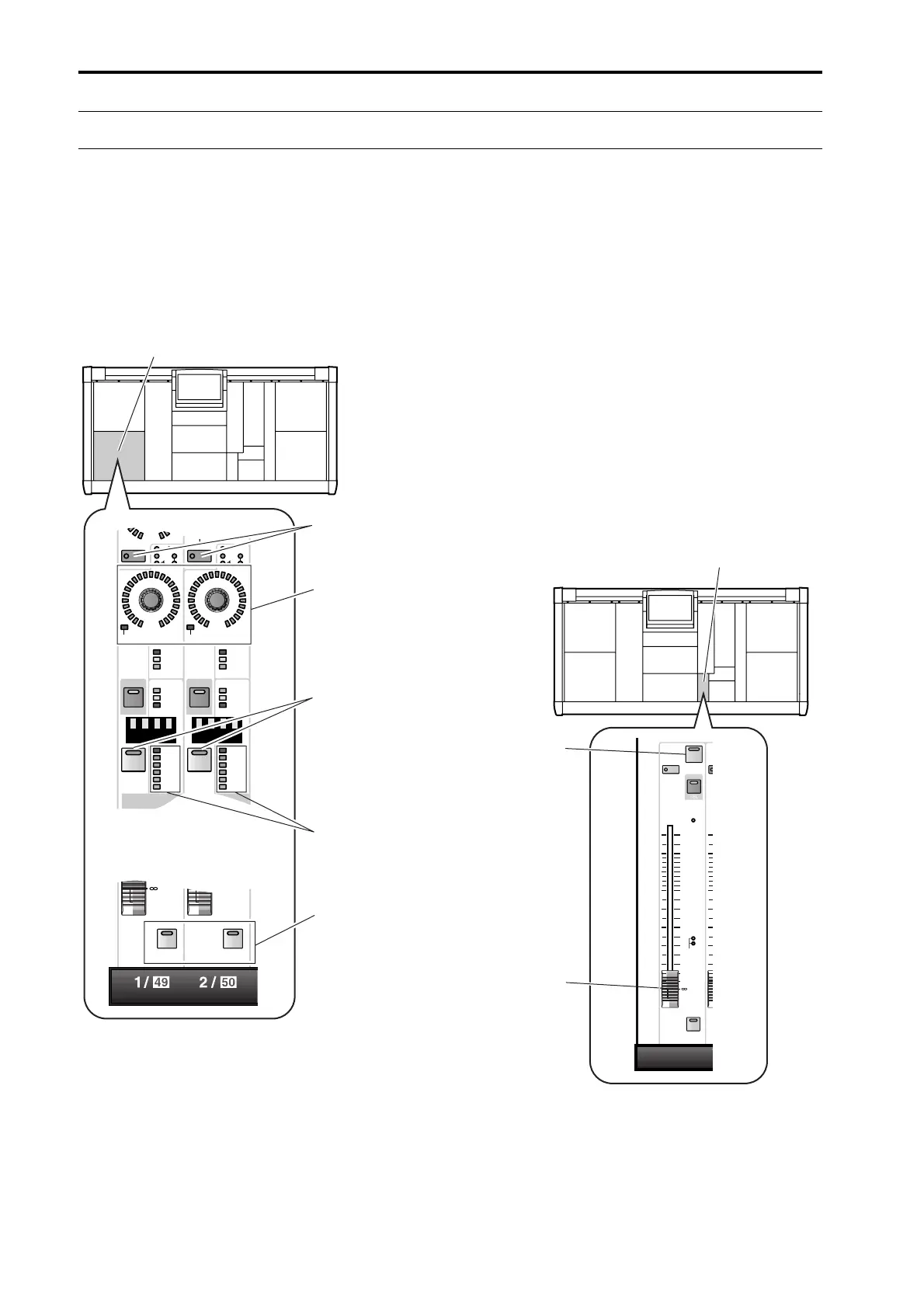
1. Play back the input source. In INPUT block 1 of the
console, verify that the meter LEDs light for input
channels 1/49 and 2/50.
2. If the input source is connected to a mic/line input
card (LMY2-ML), adjust the [GAIN] encoder so
that the CLIP segment of the meter LED does not
light.
3. Turn on the [ON] switches of input channels 1/49
and 2/50 (so that the LEDs are lit).
4. Turn on the [TO ST] switches of input channels 1/
49 and 2/50.
5. Raise the faders of input channels 1/49 and 2/50 to
the 0 position (nominal level).
6. In the STEREO OUTPUT block, turn on the STE-
REO [ON] switch of the ST OUTPUT A channel.
PAN
TO ST
CLIP
R
+48V
INPUT
INS A
B
L
GAIN
SEL
-68
+
THR
-
COMP
+
THR
-
CLIP
6
12
18
30
60
GATE
+10
PAN
TO ST
CLIP
R
+48V
INPUT
INS A
B
L
GAIN
SEL
-68
+
THR
-
COMP
+
THR
-
GATE
+10
CLIP
6
12
18
30
60
ONON
INPUT block 1
[CUE] switch
Meter LEDs for
input channels 1/49
and 2/50
[TO ST] switch
[GAIN] encoder
[ON] switch
RCL
MUTE
SAFE
INS
SEL
TO MTRX
10
5
5
0
10
20
30
40
50
60
CUE
ON
ST OUTPUT
A
S
STEREO [ON]
switch of the ST
OUTPUT A
channel
STEREO OUTPUT block
Fader



 To Next Page