OUT EQ (output equalizer) function
89
OUT PATCHOUT INSERTOUT EQOUT COMPOUT DELAY
OUT DCA/MUTE
MATRIX/STOUT CH VIEW
OUT EQ (output equalizer) function
Output channel EQ settings
EQ PARAMETER
[Function]
Make 6-band EQ settings for the selected output channel.
■ Console
In the LCD FUNCTION ACCESS
block, press the OUTPUT [EQ]
switch (press repeatedly until the
screen shown at the right appears)
■ Display
MENU button → OUTPUT EQ
button → EQ PARAMETER tab
[Screen functions]
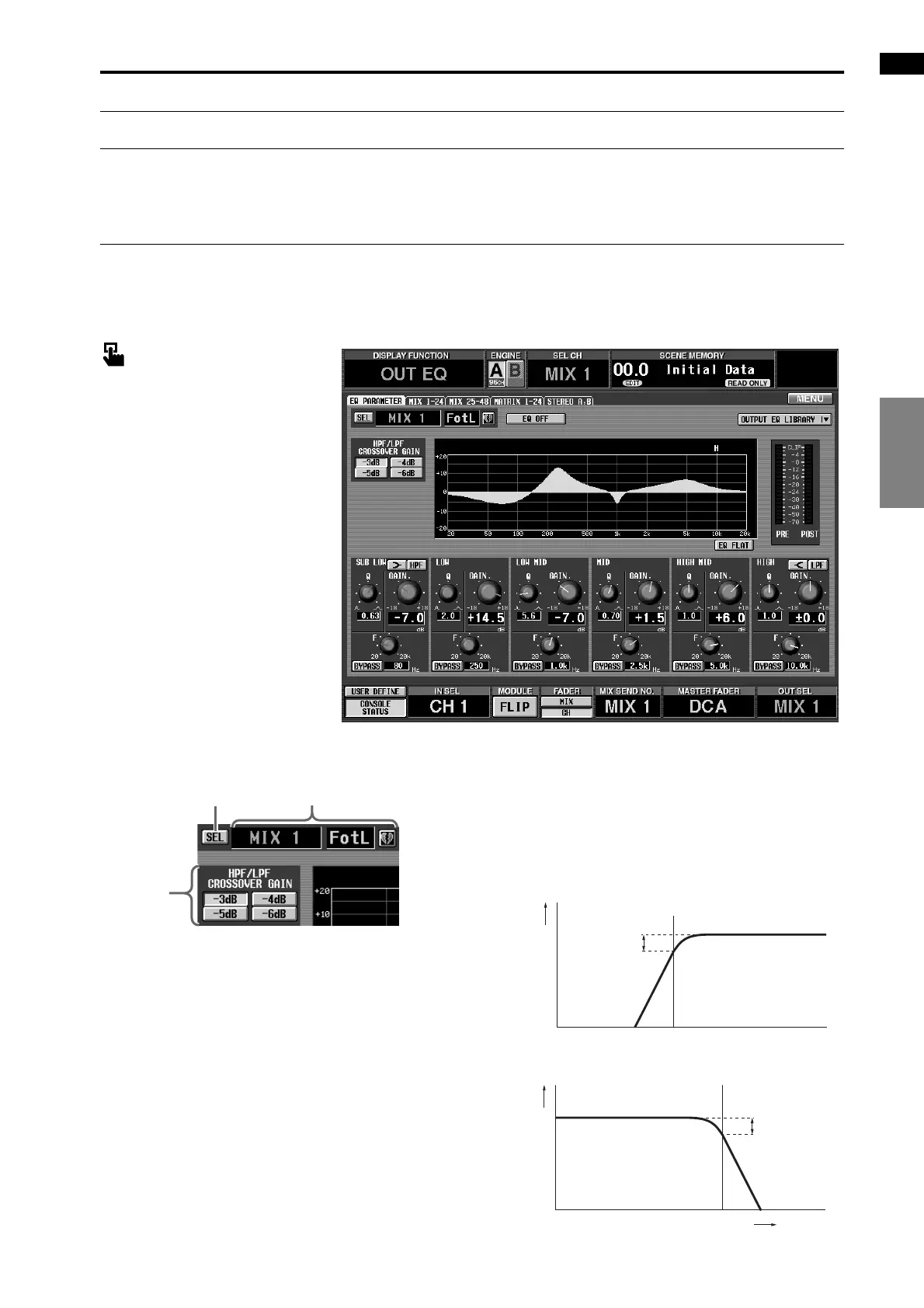
1 SEL (channel select)
This button accesses the CH SELECT popup win-
dow, allowing you to select the output channel to
which your operations will apply.
2 Output channel number and short name
This shows the number, the short name, and the
pairing status of the currently selected output chan-
nel. You can click the heart symbol to enable/defeat
pairing.
3 HPF/LPF CROSSOVER GAIN
Specify how much the level will be attenuated at the
center frequency when the SUB LOW band is used as
an HPF or when the HIGH band is used as an LPF.
However, this parameter is valid only if the HPF/LPF
SLOPE parameter is set to 12 dB. If the SLOPE
parameter is set to 6 dB, the CROSSOVER parameter
will be fixed at –3 dB.
• SUB LOW
• HIGH band
1
3
2
Level
Center Frequency
Crossover Gain
Level
Center
Frequency
Crossover Gain
Frequency



 To Next Page