Global functions
12
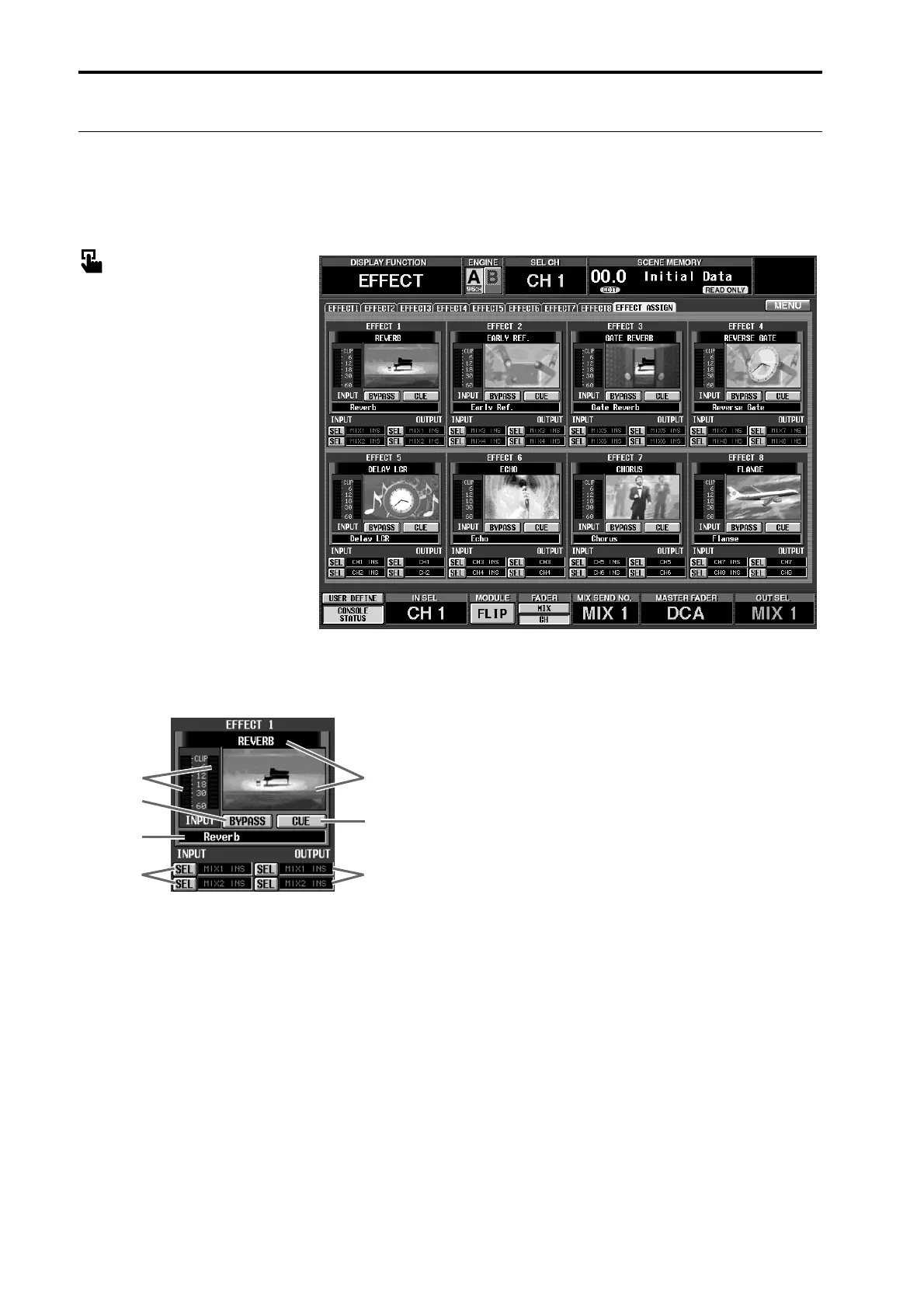
EFFECT ASSIGN
[Function]
Displays a list of the effect types, the signal routes assigned to input and output, and the bypass and cue set-
tings used by internal effects 1–8.
■ Console
In the LCD FUNCTION ACCESS
block, press the [EFFECT] switch
(press repeatedly until the screen
shown at the right appears)
■ Display
MENU button → EFFECT button
→ EFFECT ASSIGN tab
[Screen functions]
1 Level meters
These level meters show the peak level of the signal
that is input to the internal effect.
2 Effect
The currently selected effect is shown by name and
by graphic.
You can click this area to access the corresponding
EFFECT 1–EFFECT 8 screen. In addition, you can
drag and drop the graphic to copy all settings of an
effect (including the effect type) between EFFECT 1–
EFFECT 8.
3 BYPASS
This button switches bypass on/off.
4 CUE
This button monitors the output of the correspond-
ing effect. Cue will be defeated when you switch
screens.
5 TYPE
This indicates the type of the currently selected
effect.
6 INPUT (input channel)
This shows the signal route that is patched to input
channels L/R of the internal effect.
You can also click the SEL button and select the sig-
nal route.
7 OUTPUT (output channel)
This shows the signal route that is patched to output
channels L/R of the internal effect.
You can also click the SEL button and select the sig-
nal route.
2
4
7
3
1
5
6



 To Next Page