Chapter 6. Insert and direct out
91
Direct out
An input source patched to an input channel can be output directly from a desired output jack without being affected by
the STEREO bus or MIX buses.
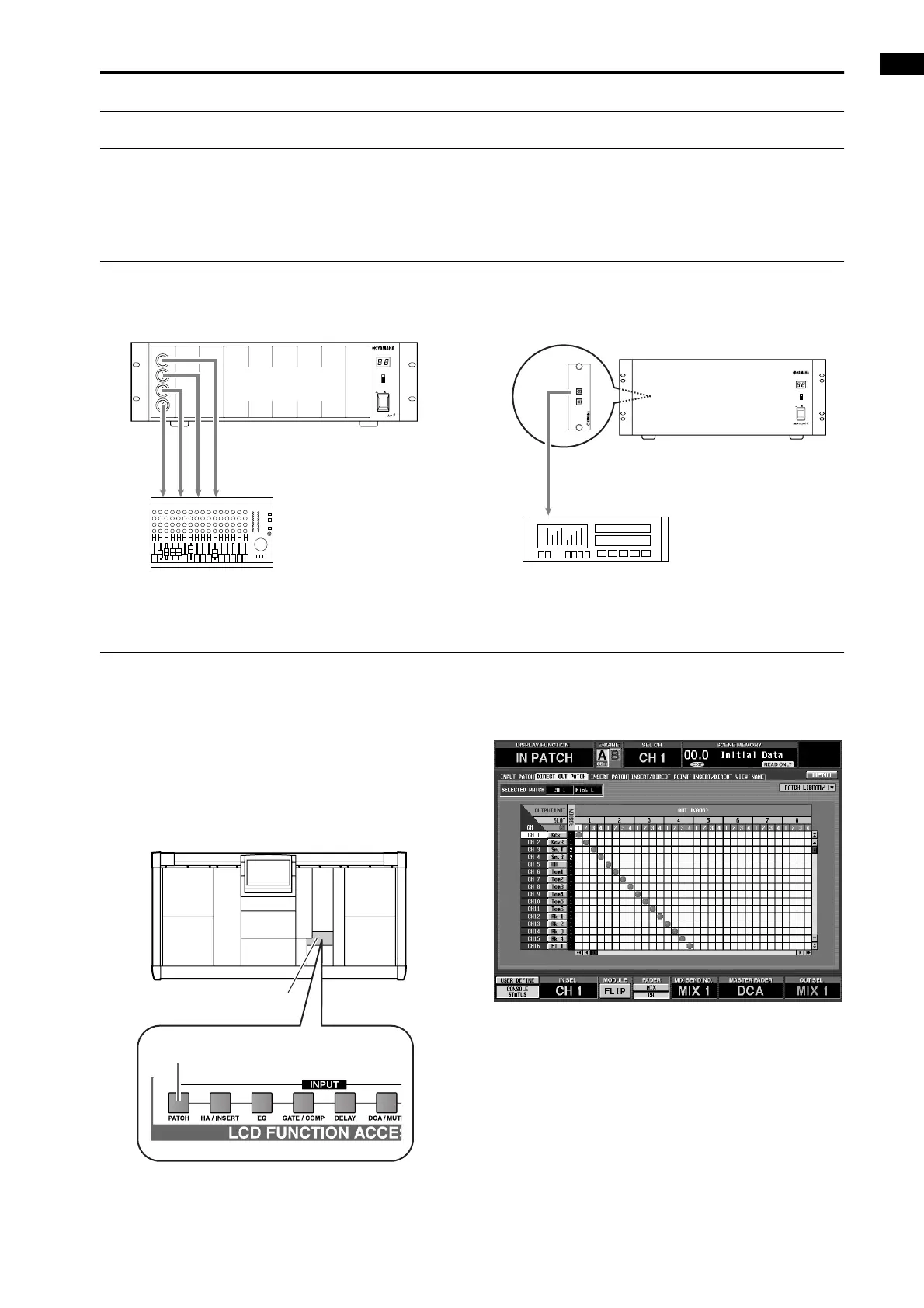
Direct out connections
If you wish to directly output a specific signal, you can use an output jack of an output unit as a direct output.
• Direct out connection example 1 • Direct out connection example 2
Directly outputting an input channel signal
[Procedure]
1. In the LCD FUNCTION ACCESS block, press the
INPUT [PATCH] switch several times to access the
following DIRECT OUT PATCH screen (IN PATCH
function).
In the DIRECT OUT PATCH screen, you can patch
the desired input channel to an output jack that will
be the direct output destination.
•
DIRECT OUT PATCH screen (IN PATCH function)
12345 67
OUTPUT UNIT NO.
INPUT SELECTOR
A
B
POWER
ON/ OFF
8
ANALOG OUTPUT BOX
Mixer
AO8 analog
output unit
DIGITAL IN
DIGITAL I/O CARD
MODEL MY8-TD
OUTIN
I/O UNIT ID
PORT B SELECTOR
5-8
1-4
POWER
ON/ OFF
ADAT
Digital MTR
DIO8 digital input/output
unit
LCD FUNCTION ACCESS
block
INPUT [PATCH] switch



 To Next Page