Input functions
124
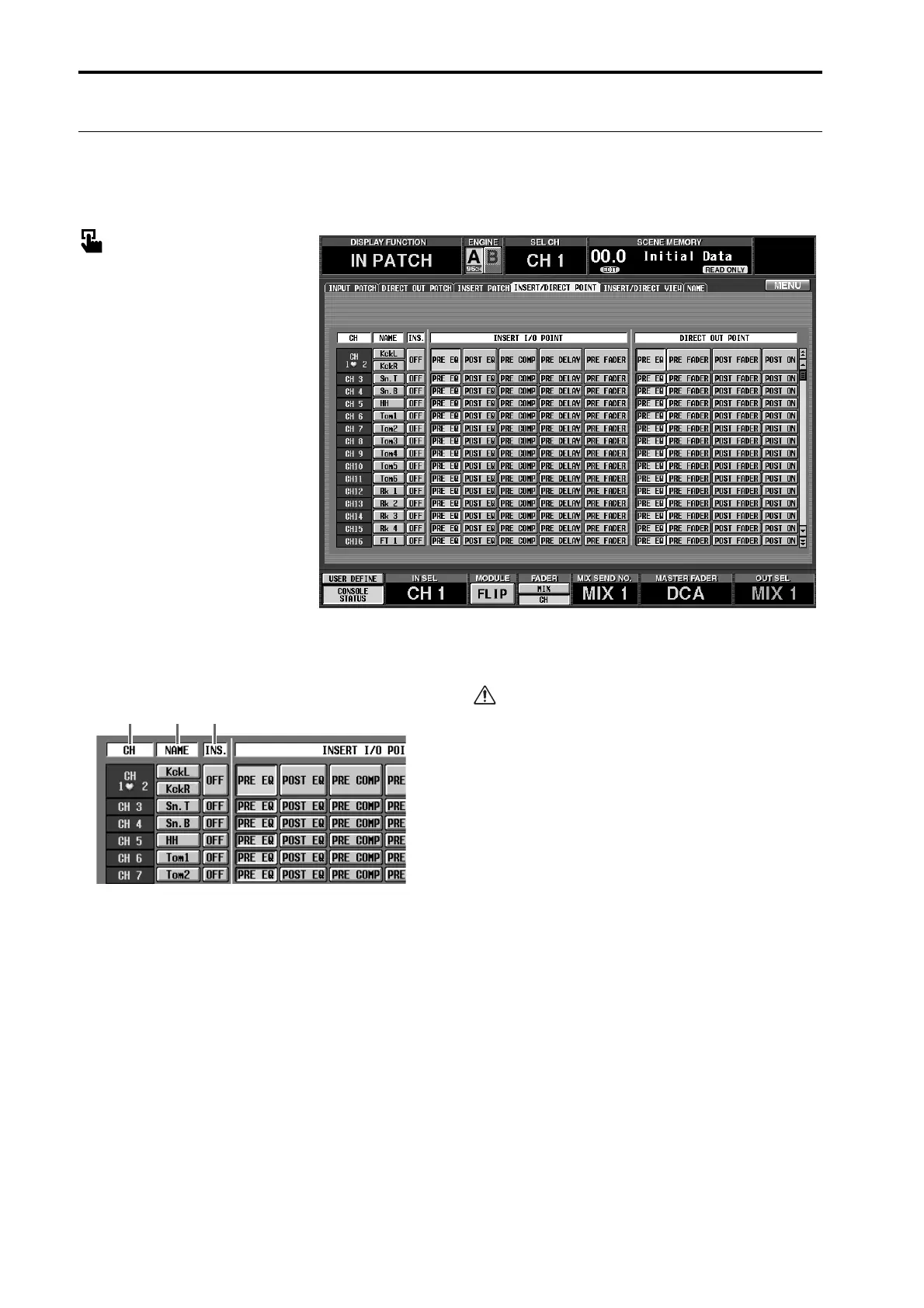
INSERT/DIRECT POINT
[Function]
For each input channel, switch insertion on/off, and select the insertion I/O point and the direct out point.
■ Console
In the LCD FUNCTION ACCESS
block, press the INPUT [PATCH]
switch (press repeatedly until the
screen shown at the right appears)
■ Display
MENU button → INPUT PATCH
button → INSERT/DIRECT
POINT tab
[Screen functions]
1 CH (input channel)
This shows the number of the input channel that you
are setting. For two channels that are a pair, this area
will display a heart symbol, and items 2–5 will be
common.
2 NAME
The short name assigned to each input channel is
displayed here. You can also click this area to assign a
short name/long name.
3 INS. (insert on/off)
This button switches insertion on/off for each chan-
nel.
Before turning on this button, you must assign
input/output jacks to the insert out/in points in the
INSERT PATCH screen. Be aware that unless both
the input and output jacks are patched, the appro-
priate signal will not be input to that input channel.
321



 To Next Page