Input functions
128
NAME
[Function]
Assign a short name/long name to an input channel, or DCA.
■ Console
In the LCD FUNCTION ACCESS
block, press the INPUT [PATCH]
switch (press repeatedly until the
screen shown at the right appears)
■ Display
MENU button → INPUT PATCH
button → NAME tab
[Screen functions]
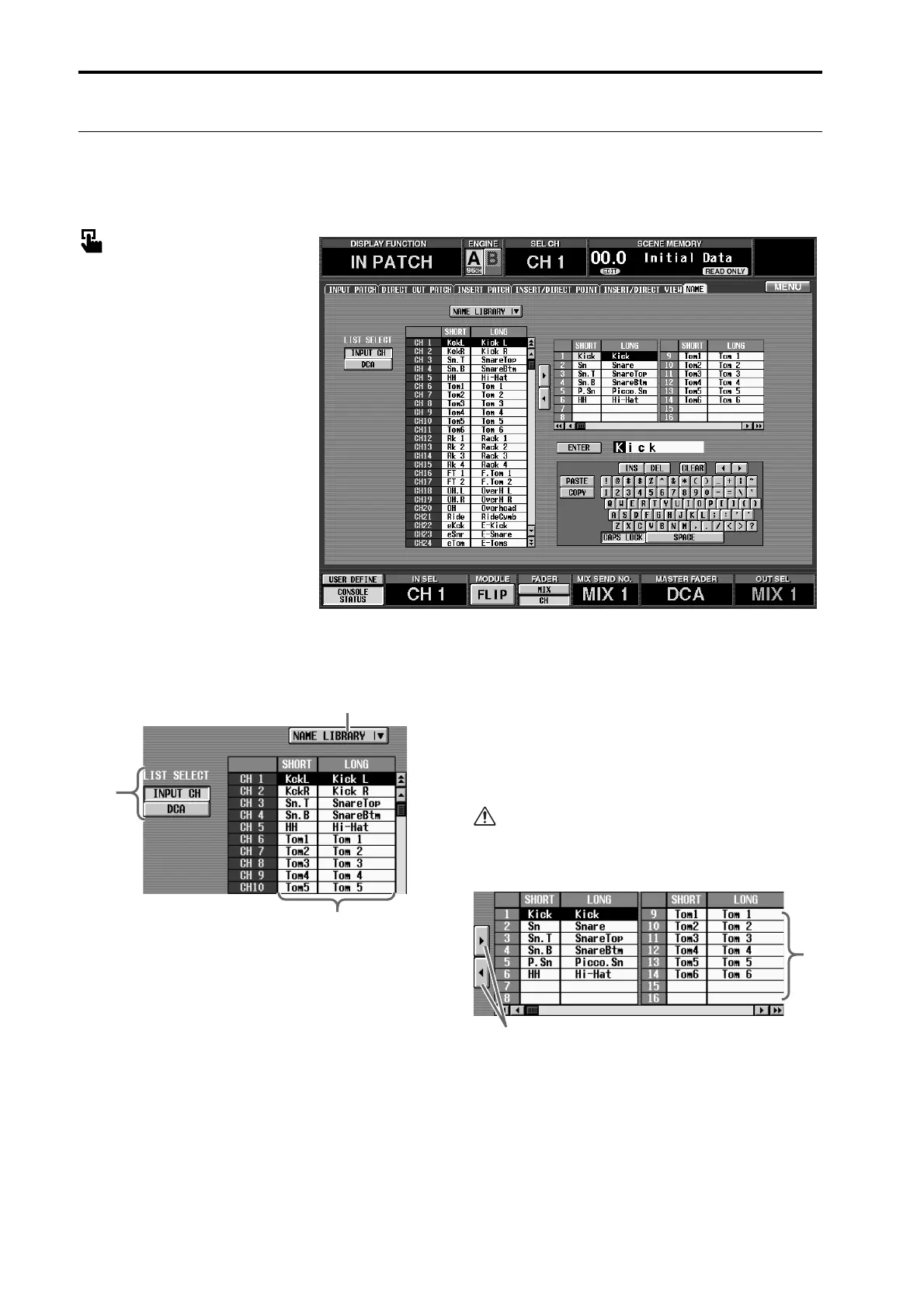
1 LIST SELECT
These buttons select the type of item that will be dis-
played in the name list (3). Each button corre-
sponds to the following items.
• INPUT CH .........Input channels 1–96
ST IN channels 1–8
• DCA ....................DCA 1–12
2 NAME LIBRARY
This button accesses the NAME LIBRARY window in
which you can store/recall name lists (→p.174).
3 Name list
This lists the names of the item selected in 1. If you
click the short name area (four characters) or long
name area (eight characters) in the list, it will be dis-
played in light blue, and can be edited using the text
box (6) or character palette (7).
If DCA is selected in LIST SELECT (1), only long
names are valid.
4 Te mplate name list
In this list you can register frequently-used names or
abbreviations such as “Kick,” “SD,” “Tom,” and
“Chor” as template names. If you click the short
name area (four characters) or long name area (eight
characters) in the list, it will be displayed in light
blue, allowing you to edit the template itself using
the text box (6) or character palette (7).
3
2
1
4
5



 To Next Page