CS1D Reference Manual (Hardware)
90
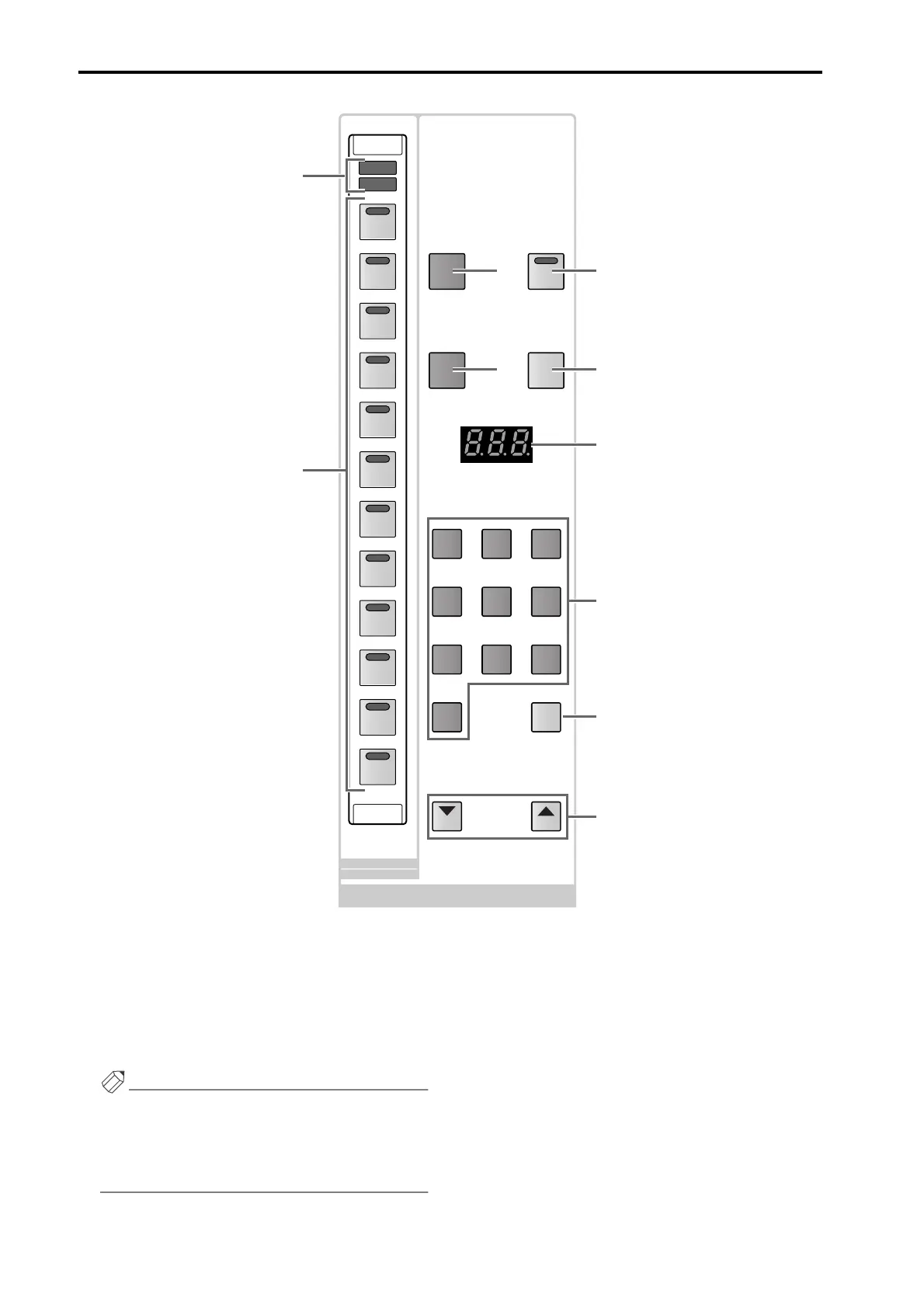
1 SCENE MEMORY [1]–[12] switches and LEDs
These switches directly recall twelve previously-
selected scenes from the scenes stored in memory.
Assignment of a scene number to each switch is per-
formed in the display (SCENE function DIRECT
RECALL screen).
Hint
The SCENE MEMORY [1]–[12] switches can also be
used as mute master switches to switch muting on/
off for mute groups 1–12. The selection of which
function is used can be made in the display (SCENE
function DIRECT RECALL screen).
2 SCENE MEMORY [RECALL]/[MUTE] LEDs
These LEDs indicate the function of the SCENE
MEMORY [1]–[12] switches (1).
One or the other LED will light depending on the
function that is selected in the display (SCENE func-
tion DIRECT RECALL screen).
• When the [RECALL] LED is lit
The SCENE MEMORY [1]–[12] switches will func-
tion as direct recall switches that directly recall the
twelve previously assigned scenes.
• When the [MUTE] LED is lit
The SCENE MEMORY [1]–[12] switches will func-
tion as mute master switches that switch muting on/
off for mute groups 1–12.
STORE
SCENE NUMBER
PREVIEW
RECALL
RECALL
UNDO
SCENE MEMORY
DEC INC
12
11
10
9
8
7
789
456
123
0
CLEAR
6
5
4
3
2
1
MUTE
RECALL
MUTE MASTER
DIRECT RECALL
1
2
3
4
5 6
7
8
9
0



 To Next Page