Checking the operation of an output unit
39
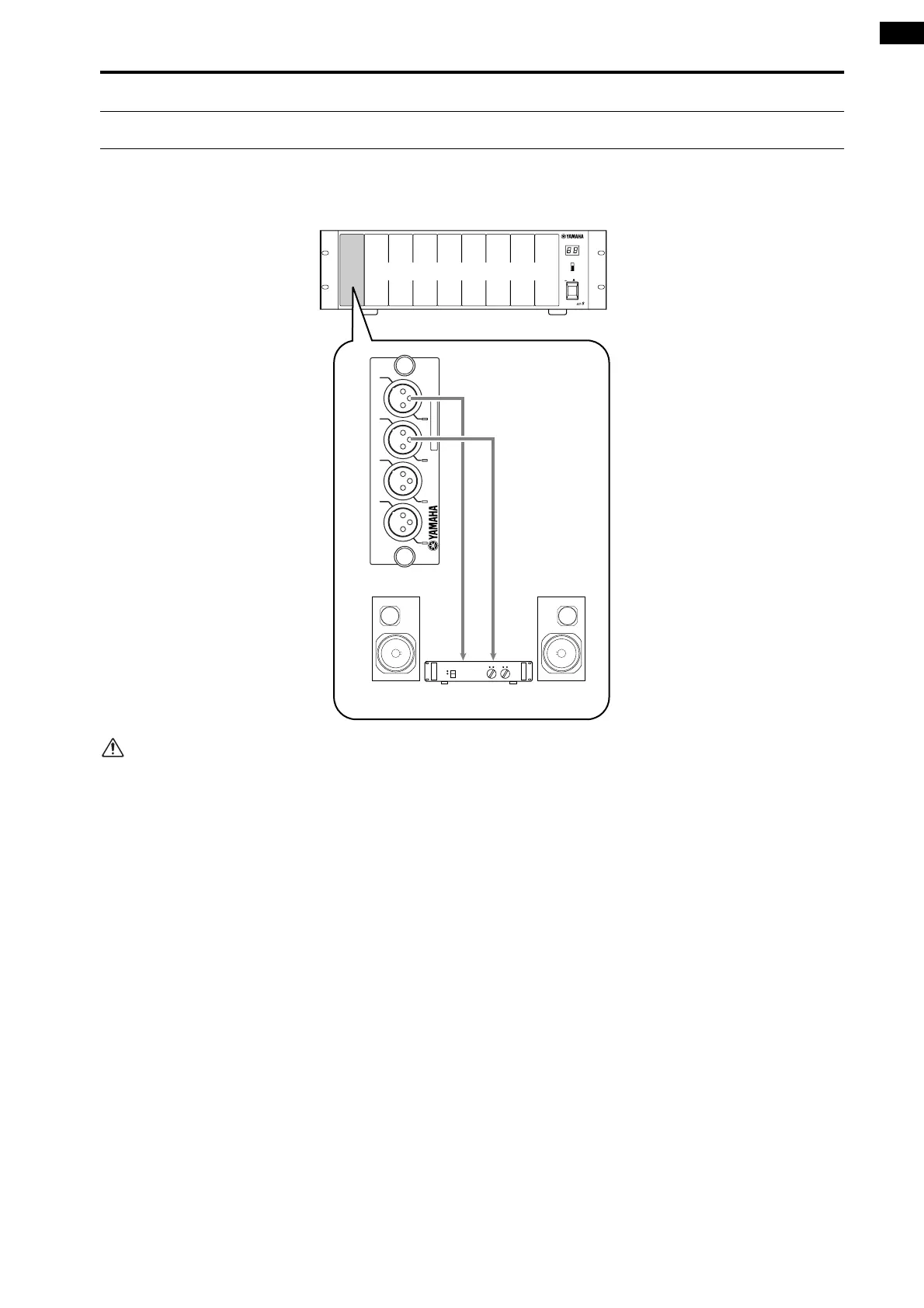
Connect the monitor system
In order to check the operation of an analog output unit, you will need to connect a monitor system such as a set of pow-
ered speakers or a power amp + speakers to a DA card (LMY4-DA) installed in the AO8 analog output unit.
If you are checking the output channels of a DIO8
digital input/output unit, connect the output con-
nector of the digital I/O card (MY8-AT, MY8-TD,
MY8-AE) to the digital input connector of a DAT
recorder or digital MTR (multi-track recorder) of
the same format as that card. In this case, it will not
be possible to directly monitor the signal via the
monitor system, so you will need to arrange things
so that the signal can be monitored via the head-
phone jack or analog output jacks of the recorder.
12345 67
OUTPUT UNIT NO.
INPUT SELECTOR
A
B
POWER
ON/ OFF
8
ANALOG OUTPUT BOX
LR
ANALOG OUT
DA CARD
MODEL LMY4-DA
SIGNAL SIGNAL SIGNAL SIGNAL
CH4 CH3 CH2 CH1
DA-Platine (LMY4-DA)
Monitor system
AO8 analog output unit



 To Next Page