MASTER block
83
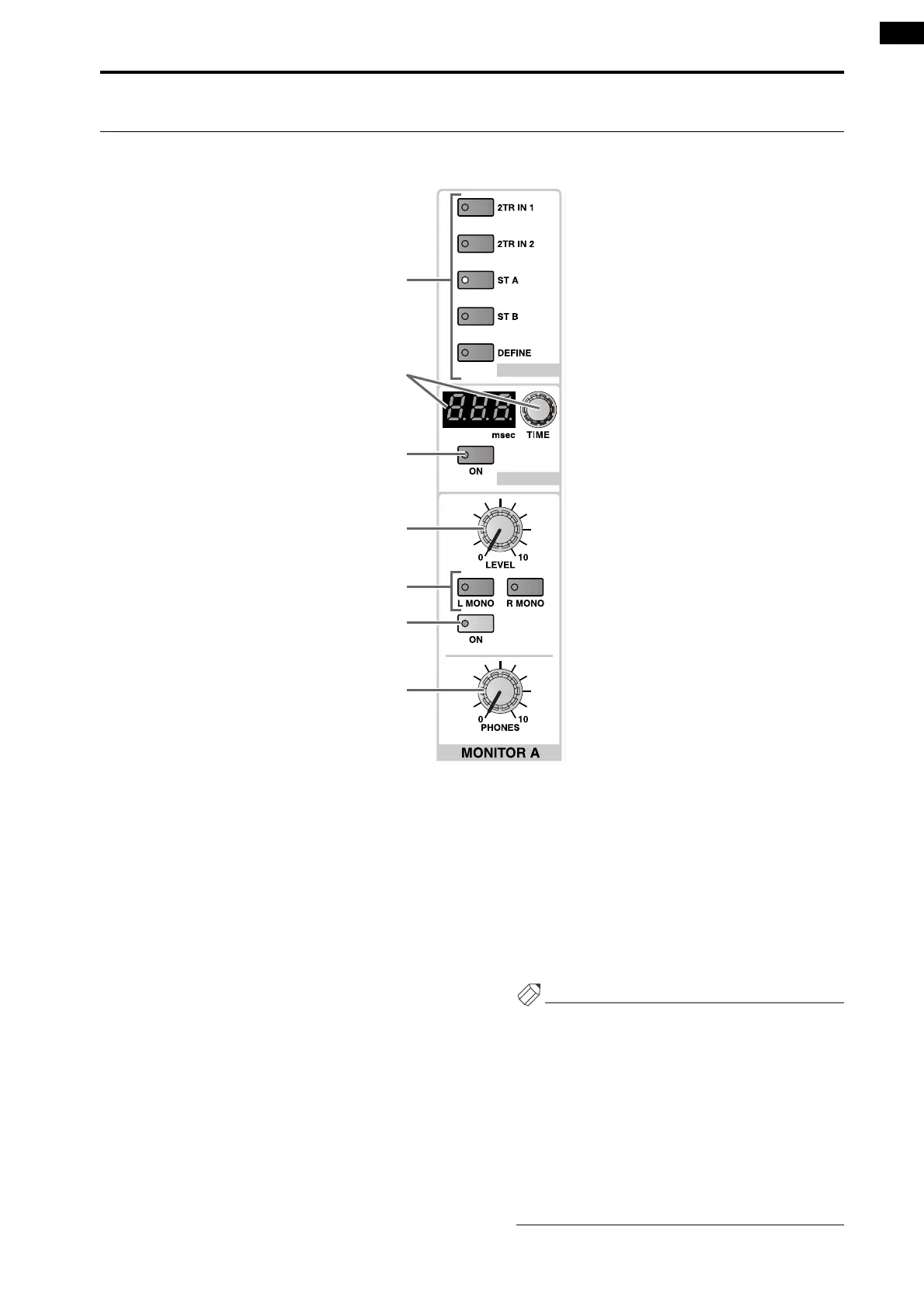
MONITOR A section
This section selects the monitor source for the MONITOR A output, and adjusts its level.
1 MONITOR A SOURCE [2TR IN 1]/[2TR IN 2]/[ST
A]/[ST B]/[DEFINE] switches and LEDs
These switches select the monitor source for the
MONITOR A outputs.
The switch LED for the currently selected source will
light. (It is not possible to select two or more
sources.)
Each switch corresponds to the following sources.
• [2TR IN 1] switch
Monitor the input signal from the 2-TRACK IN
DIGITAL 1 jack or 2-TRACK IN ANALOG 1 jacks
located on the rear panel of the CS1D.
The choice between analog and digital is made in the
display (MON/CUE function 2TR IN screen).
• [2TR IN 2] switch
Monitor the input signal from the 2-TRACK IN
DIGITAL 2 jack or 2-TRACK IN ANALOG 2 jacks
located on the rear panel of the CS1D.
The choice between analog and digital is made in the
display (MON/CUE function 2TR IN screen).
• [ST A] switch
Monitor the output signal of the STEREO A channel.
• [ST B] switch
Monitor the output signal of the STEREO B channel.
• [DEFINE] switch
Monitor the signal (MIX 1–48 , MATRIX 1–24 , 2TR
IN 3–6, or DIRECT IN) that was previously defined
by the user in the display (MON/CUE function
MONITOR A screen).
Hint
With the default state of the PM1D, the setting of the
MONITOR A SOURCE switches will be ignored if
even one [CUE] switch is on, and the cue (solo) sig-
nal will be output from the MONITOR OUT A
jacks/MONITOR A phones jack.
However, you can make settings so that the state of
the [CUE] switches will be ignored and the source
selected by the MONITOR A SOURCE switch will
always be output from the MONITOR OUT A jacks.
This setting is made in the display (MON/CUE func-
tion MONITOR A screen).
DELAY
SOURCE
1
2
3
4
5
6
7



 To Next Page