CS1D Reference Manual (Hardware)
98
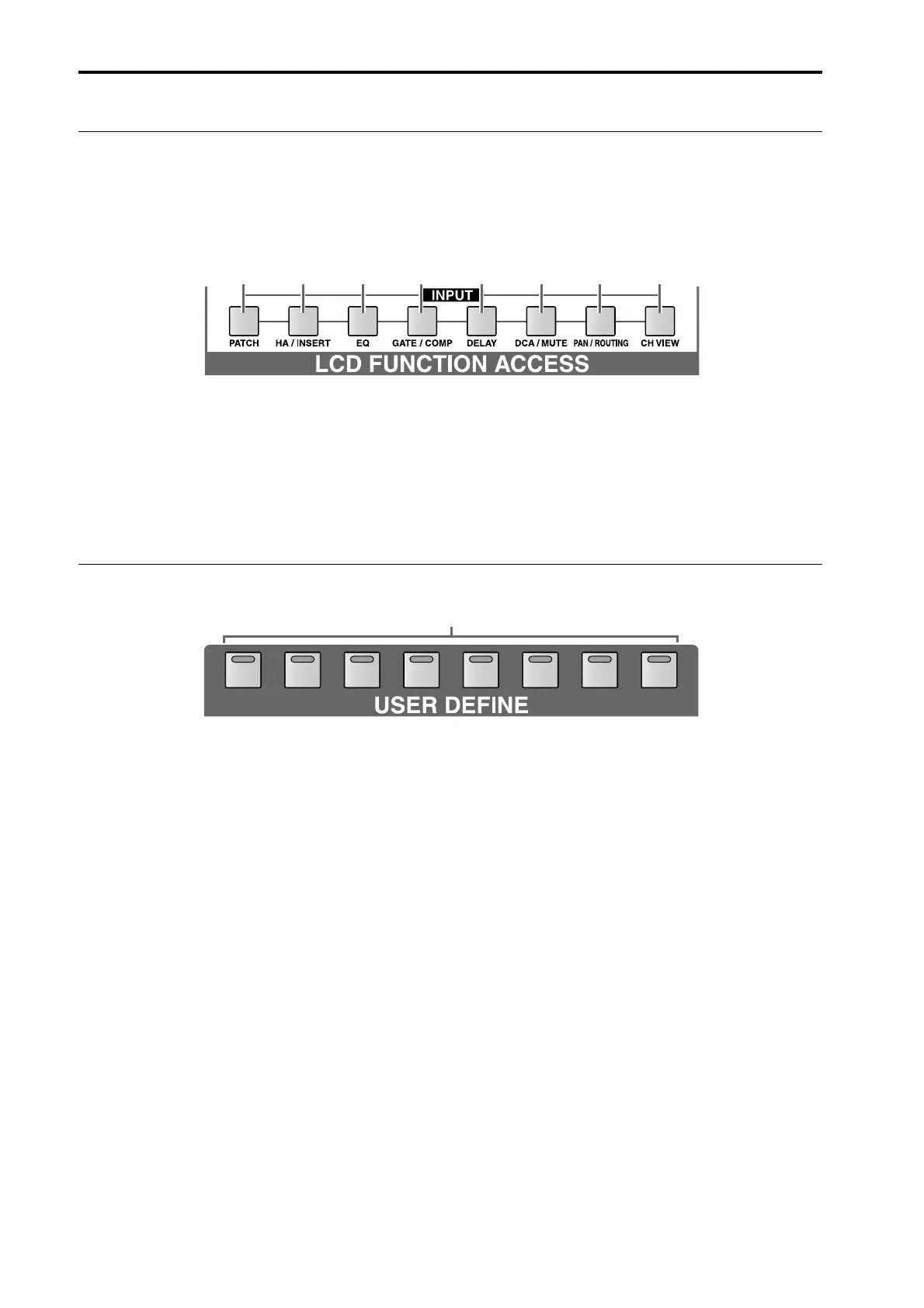
LCD ACCESS INPUT section
In this section, functions that affect input channels can
be recalled to the display.
By repeatedly pressing the same switch, you can select
screens within a function.
By holding down the [SHIFT/GRAB] switch of the data
entry section and pressing one of these switches, you can
access the previous page within that function. You can
also recall the previous screen in that function by con-
tinuing to press the switch.
1 [PATCH] switch
2 [HA/INSERT] switch
3 [EQ] switch
4 [GATE/COMP] switch
5 [DELAY] switch
6 [DCA/MUTE] switch
7 [PAN/ROUTING] switch
8 [CH VIEW] switch
USER DEFINE
1 [1]–[8] switches and LEDs
These switches execute functions previously defined
by the user.
Definitions for each switch can be made in the UTIL-
ITY function DEFINE screen.
1 2 3 4 5 6 7 8
12345678
1



 To Next Page