OUT PATCH (output patch) functions
81
OUT PATCHOUT INSERTOUT EQOUT COMPOUT DELAY
OUT DCA/MUTE
MATRIX/STOUT CH VIEW
INSERT VIEW
[Function]
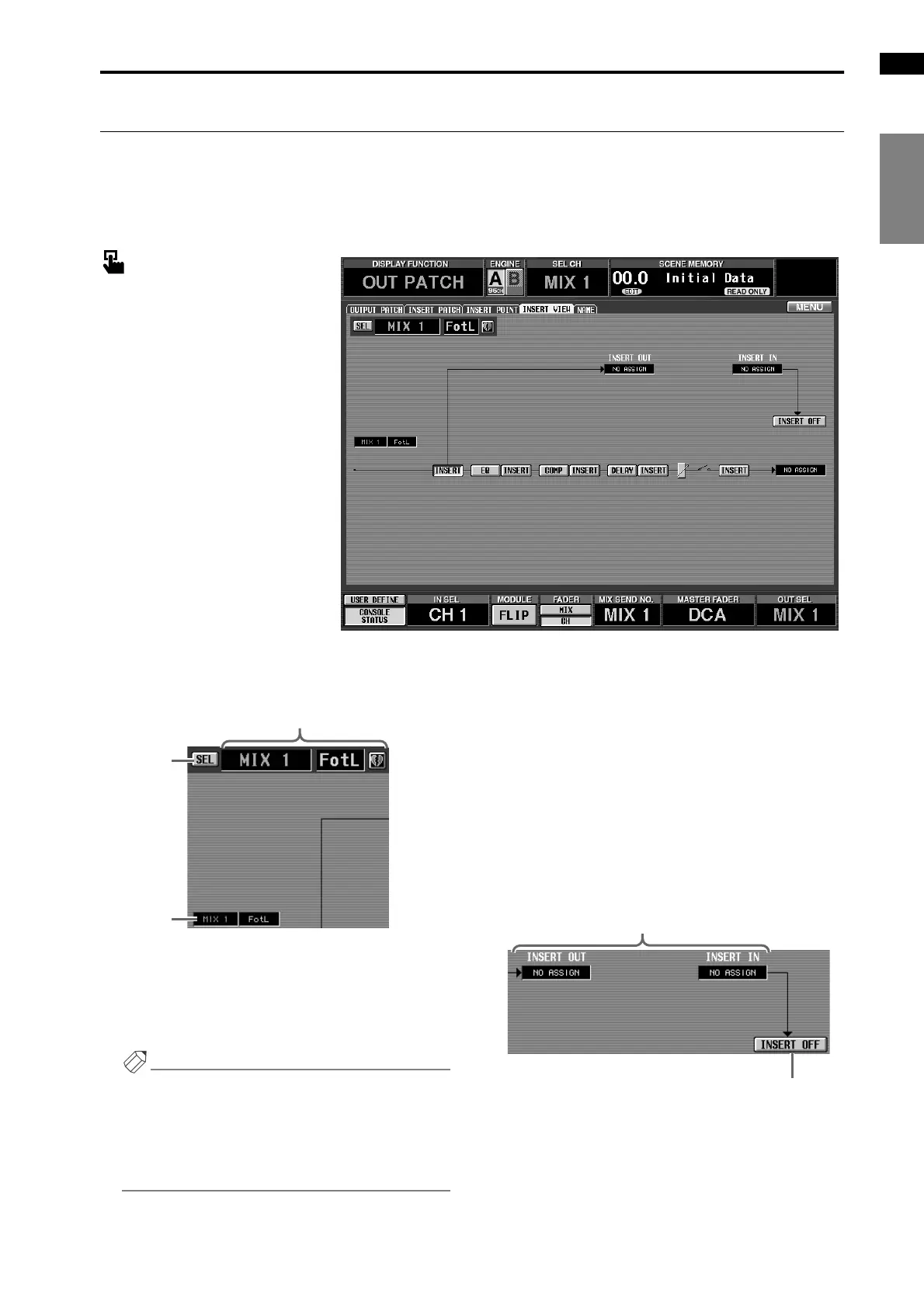
While viewing the block diagram displayed on-screen, select the insert I/O point of the desired output chan-
nel.
■ Console
In the LCD FUNCTION ACCESS
block, press the OUTPUT [PATCH]
switch (press repeatedly until the
screen shown at the right appears)
■ Display
MENU button → OUTPUT PATCH
button → INSERT VIEW tab
[Screen functions]
1 SEL (channel select)
This button accesses the CH SELECT popup win-
dow, allowing you to select the output channel to
which your operations will apply.
Hint
When this screen is first accessed, the output channel
selected by OUTPUT [SEL] on the console will be
displayed. However, if you select a different output
channel for editing in this screen, the output channel
selected by the OUTPUT [SEL] switch will be
affected.
2 Output channel number and short name
This shows the number, the short name, and the
pairing status of the currently selected output chan-
nel. You can click the heart symbol to enable/defeat
pairing.
3 Unit, card, and channel type and number
This displays the unit type and number, card num-
ber, and output jack channel number assigned to the
currently selected output channel.
4 Unit, card, and channel type and number
This displays the unit type and number, card num-
ber, and input/output jack channel number assigned
to the insert out/insert in of the currently selected
output channel.
1
2
3



 To Next Page