Output functions
108
MIX to MATRIX
[Function]
Select a MATRIX bus, and set the level, on/off, and sent point of the signal that is sent from the MIX channel/
STEREO A/B channel to that MATRIX bus.
■ Console
In the LCD FUNCTION ACCESS
block, press the OUTPUT
[MATRIX/ST] switch (press repeat-
edly until the screen shown at the
right appears)
■ Display
MENU button → OUTPUT
MATRIX/ST button → MIX to
MATRIX tab
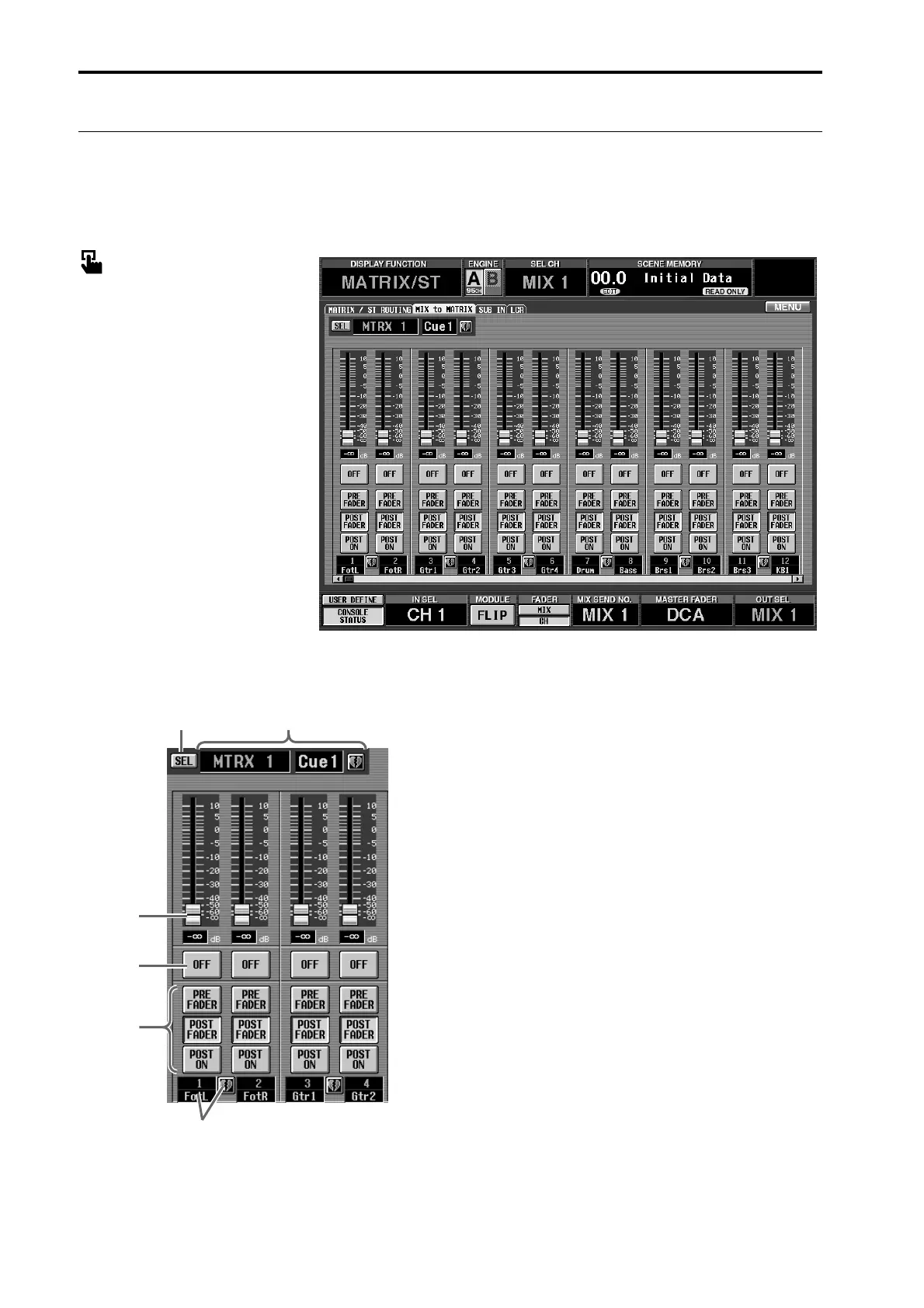
[Screen functions]
1 SEL (select MATRIX bus)
When you click this button, a popup window will
appear in which you can select the send destination
MATRIX bus.
2 MTRX bus number/name
This displays the number, short name, and pairing
status of the currently selected MATRIX bus.
You can click the short name area to assign a name,
or click the heart symbol to set/cancel pairing.
3 Fader
This sets the send level of the signal that is sent from
the MIX channel/STEREO A/B channel to the
MATRIX bus selected in 1.
4 ON/OFF
This is an on/off switch for the signal that is sent
from the MIX channel/STEREO A/B channel to the
MATRIX bus selected in 1.
5 PRE FADER/POST FADER/POST ON
These buttons select the send point for the signal that
is sent from the MIX channel/STEREO A/B channel
to the MIX bus selected in 1.
• When the PRE FADER button is on
The signal will be sent from immediately before the
fader.
• When the POST FADER button is on
The signal will be sent from immediately after the
fader.
12
3
4
5
6



 To Next Page