Input functions
134
IN EQ (Input equalizer) functions
Input channel EQ settings
EQ PARAMETER
[Function]
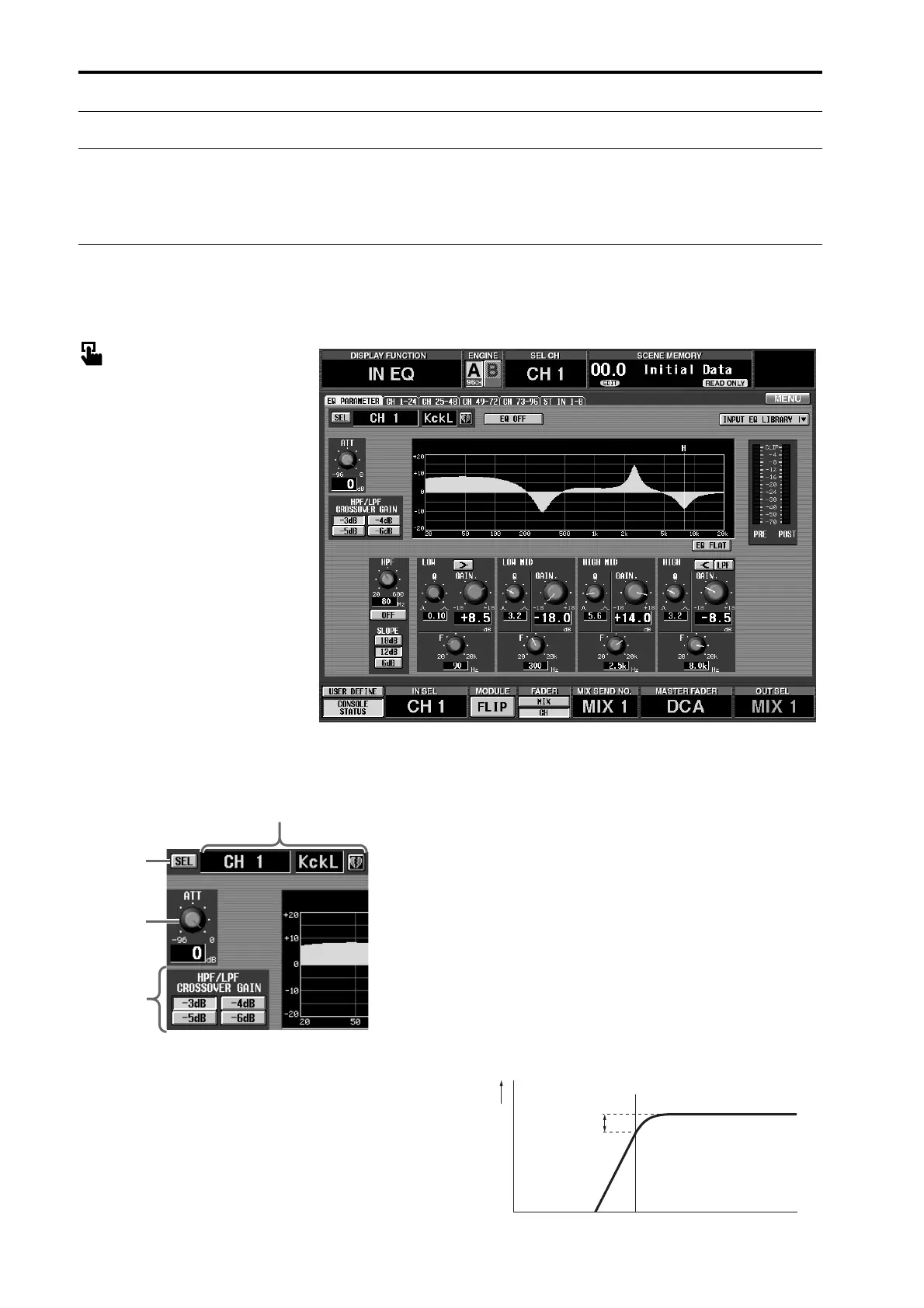
Set the attenuator, HPF, and four-band EQ for the selected input channel.
■ Console
In the LCD FUNCTION ACCESS
block, press the INPUT [EQ] switch
(press repeatedly until the screen
shown at the right appears)
■ Display
MENU button → INPUT EQ but-
ton → EQ PARAMETER tab
[Screen functions]
1 SEL (channel select)
This button accesses the CH SELECT popup win-
dow, allowing you to select the input channel to
which your operations will apply.
2 AT T (attenuator)
This knob sets the amount of attenuation after AD
conversion. The range is 0 dB — –96 dB, and the
current value is displayed in the numerical box
immediately below the knob.
3 Input channel number and short name
This shows the number, the short name, and the
pairing status of the currently selected input channel.
You can click the heart symbol to enable/defeat pair-
ing.
4 HPF/LPF CROSSOVER GAIN
When using HPF, or when using the HIGH band as
LPF, this specifies how greatly the level will be atten-
uated at the center frequency.
However, this parameter is valid only if the HPF/LPF
SLOPE parameter is set to 12 dB or 18 dB. If the
SLOPE parameter is set to 6 dB, the CROSSOVER
parameter will be fixed at –3 dB.
• HPF
3
4
2
1
Level
Center Frequency
Crossover Gain



 To Next Page