Libraries
190
EFFECT LIBRARY
[Function]
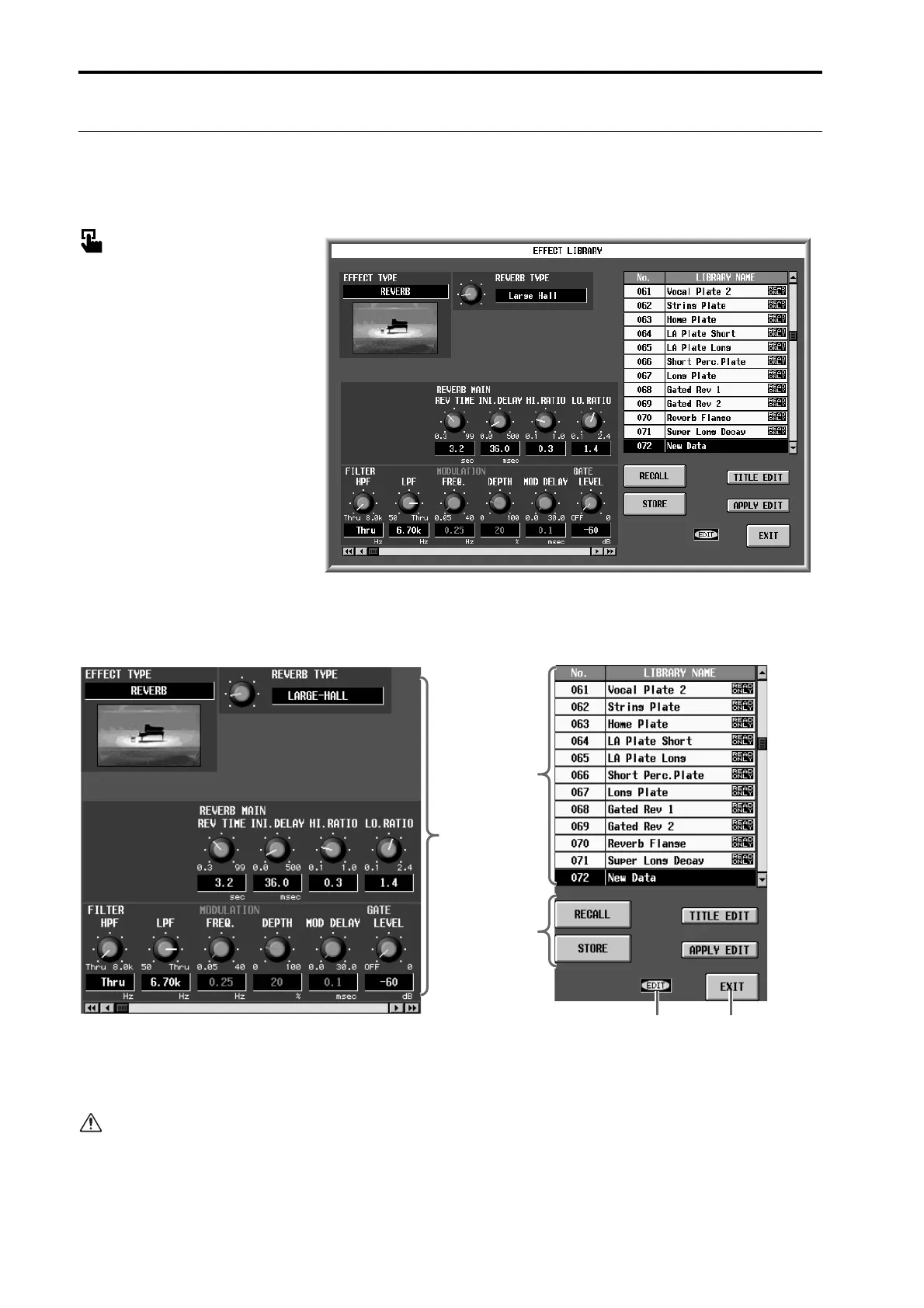
Here you can store and recall the effect settings (effect data) of the currently selected internal effect.
■ Display
MENU button → EFFECT button
→ EFFECT 1 – EFFECT 8 tabs →
EFFECT LIBRARY button
[Screen functions]
1 Edit section
This area displays the settings of the effect data cur-
rently selected in the library list (2). You can use the
buttons and knobs to edit the data.
It is not possible to change the effect type used by
the effect data. If you need a specific effect type, you
must first select effect data that uses that effect type.
2 Library list
This shows a list of the effect data stored in memory.
The highlighted line is currently selected for opera-
tions.
3 STORE/RECALL buttons
These buttons store/recall effect data.
1
54
3
2



 To Next Page