CS1D Reference Manual (Hardware)
36
GLOBAL CONTROL section
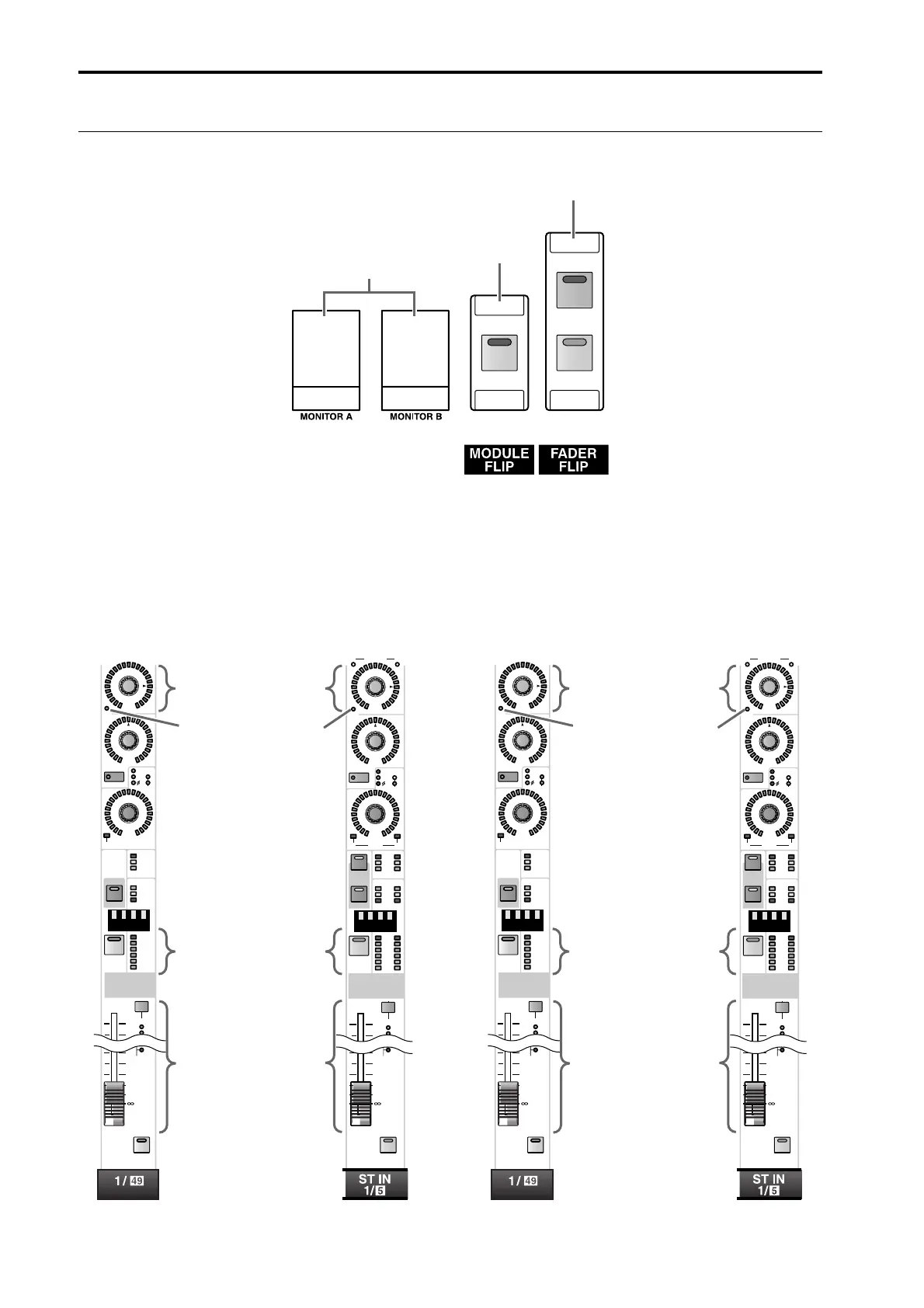
In this section you can exchange (flip) the faders and modules.
1 FADER FLIP [CH]/[MIX] switches and LEDs
These switches exchange the functions of the faders and the [MIX] encoders in the INPUT blocks and the ST IN
block.
The functions of the faders and [MIX] encoders will change as follows, depending on the switch that is turned on.
The status of this switch will always be shown at the bottom of the display.
For details refer to “CS1D Reference manual (Software).”
• When FADER FLIP [CH] switch is on (default) • When FADER FLIP [MIX] switch is on
MIX
CHFLIP
PHONES
PHONES
2
1
3
MIX
ON
100
PAN
TO ST
CLIP
R
+48V
INPUT
INS A
B
L
GAIN
DCA
-68
+
THR
-
COMP
+
THR
-
CLIP
6
12
18
2
3
1
SAFE
30
60
GATE
+10
10
30
40
50
60
RCL
MUTE
ON
CUE
MIX
ON
100
PAN
L CLIP
R
+48V
INPUT
INS A
B
L
GAIN
CUE
DCA
-68
COMP
CLIP
6
12
18
2
3
1
RCL
MUTE
SAFE
30
60
GATE
+10
R
LSTATUS R
10
30
40
50
60
TO ST
+
THR
-
+
THR
-
ON
SEL
SEL
R
L
SEL
Sets the send level to the
currently selected MIX
bus
Indicates the on/off status
of the signal sent to the
currently selected MIX
bus
Tur ns the channel on/off
Sets the input level of the
channel
MIX
ON
100
PAN
TO ST
CLIP
R
+48V
INPUT
INS A
B
L
GAIN
DCA
-68
+
THR
-
COMP
+
THR
-
CLIP
6
12
18
2
3
1
SAFE
30
60
GATE
+10
10
30
40
50
60
RCL
MUTE
ON
CUE
MIX
ON
100
PAN
L CLIP
R
+48V
INPUT
INS A
B
L
GAIN
CUE
DCA
-68
COMP
CLIP
6
12
18
2
3
1
RCL
MUTE
SAFE
30
60
GATE
+10
R
LSTATUS R
10
30
40
50
60
TO ST
+
THR
-
+
THR
-
ON
SEL
SEL
SEL
R
L
Sets the input level of the
channel
Indicates the on/off status
of the channel
Tur ns the signal sent to
the currently selected
MIX bus on/off
Sets the send level to the
currently selected MIX
bus



 To Next Page