Global functions
38
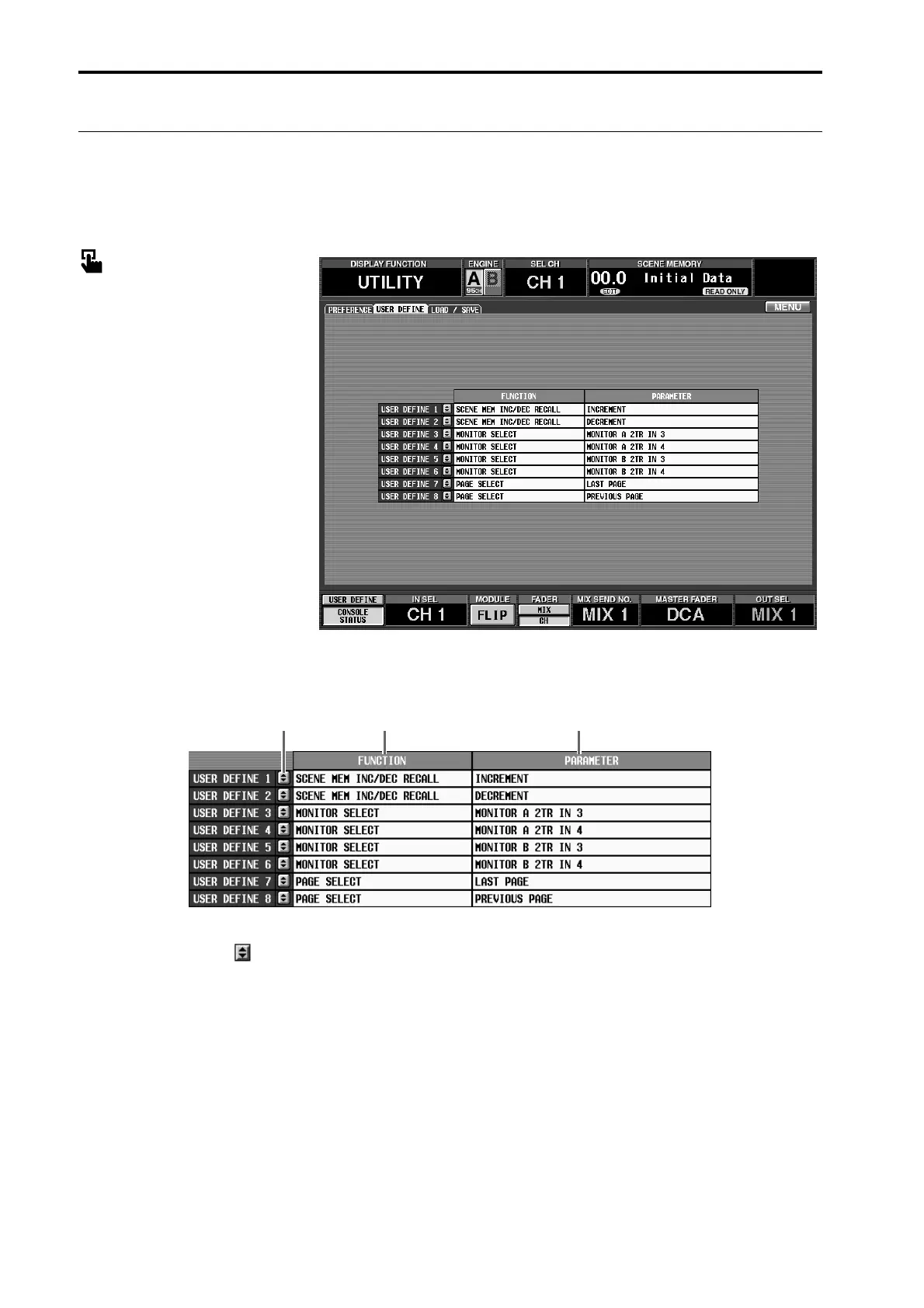
USER DEFINE
[Function]
Assign the function to be executed by the USER DEFINE [1]–[8] switches in the USER DEFINE block of the
CS1D.
■ Console
In the LCD FUNCTION ACCESS
block, press the [UTILITY] switch
(press repeatedly until the screen
shown at the right appears)
■ Display
MENU button → UTILITY button
→ USER DEFINE tab
[Screen functions]
1 Buttons
When you click these buttons, the USER DEFINE
KEY SETUP popup window will appear, where you
can select the function that will be assigned to the
USER DEFINE [1]–[8] switches.
2 FUNCTION
This area displays the functions that are currently
assigned to the USER DEFINE [1]–[8] switches.
3 PARAMETER
Select the optional parameter for the function that
you selected in 2.
The functions and their parameters that can be
selected are as follows.
• NO ASSIGN
No function will be assigned. (The corresponding
switch will have no function.)
• SCENE RECALL (parameter: –1/+1)
Recall the scene of the previous (or next) number
from the currently selected scene.
• MONITOR A SOURCE SELECT
(parameter: 2TR IN 3–6, DIRECT, MIX 1–48,
MTRX 1–24)
• MONITOR B SOURCE SELECT
(parameter: 2TR IN 3–6, DIRECT, MIX 1–48,
MTRX 1–24)
As the source to be monitored by MONITOR A/B,
select 2TR IN 3–6, DIRECT, MIX 1–48, or MTRX 1–
24. You can select up to four sources for monitoring.
21 3



 To Next Page