CS1D Reference Manual (Hardware)
34
SAFE section
In this section you can set or defeat Recall Safe or Mute Safe settings for the currently selected channel.
1 SAFE [RECALL] switch and LED
This switch sets/defeats Recall Safe for the currently
selected channel; a condition in which the channel
will be unaffected by scene recall operations.
The switch LED will light for channels that are set to
Recall Safe.
The parameters of a channel for which this LED is lit
will not change even if a scene memory is recalled.
2 SAFE [MUTE] switch and LED
This switch sets/defeats Mute Safe for the currently
selected channel; a condition in which the channel
will be unaffected by mute group operations.
The switch LED will light for channels that are set to
Mute Safe.
A channel for which this LED is lit will not be
affected even if a mute group to which the channel
belongs is muted.
CHANNEL SELECT section
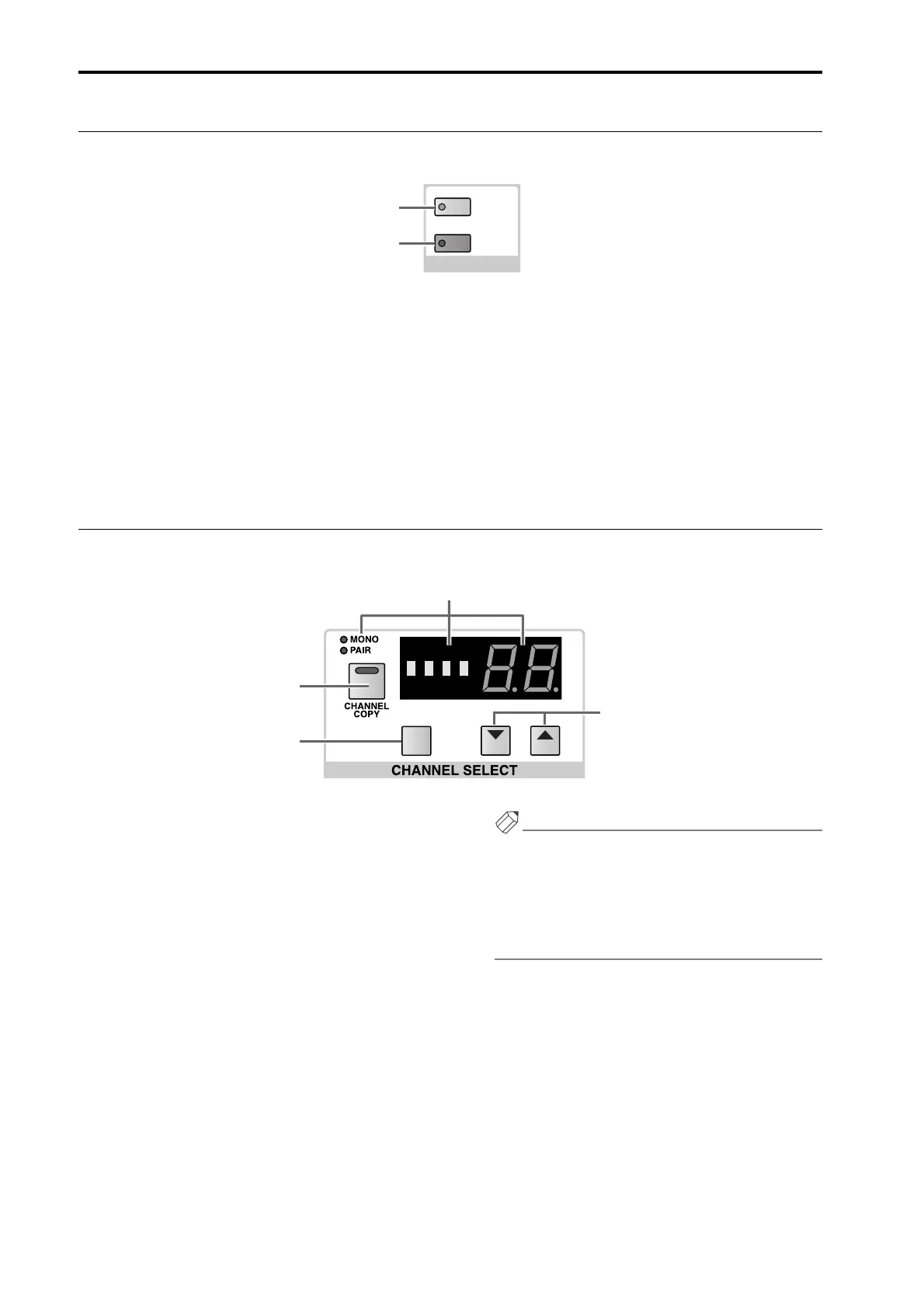
This section selects the channel that will be controlled by the SELECTED INPUT CHANNEL block.
1 CHANNEL SELECT [NAME]/[NUMBER] indicator
and [MONO]/[PAIR] LEDs
These indicators show the short name and number
of the currently selected channel.
When an input channel is selected, the [MONO]
LED will light if that channel is monaural, or the
[PAIR] LED will light if pairing is enabled. The
[NUMBER] indicator will indicate a number 1–96
{1–48}.
If a ST IN channel is selected, the [PAIR] LED will
light, and the [NUMBER] indicator will display the
number and the LR designation as 1L, 1R ... 8L, 8R
{4L, 4R}.
2 CHANNEL SELECT [▼/DEC]/[▲/INC] switches
These switches change the channel number of the
currently selected channel, in the order of 1–96 {1–
48} → 1L, 1r ... 8L, 8r {4L, 4r}.
Hint
If you continue holding down one of the CHANNEL
SELECT [▼/DEC]/[▲/INC] switches, the number
will change continuously.
If you hold down both CHANNEL SELECT [▼/
DEC]/[▲/INC] switches for one second, input chan-
nel 1 will be selected.
3 [SHIFT] switch
If an input channel is selected, you can hold down
this switch and press either the CHANNEL SELECT
[▼/DEC] or [▲/INC] switches to increment or dec-
rement the current value in steps of 12.
When a ST IN channel is selected, you can hold
down this switch and use the CHANNEL SELECT
[▼/DEC]/[▲/INC] switches to increment or decre-
ment the number in steps of 8, as in 1L → 5L. {On 48
channel models, this switch will have no effect when
a ST IN channel is selected.}
MUTE
RECALL
SAFE
1
2
DEC INC
SHIFT
1
3
4
2



 To Next Page