CS1D Operating Manual (Start-up)
42
Patch the STEREO A channel to an output unit
Similarly to the case for an input unit, outputting a signal from the PM1D system requires more than simply connecting
your monitor system to an output unit. In order to output a signal, you must also assign (patch) an output channel (MIX
channel, MATRIX channel, STEREO A/B channel) of the PM1D system to the jacks of an output unit. This action is per-
formed within the display of the CS1D console.
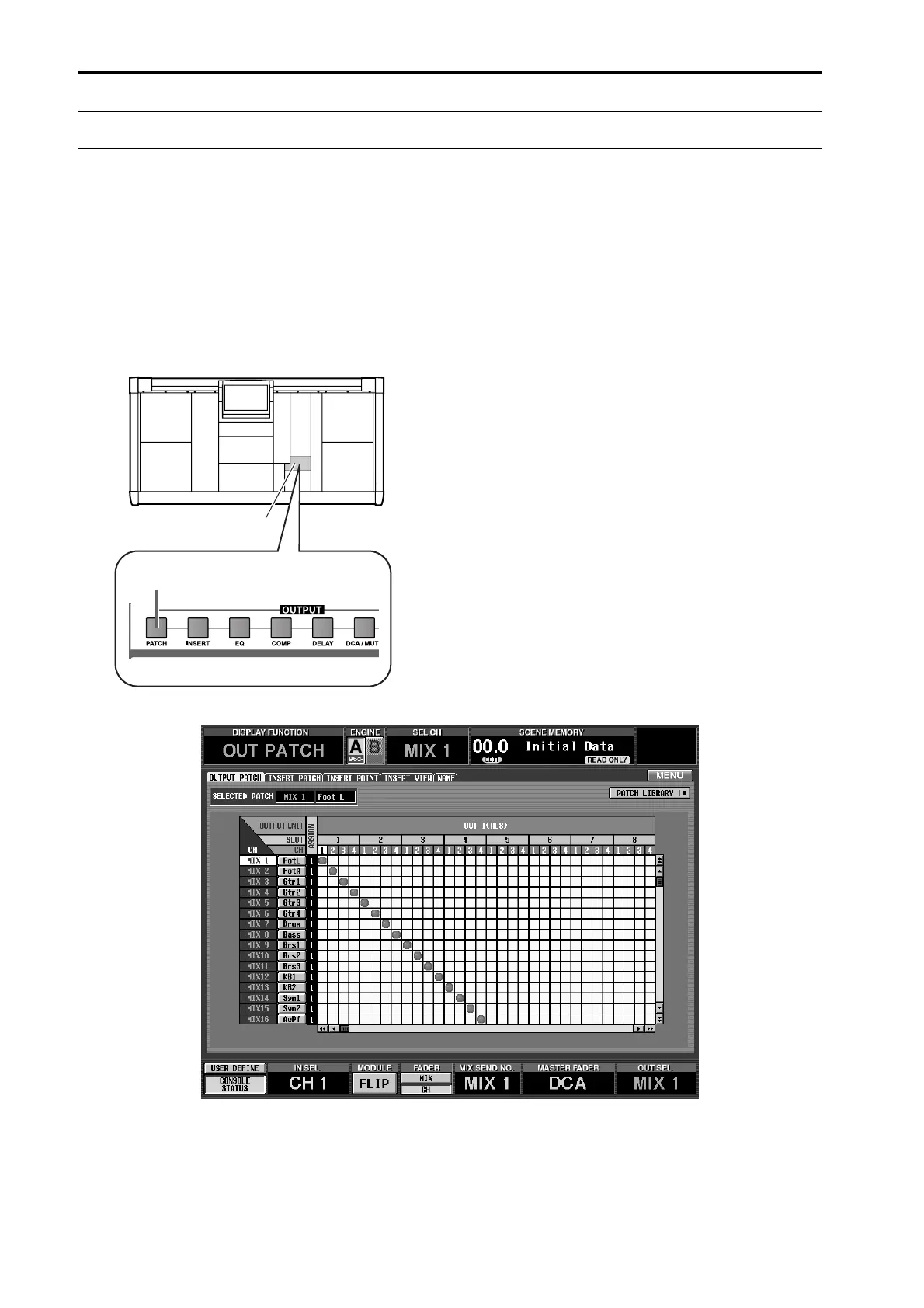
Here’s how to patch the STEREO A channel output signal to the output unit to which your monitor system is connected.
[Procedure]
1. In the LCD FUNCTION ACCESS block, press the
OUTPUT [PATCH] switch several times to access
the following screen.
LCD FUNCTION ACCESS
block
OUTPUT [PATCH] switch



 To Next Page