CS1D Operating Manual (Start-up)
28
Setting the word clock (Mirror mode)
This section explains how to check whether the word clock settings are appropriate when using the PM1D system in mir-
ror mode.
[Procedure]
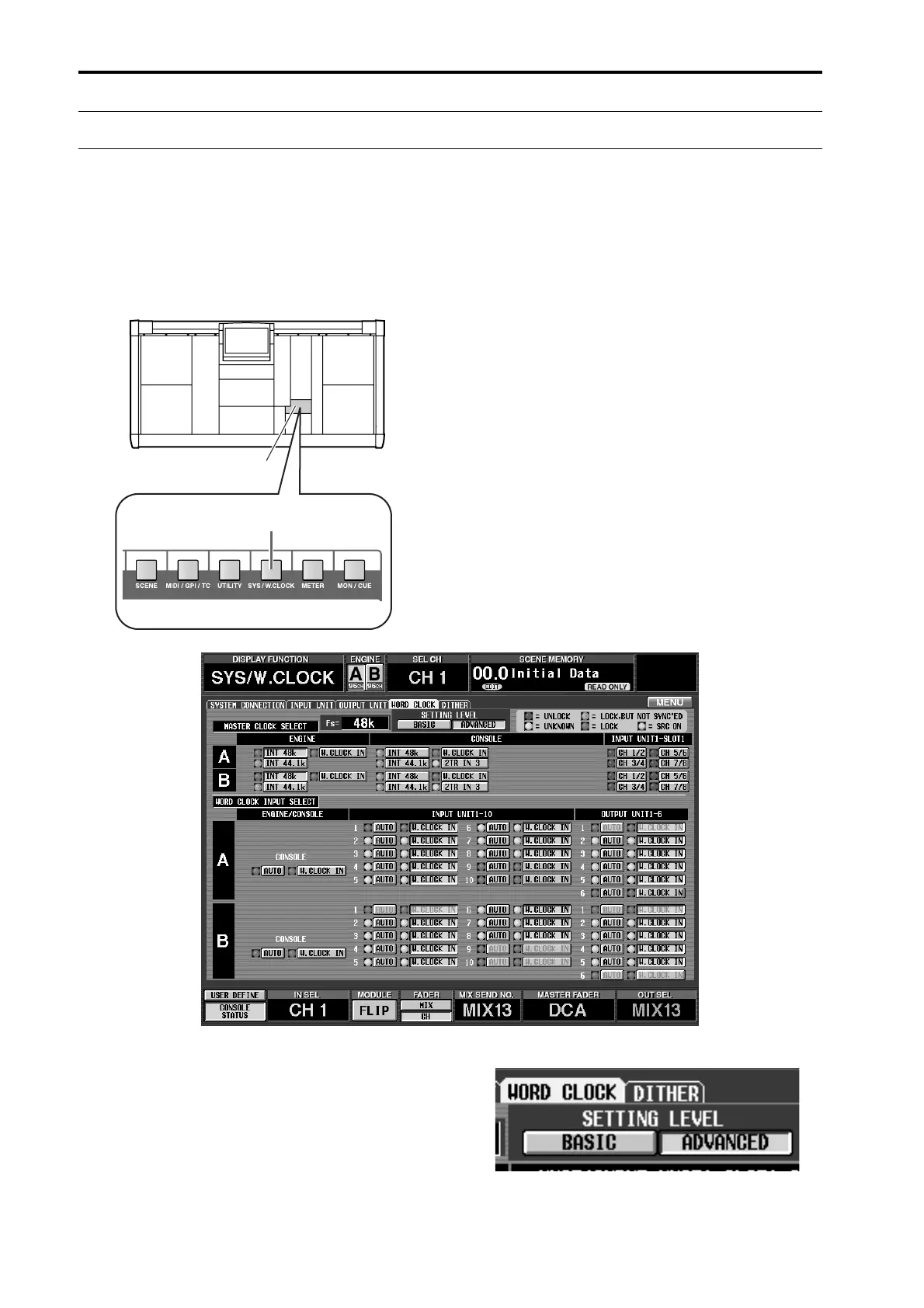
1. In the LCD FUNCTION ACCESS block, press the
[SYS/W.CLOCK] switch several times to access the
following screen.
Settings for the word clock of the PM1D system are
made in this screen.
2. In the “SETTING LEVEL” section of the screen,
make sure that the ADVANCED button is on (dis-
played in green).
The ADVANCED button will automatically be on if
you select “CONSOLE x1 <-> ENGINE x2 (Mirror
Mode)” in the SYSTEM CONNECTION screen
(
→
p.26).
•
ADVANCED button on
LCD FUNCTION ACCESS
block
[SYS/W.CLOCK] switch



 To Next Page