Libraries
176
INPUT EQ LIBRARY
[Function]
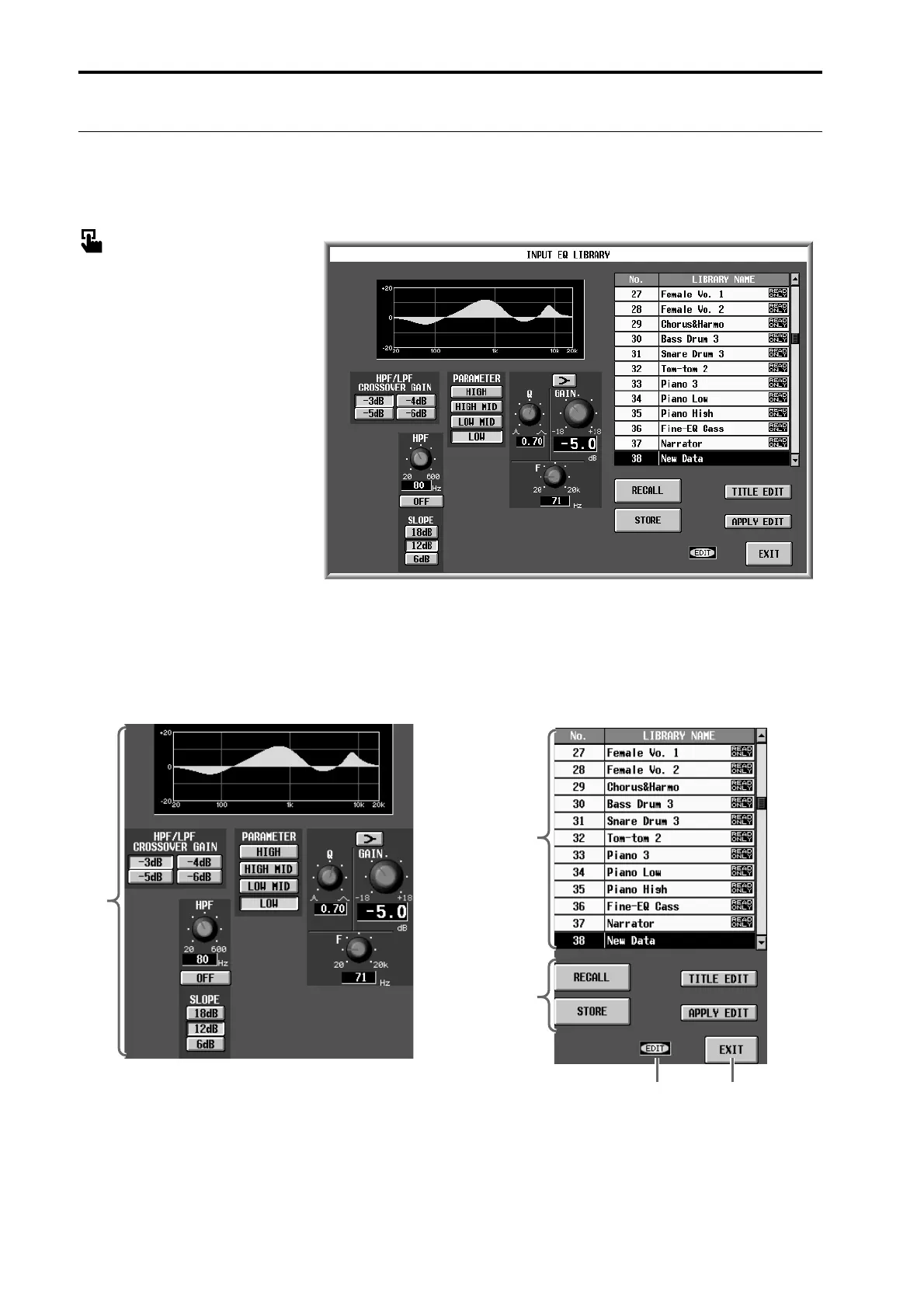
Here you can store and recall EQ settings (input EQ data) for the currently selected input channel.
■ Display
MENU button → IN EQ button →
EQ PARAMETER tab → EQ
LIBRARY button
[Screen functions]
1 Edit section
This area displays the settings of the input EQ data
currently selected in the library list (2).
You can use the buttons and knobs to edit the data.
Use the various PARAMETER buttons to switch the
frequency band that is displayed.
2 Library list
This shows a list of the input EQ data stored in mem-
ory. The highlighted line is currently selected for
operations.
1
54
3
2



 To Next Page