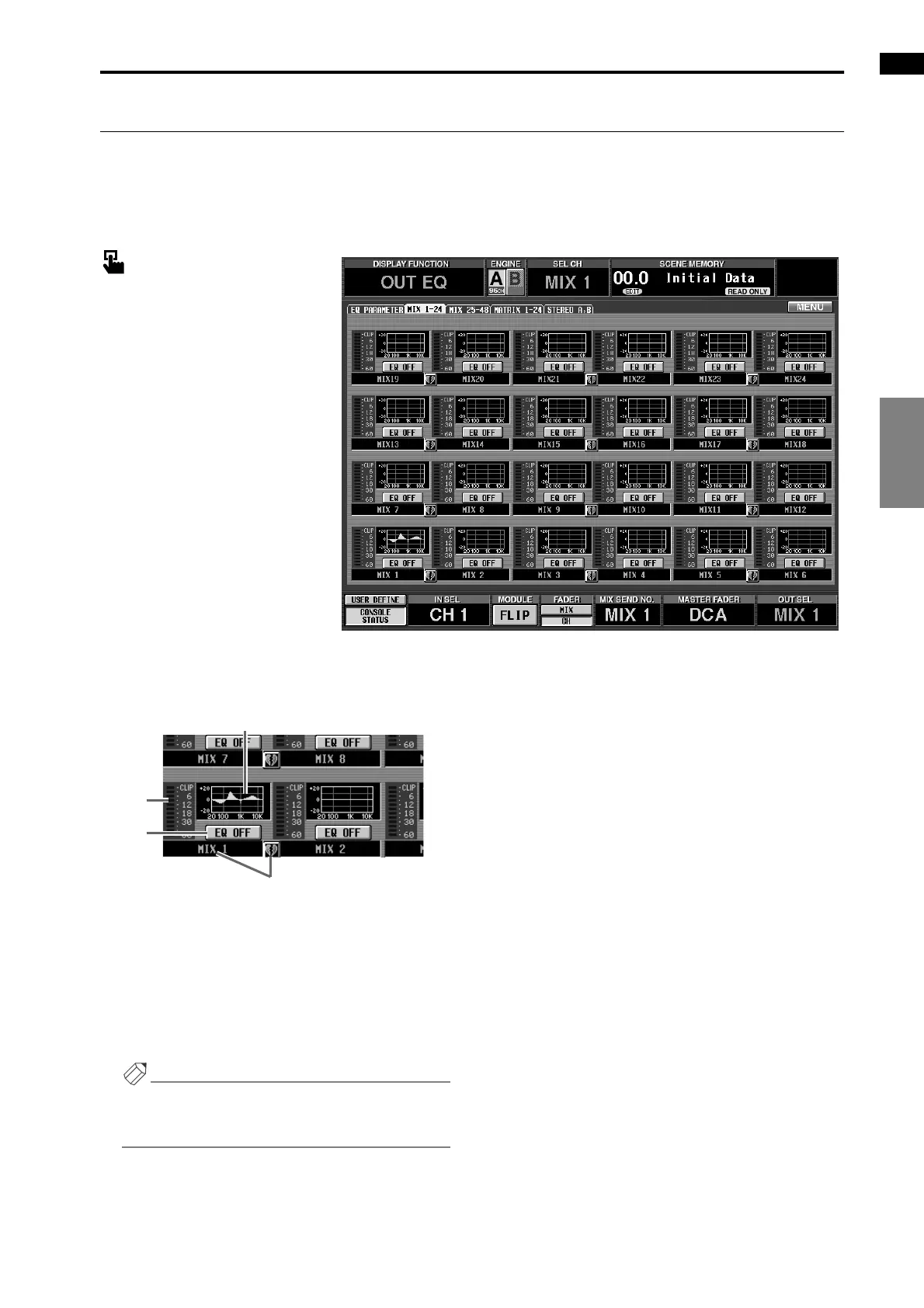
OUT EQ (output equalizer) function
91
OUT PATCHOUT INSERTOUT EQOUT COMPOUT DELAY
OUT DCA/MUTE
MATRIX/STOUT CH VIEW
MIX 1-24/MIX 25-48/MATRIX 1-24/STEREO A, B
[Function]
This displays a list of the EQ settings for each output channel. Here you can also copy EQ settings between
output channels.
■ Console
In the LCD FUNCTION ACCESS
block, press the OUTPUT [EQ]
switch (press repeatedly until the
desired output channel appears)
■ Display
MENU button → OUTPUT EQ
button → tab for the desired output
channel
[Screen functions]
1 EQ graph
This mini-graph shows the EQ settings for each out-
put channel.
By clicking the graph where the cursor is located, you
can access the EQ PARAMETER screen for the corre-
sponding channel. By dragging the graph area to
another input channel, you can copy EQ settings.
Hint
For two paired channels, and for the STEREO A/
STEREO B channels, the graph will be shared, and
level meters for two channels will be displayed.
2 Meter
This meter displays the post EQ peak levels. If the
signal clips after the EQ, the corresponding CLIP
segment will light.
3 EQ ON/OFF
This button switches the EQ on/off.
This is linked with the EQ ON/OFF button in the
OUT EQ function EQ PARAMETER screen.
4 Pair setting
This shows the number and the pairing status of the
output channel. You can click the heart symbol to
enable/defeat pairing.
2
3
1
4



 To Next Page