EFFECTGEQSCENEMIDI/GPI/TCUTILITY
SYS/W.CLOCK
METERMON/CUE
SCENE functions
27
DIRECT RECALL
[Function]
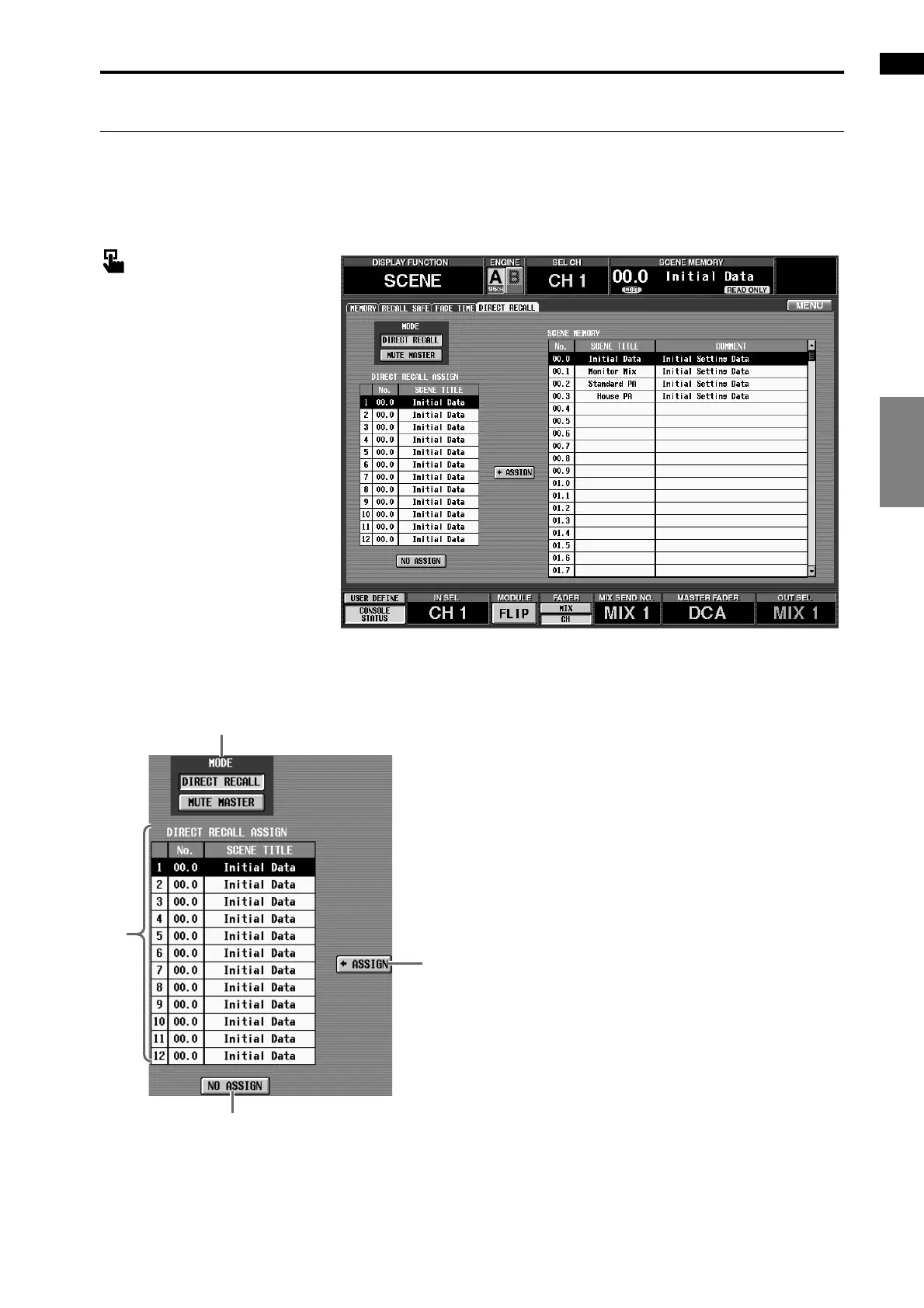
Make settings for the Direct Recall function that allows you to use the SCENE MEMORY [1]–[12] switches
(SCENE MEMORY block) of the CS1D to directly recall specific scenes.
■ Console
In the LCD FUNCTION ACCESS
block, press the [SCENE] switch
(press repeatedly until the screen
shown at the right appears)
■ Display
MENU button → SCENE button →
DIRECT RECALL tab
[Screen functions]
1 MODE
These buttons select the function of the SCENE
MEMORY [1]–[12] switches.
• When the DIRECT RECALL button is on
The SCENE MEMORY [1]–[12] switches will func-
tion as direct recall switches that directly recall the
twelve previously-assigned scenes.
• When the MUTE MASTER button is on
The SCENE MEMORY [1]–[12] switches will func-
tion as mute master switches that turn muting on/off
for mute groups 1–12.
2 DIRECT RECALL ASSIGN
This list shows the scenes that are assigned to the
SCENE MEMORY [1]–[12] switches.
To assign a scene, click this list, and select the num-
ber of the switch for the desired assign destination.
(The cursor will move to that line and displayed in
reverse.)
3 ASSIGN
When you click this button, the scene you selected in
5 will be assigned to the switch you selected in 2.
4 NO ASSIGN
No scene will be assigned to the SCENE MEMORY
[1]–[12] switch selected in 2. (The corresponding
switch will have no function.)
3
4
1
2



 To Next Page