Global functions
36
UTILITY functions
Initial settings for the PM1D system, and loading/saving data or libraries
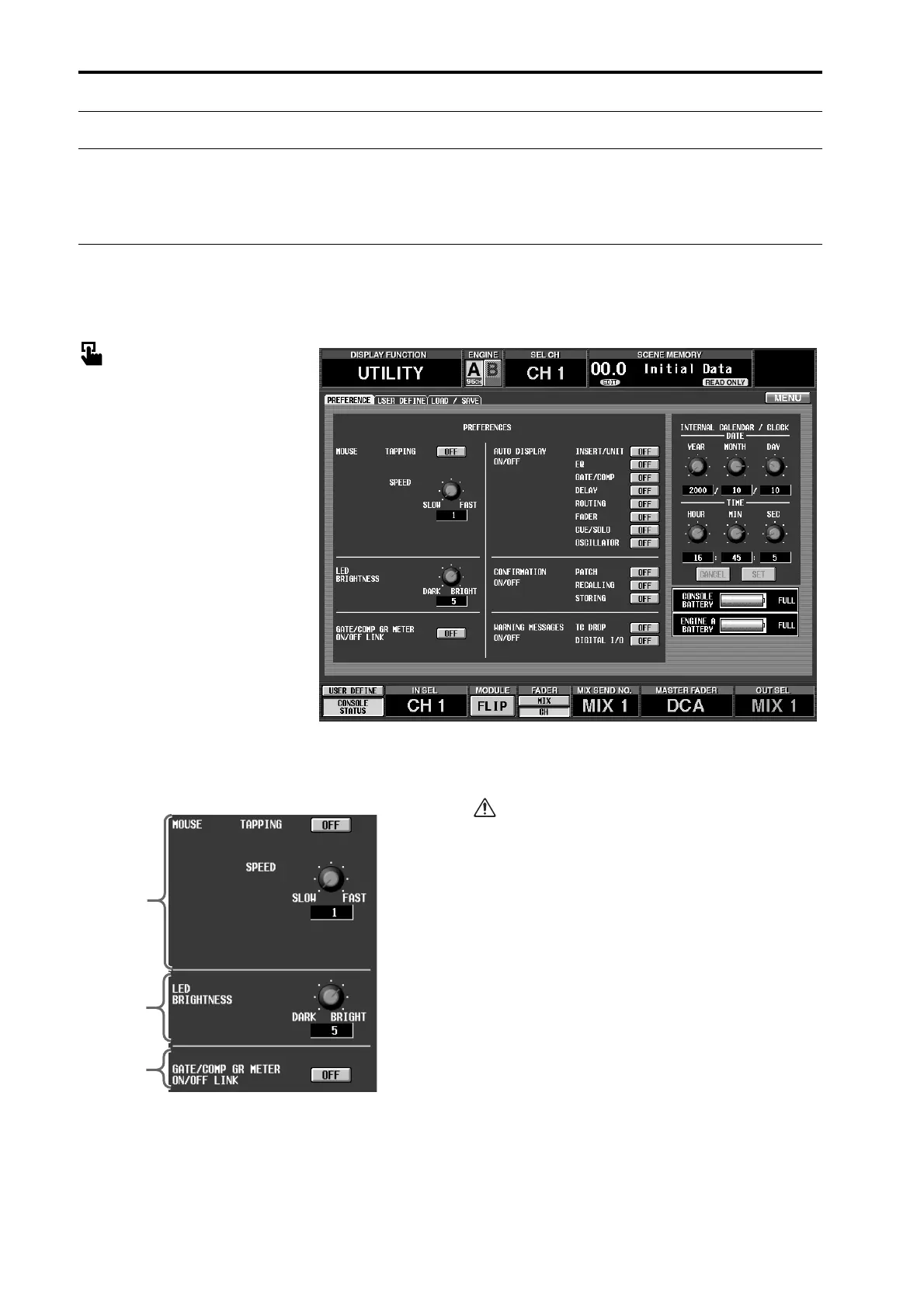
PREFERENCE
[Function]
Make initial settings for the PM1D system.
■ Console
In the LCD FUNCTION ACCESS
block, press the [UTILITY] switch
(press repeatedly until the screen
shown at the right appears)
■ Display
MENU button → UTILITY button
→ PREFERENCE tab
[Screen functions]
1 MOUSE
Make settings for the track pad built into the CS1D
and for the mouse connected to the [MOUSE] con-
nector.
On the included software “PM1D Manager for
Windows,” this setting has no effect.
• TAPPING
Select whether or not tapping the built-in track pad
(as a substitute for clicking) will be enabled.
• SPEED
This knob specifies the speed at which the pointer
will be moved by the built-in track pad of the CS1D
or by the mouse connected to the [MOUSE] connec-
tor. You can select from four levels: 1–4.
2 LED BRIGHTNESS
This knob specifies the brightness of the LEDs of the
CS1D.
You can select from seven levels: 1–7.
3 GATE/COMP GR METER ON/OFF LINK (Gate/
compressor GR meter on/off link)
If this button is on, the GR meters in the screen and
on the CS1D panel will be either visible or hidden
depending on the on/off status of the internal com-
pressor.
1
2
3



 To Next Page