9
EFFECTGEQSCENEMIDI/GPI/TCUTILITY
SYS/W.CLOCK
METERMON/CUE
Global functions
EFFECT functions
Using internal effects 1–8
EFFECT 1–EFFECT 8
[Function]
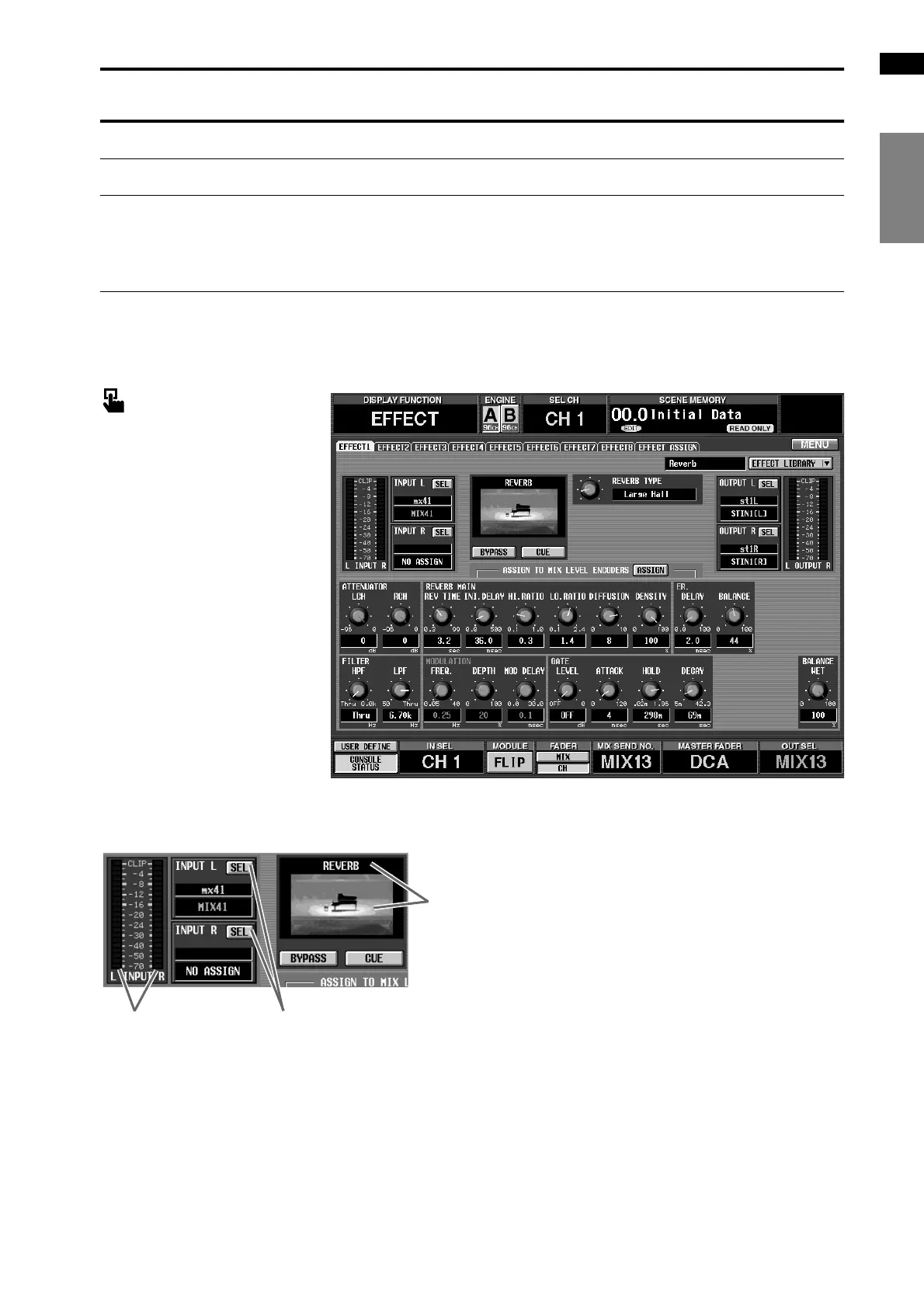
For internal effects 1–8, select the type, edit parameters, and patch inputs and outputs.
■ Console
In the LCD FUNCTION
ACCESS block, press the
[EFFECT] switch (press repeat-
edly until the screen shown at the
right appears)
■ Display
MENU button → EFFECT but-
ton → EFFECT 1–EFFECT 8 tab
[Screen functions]
1 Level meter
These level meters display the peak level of the signal
being input to the internal effect.
2 INPUT L/R (input channel select)
These buttons select the signal route that will be
patched to the L/R input channels of the internal
effect.
When you click these buttons, a popup window will
appear in which you can select the signal.
The following signal routes can be selected.
1.CH1 INS–CH96 INS {CH1 INS–CH48 INS}
Insert Out of input channels 1–96 {1–48}
2.ST1 INS–ST8 INS {ST1 INS–ST4 INS} (L/R)
Insert Out of ST IN channels 1–8 {1–4} (L/R)
3.MIX 1–MIX 48
Output of MIX channels 1–48
4.MTRX 1 – MTRX 24
Output of MATRIX channels 1–24
5.MIX 1 INS – MIX 48 INS
Insert Out of MIX channels 1–48
6.MTRX 1 INS – MTRX 24 INS
Insert Out of MATRIX channels 1–24
7.ST A [L/R]
Output of STEREO A channel [L/R]
3
1
2



 To Next Page