EFFECTGEQSCENEMIDI/GPI/TCUTILITY
SYS/W.CLOCK
METERMON/CUE
SCENE functions
25
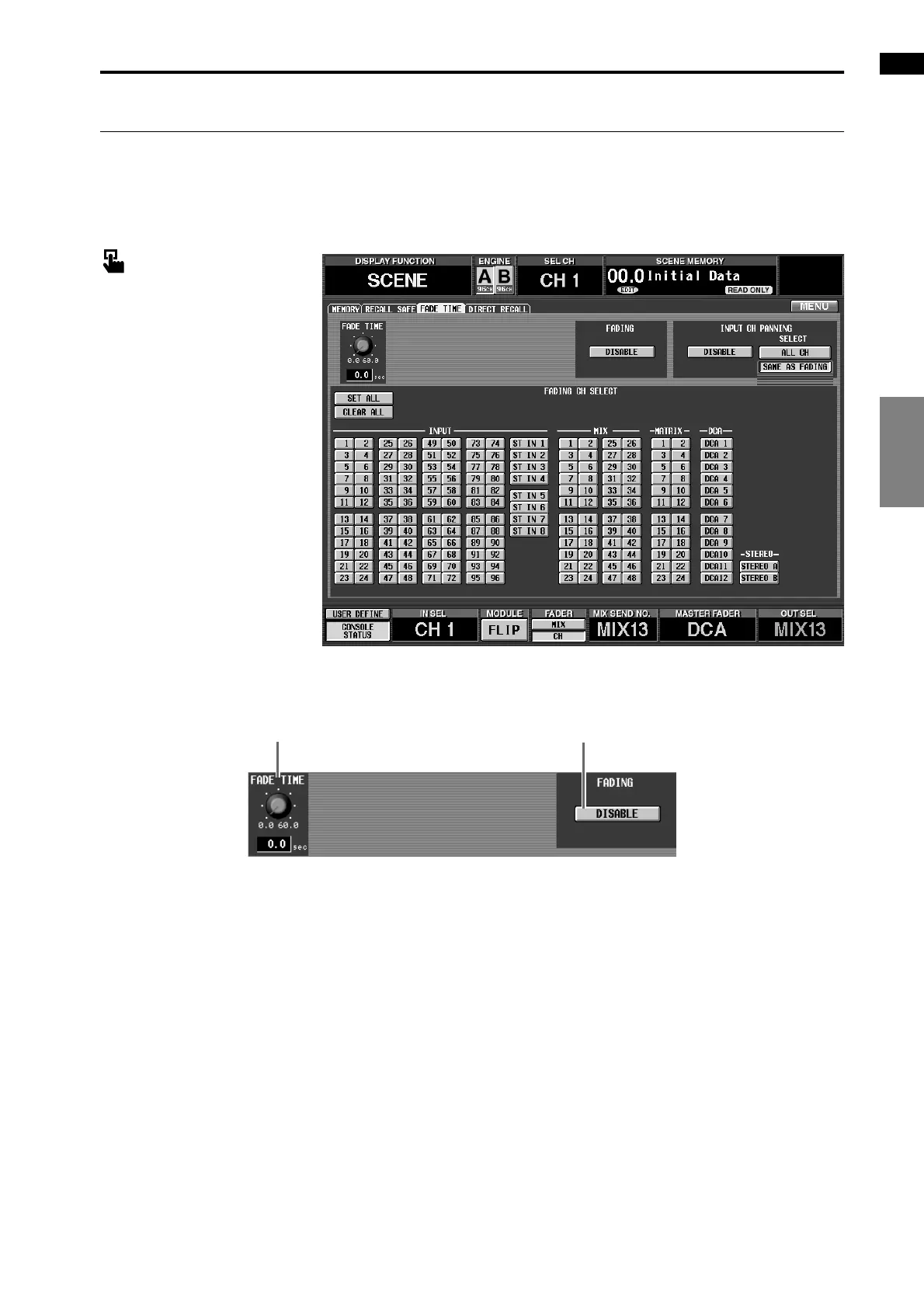
FADE TIME
[Function]
Make settings for the Fade function that smoothly changes the faders until they reach the levels specified by a
newly selected scene.
■ Console
In the LCD FUNCTION
ACCESS block, press the
[SCENE] switch (press repeat-
edly until the screen shown at the
right appears)
■ Display
MENU button → SCENE button
→ FADE TIME tab
[Screen functions]
1 FADE TIME
This knob specifies the time over which the faders
(LEVEL parameters) will change to the new values
when a scene is selected. The range is 0.0 sec–60.0
sec.
The current setting is shown in the number box
immediately below.
2 FADING ENABLE
The Fade function will be enabled if this button is
on.
1
2



 To Next Page