Chapter 7. DCA groups/Mute groups
97
Assigning output channels to a mute group
Here’s how to assign an output channel (MIX channel, MATRIX channel) to a mute group.
[Procedure]
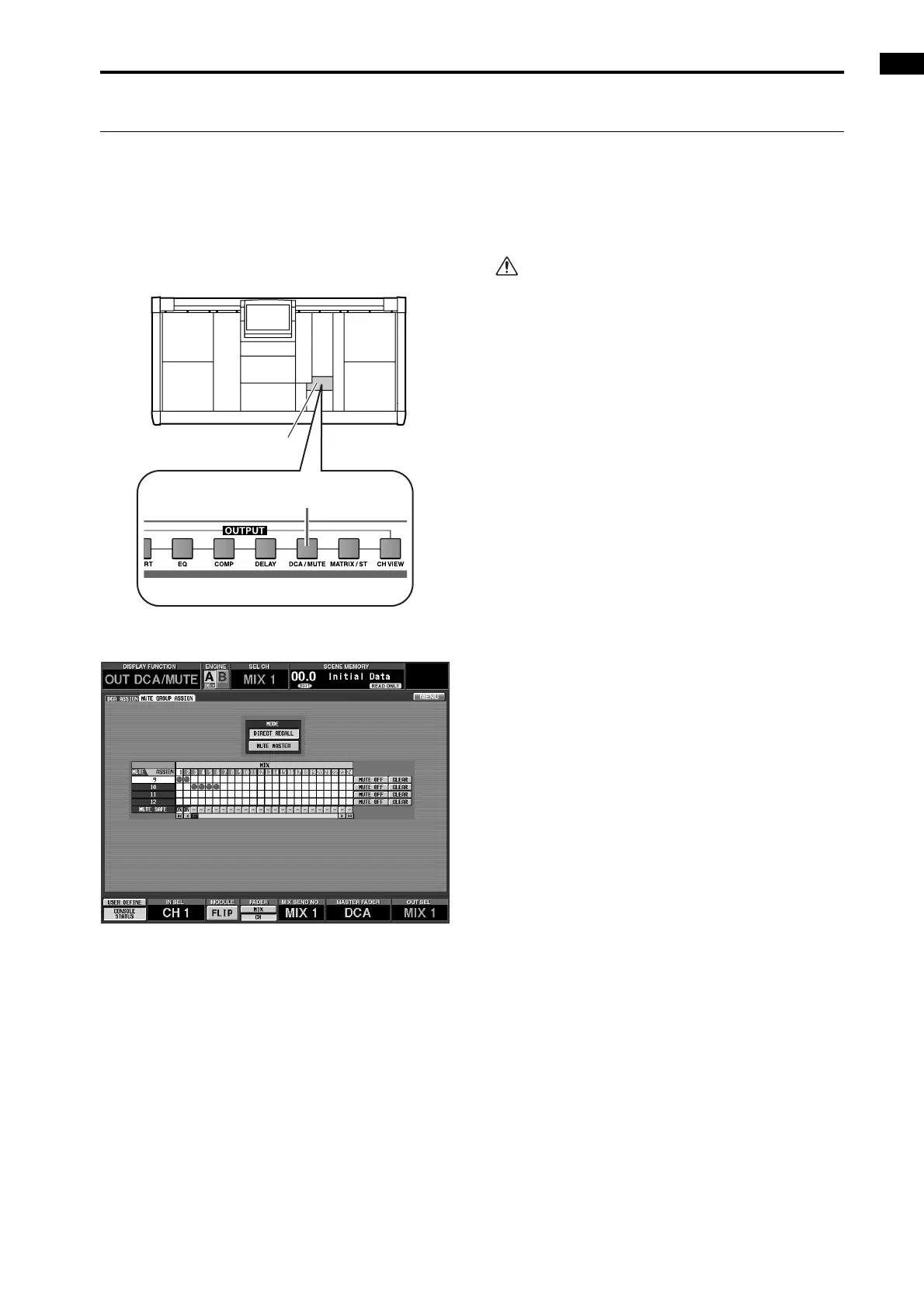
1. In the LCD FUNCTION ACCESS block, press the
OUTPUT [DCA/MUTE] switch several times to
access the following MUTE GROUP ASSIGN screen
(OUT DCA/MUTE function).
• MUTE GROUP ASSIGN screen (OUT DCA/
MUTE function)
In this screen, mute groups 9–12 are shown from top
to bottom, and output channels (MIX channels,
MATRIX channels) are shown from left to right. Use
the left/right scroll bar to view channels that are cur-
rently not visible.
2. To assign an output channel to a mute group, click
the grid where the two intersect.
A “●” symbol will appear in the grid, and the output
channel will be assigned to the mute group. (If you
click once again, the assignment will be cancelled,
and the “●” symbol will disappear.)
3. In the same way, assign output channels to other
mute groups.
It is not possible to assign input channels and out-
put channels to the same mute group of mute
groups 9–12. If an input channel is already
assigned, attempting to assign an output channel
will cause an error message to appear, and the
assignment will not be completed. (The converse
also applies.)
LCD FUNCTION ACCESS
block
OUTPUT [DCA/MUTE] switch



 To Next Page