Chapter 5. Basic operation for output channels
71
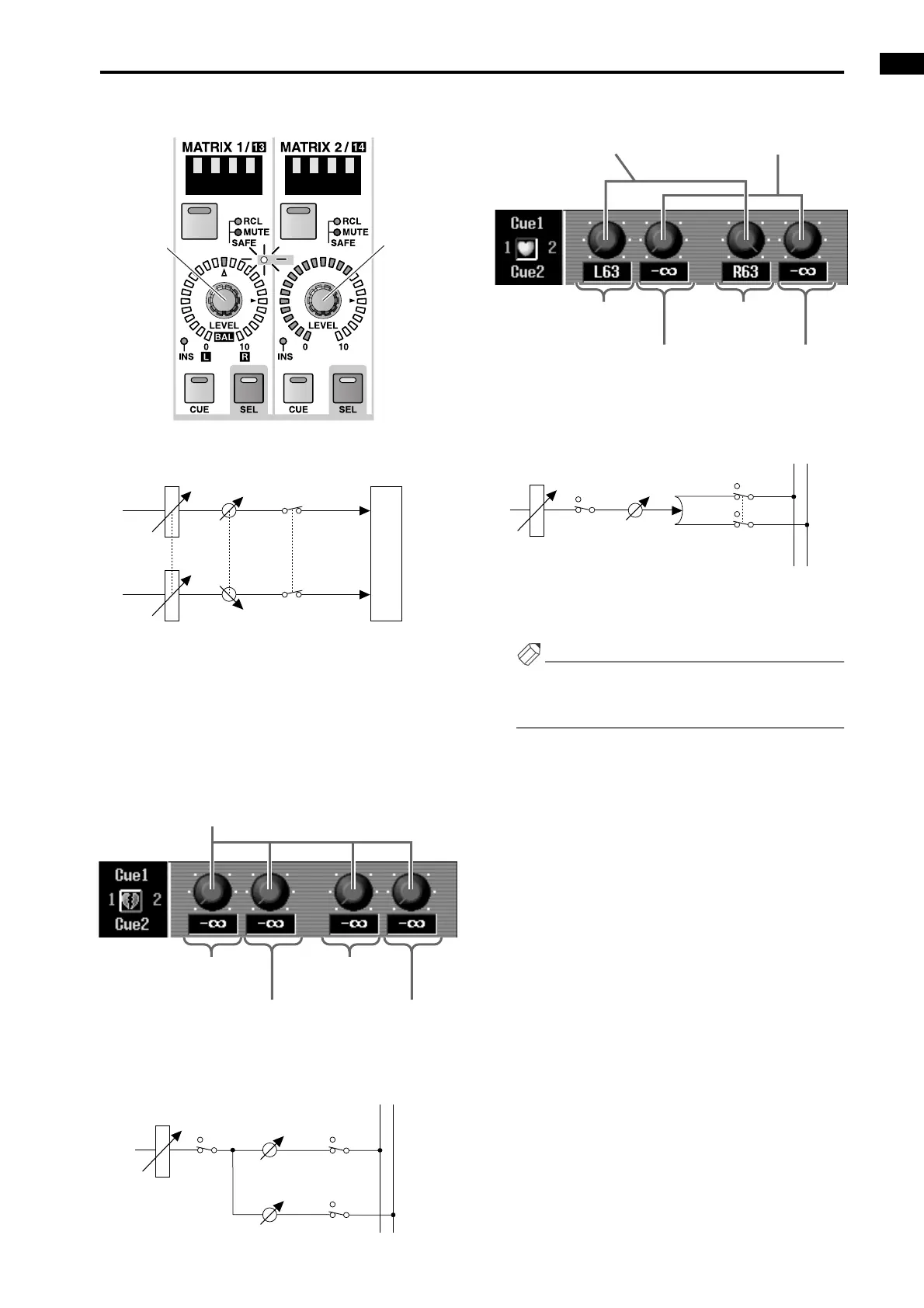
• When MATRIX channels are paired
■ MATRIX/ST ROUTING screen
In the row of paired MATRIX buses, the left (odd-
numbered) knob of the two adjacent odd-numbered
→ even-numbered knobs will function as a PAN
knob to set the panning between the two MATRIX
buses, and the right (even-numbered) knob will
function as a LEVEL knob for both MATRIX buses.
• When MATRIX buses are not paired
• When MATRIX buses are paired
2. To defeat pairing, hold down the [SEL] switch for
one of the paired MATRIX channels, and then press
the [SEL] switch of the other channel.
Hint
You can also set/defeat pairing by clicking the heart
symbol displayed beside the MATRIX channel num-
ber in various display screens.
PAIR
ON ON
OUTPUT PATCH
OUTPUT LEVEL BALANCE
MATRIX CHANNEL
ON
MATRIX 1
MATRIX 2
MATRIX
channels 1/2
BALANCE
MATRIX
channel 2
OUTPUT
LEVEL
LEVEL knob
MIX channel 1
→MATRIX bus 1
MIX channel 2
→MATRIX bus 1
MIX channel 1
→MATRIX bus 2
MIX channel 2
→MATRIX bus 2
……
MATRIX1
MATRIX2
FADER
MIX CHANNEL 1
ON
ON
ON
to
MATRIX1
LEVEL
to
MATRIX2
LEVEL
PAN knob
MIX channel 1
→MATRIX buses 1/2
MIX channel 2
→MATRIX buses 1/2
MIX channel 1
→MATRIX buses 1/2
MIX channel 2
→MATRIX buses 1/2
LEVEL knob
ON
ON
ON
PAN
to MATRIX 1/2
LEVEL
……
MATRIX1
MATRIX2
FADER
MIX CHANNEL 1



 To Next Page