CS1D Operating Manual (Basic Operation)
78
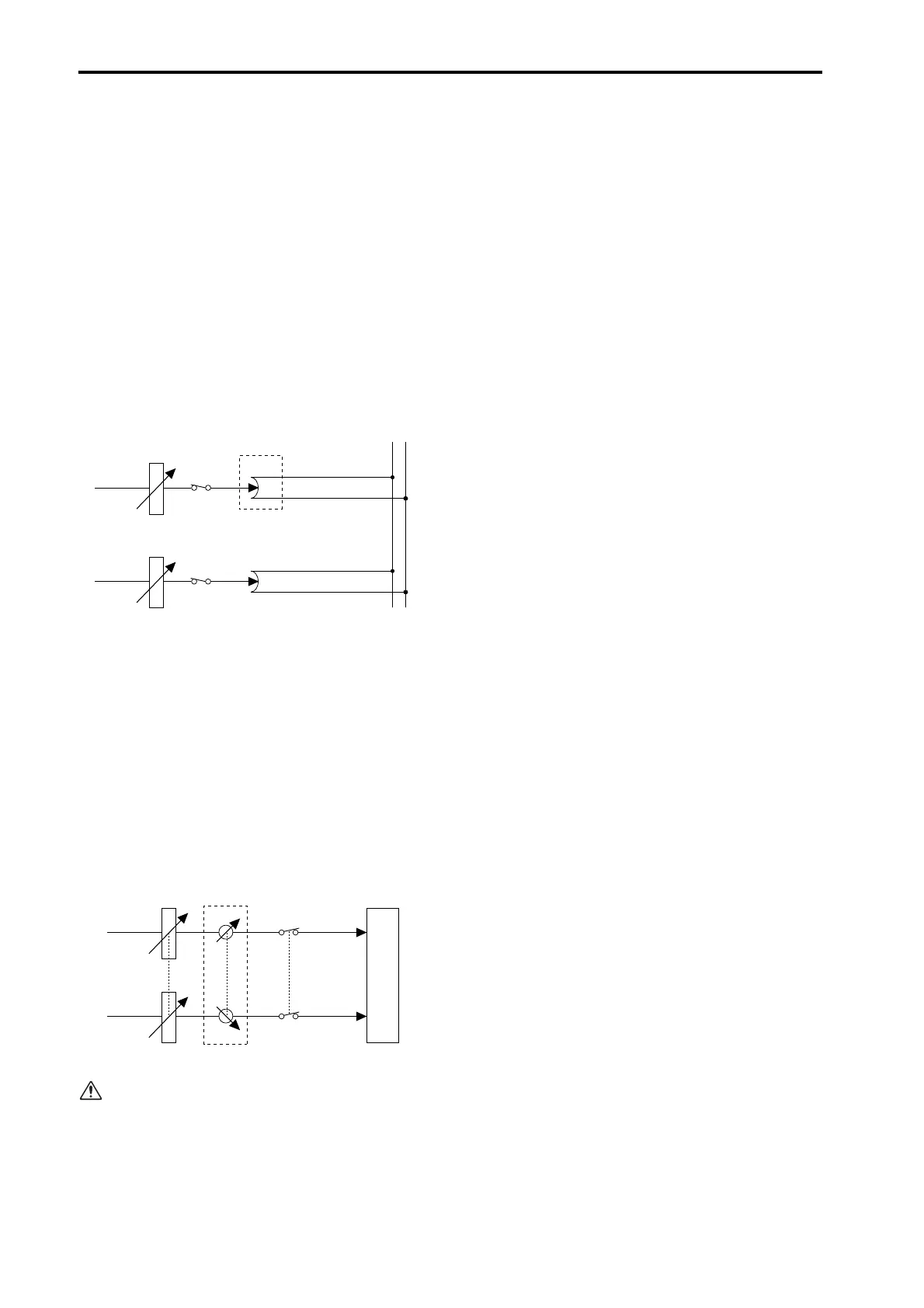
8. If you are sending the MIX channel signal to the
STEREO bus, use the [PAN/BAL] encoder located
in the OUTPUT section to adjust the pan.
If a MIX channel is selected in the SELECTED OUT-
PUT CHANNEL block and the OUTPUT [TO ST]
switch is on, the OUTPUT [TO ST PAN] switch LED
will light. This indicates that you can use the OUT-
PUT [PAN/BAL] encoder to adjust the pan of the
signal that is sent from the MIX channel to the STE-
REO bus. In the following diagram, the portion
enclosed by a dotted line corresponds to the OUT-
PUT [PAN/BAL] encoder.
• Adjusting the pan of the signal sent from the MIX
channel to the STEREO bus
9. If the source MIX channel is paired, use the OUT-
PUT [PAN/BAL] encoder to adjust the balance of
the two channels.
If a paired MIX channel is selected in the SELECTED
OUTPUT CHANNEL block, the OUTPUT [BAL]
switch LED will light. This indicates that you can use
the OUTPUT [PAN/BAL] encoder to adjust the bal-
ance between the two MIX channels. In the following
diagram, the portion enclosed by a dotted line corre-
sponds to the [PAN/BAL] encoder.
• Adjusting the volume balance between paired
MIX channels
When paired MIX channels are sent to the STEREO
bus, you can use both of the functions described in
steps 8 and 9. In this case, you can press the OUT-
PUT [TO ST PAN] or OUTPUT [BAL] switch to
select the item that will be controlled by the OUT-
PUT [PAN/BAL] encoder.
STEREO L
STEREO R
OUTPUT LEVEL
ON
PAN
MIX 1
PAN
MIX 2
OUTPUT LEVEL
BAL
OUTPUT PATCH
ON
MIX 1
MIX 2



 To Next Page