Chapter 8. Scene memory
101
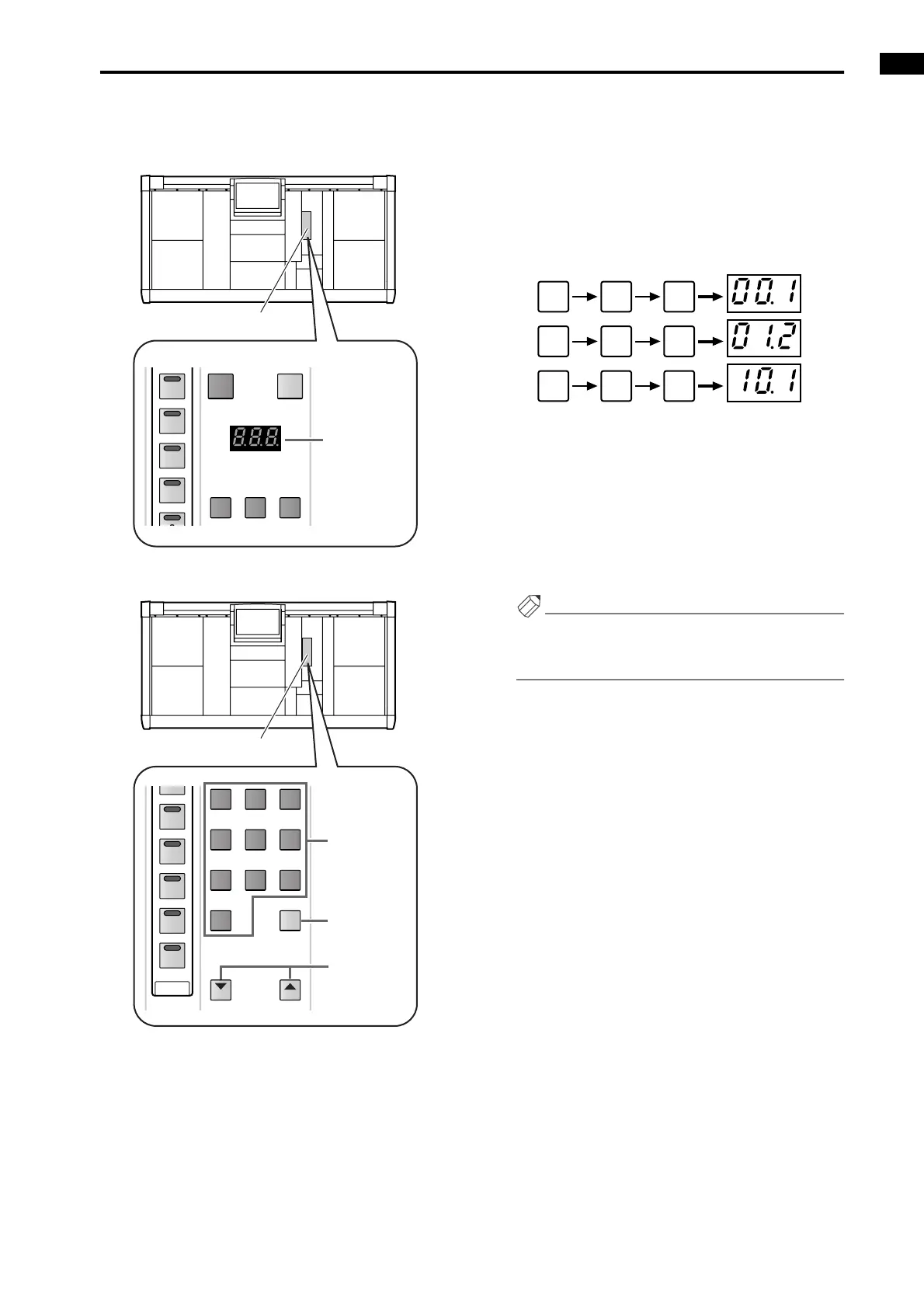
The currently selected scene is shown by the [SCENE
NUMBER] indicator located in the SCENE MEMORY
block of the console.
The scene number can be selected in the following two ways.
• Using the SCENE MEMORY [0]–[9] switches to
directly input the scene number
In this method, you use a three-digit number to
specify the scene number. Consecutively input the
two-digit integer portion and the one-digit decimal
portion. (If the integer portion has only one digit,
add a 0 at the beginning.)
• Examples of entering the scene number
• Using the SCENE MEMORY [▼/DEC]/[▲/INC]
switches to increment or decrement the scene num-
ber
When the PM1D system is in the initial state, press-
ing the SCENE MEMORY [▼/DEC]/[▲/INC]
switches cause the scene number displayed in the
[SCENE NUMBER] indicator to increment or decre-
ment in 0.1 units.
Hint
If desired, you can skip scenes in which data has not
been saved. This setting is made in the display
(SCENE function MEMORY screen).
• [CLEAR] switch
To return to the number that had been selected ,
press the [CLEAR] switch while the [SCENE NUM-
BER] indicator is blinking.
STORE
SCENE NUMBER
RECALL
7
789
6
5
4
SCENE MEMORY block
[SCENE
NUMBER]
indicator
DEC INC
12
11
10
9
8
789
456
123
0
CLEAR
SCENE MEMORY block
SCENE
MEMORY
[0]–[9]
switches
SCENE
MEMORY [▼/
DEC]/[▲/INC]
switches
[CLEAR]
switch
0 0 1
0 1 2
1 0 1



 To Next Page