Chapter 12. Internal effects
129
For channels that are already used by another chan-
nel, the NAME will be displayed in white characters
on a red background.
Please be aware that selecting one of these channels
may affect other functionality.
7. Click the button of the channel that you wish to
patch to the L output of the effect.
You will return to the previous effect screen, and the
selected channel will appear in the OUTPUT L sec-
tion. In the same way, assign the insert in of the
desired channel to the R channel output.
Hint
If one side of a pair of channels (or a stereo channel)
is patched to the L output of the effect, the other
channel will automatically be patched to the R out-
put of the effect.
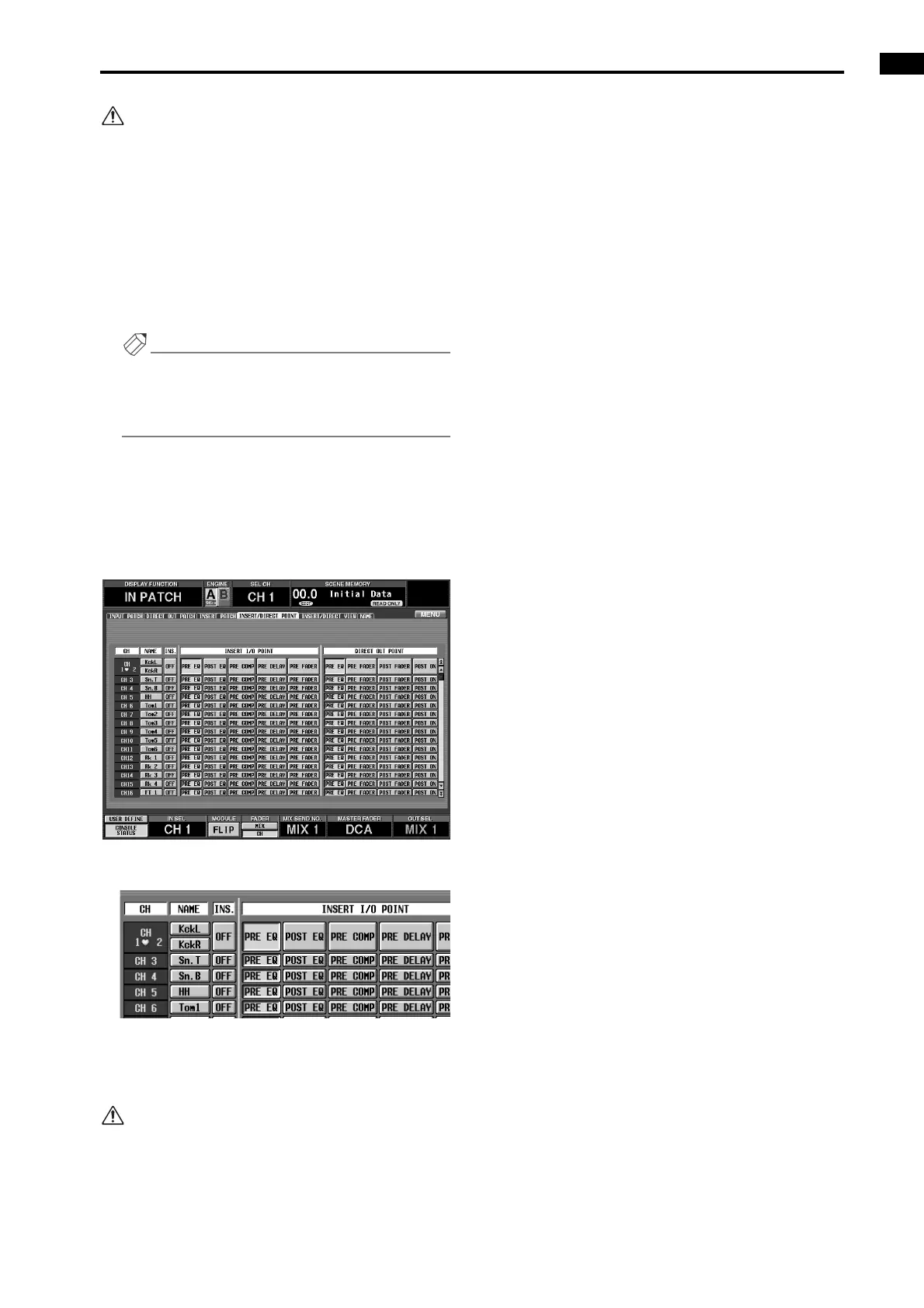
8. In the LCD FUNCTION ACCESS block, press the
INPUT [PATCH] several times to access the follow-
ing INSERT/DIRECT POINT screen (IN PATCH
function).
• INSERT/DIRECT POINT screen (IN PATCH
function)
• INSERT/DIRECT POINT
9. For the channel into which the effect was inserted,
click the INS. button to turn it on. As necessary,
select the INSERT I/O POINT.
If you inserted the effect into an output channel,
press the OUTPUT [PATCH] switch several times
to access the INSERT POINT screen (OUT PATCH
function) and make settings in the same way.
10. Turn on the [ON] switch of the input channel (or
ST IN channel) into which the effect was inserted,
and use the fader to adjust the input level.
The input/output levels of the effect can be viewed in
the EFFECT function screen.



 To Next Page