CS1D Reference Manual (Hardware)
20
[Procedure]
Selecting a channel
The channel to be controlled by the SELECTED INPUT
CHANNEL block can be selected in the following ways.
1. Use a [SEL] switch
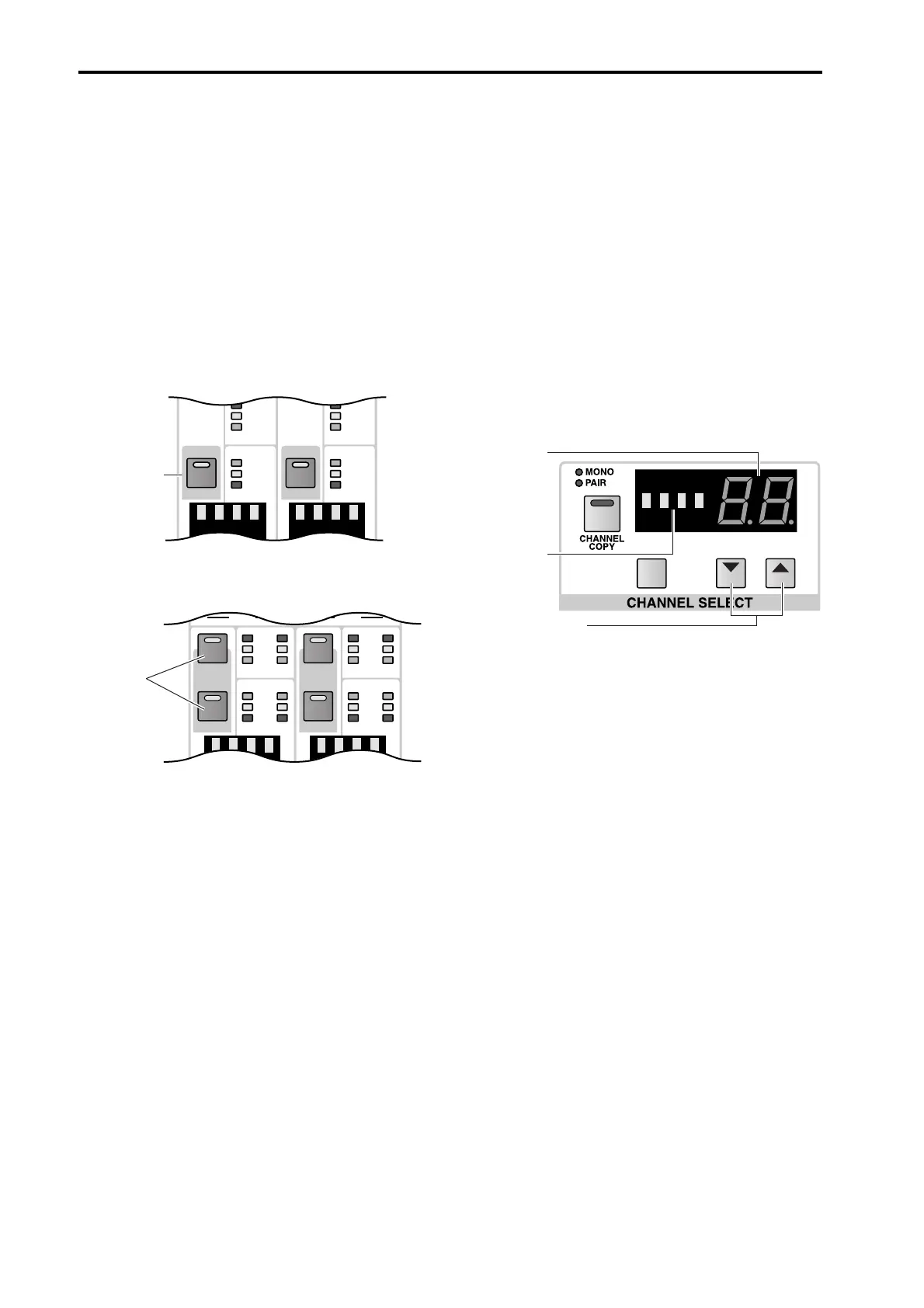
You can use the INPUT block INPUT [SEL] switches
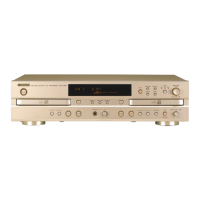
or the ST IN block ST IN SEL [L]/[R] switches to
directly select the desired channel.
In the case of a ST IN channel, select either the left or
the right channel.
The [SEL] switch LED of the currently selected chan-
nel will light.
• Use an INPUT [SEL] switch of the INPUT block
• Use a ST IN SEL [L]/[R] switch of the ST IN block
2. Use the SELECTED INPUT CHANNEL block
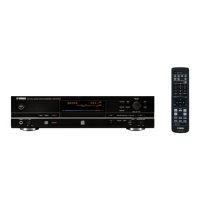
You can use the CHANNEL SELECT [▼/DEC]/[▲/
INC] switches of the SELECTED INPUT CHANNEL
block to select channels sequentially.
The number and short name of the channel will be
displayed by the CHANNEL SELECT [NAME] indi-
cator and the CHANNEL SELECT [NUMBER] indi-
cator located above the CHANNEL SELECT [▼/
DEC]/[▲/INC] switches.
• Use the CHANNEL SELECT [▼/DEC]/[▲/INC]
switches of the SELECTED INPUT CHANNEL
block
+
THR
-
COMP
+
THR
-
GATE
+
THR
-
COMP
+
THR
-
GATESEL SEL
[SEL]
switch
INPUT block
L CLIP
SEL
COMP
GATE
R
SEL
L CLIP
SEL
COMP
GATE
R
SEL
+
THR
-
+
THR
-
+
THR
-
+
THR
-
R
L
R
L
ST IN SEL
[L]/[R]
switch
ST IN block
DEC INC
SHIFT
CHANNEL
SELECT
[NUMBER]
indicator
SELECTED INPUT CHANNEL block
CHANNEL
SELECT
[NAME] indi-
cator
CHANNEL SELECT
[▼/DEC]/[▲/INC]
switches


 To Next Page