SELECTED OUTPUT CHANNEL block
57
[Procedure]
Selecting a channel
The channel to be controlled by the SELECTED OUT-
PUT CHANNEL block can be selected in the following
ways.
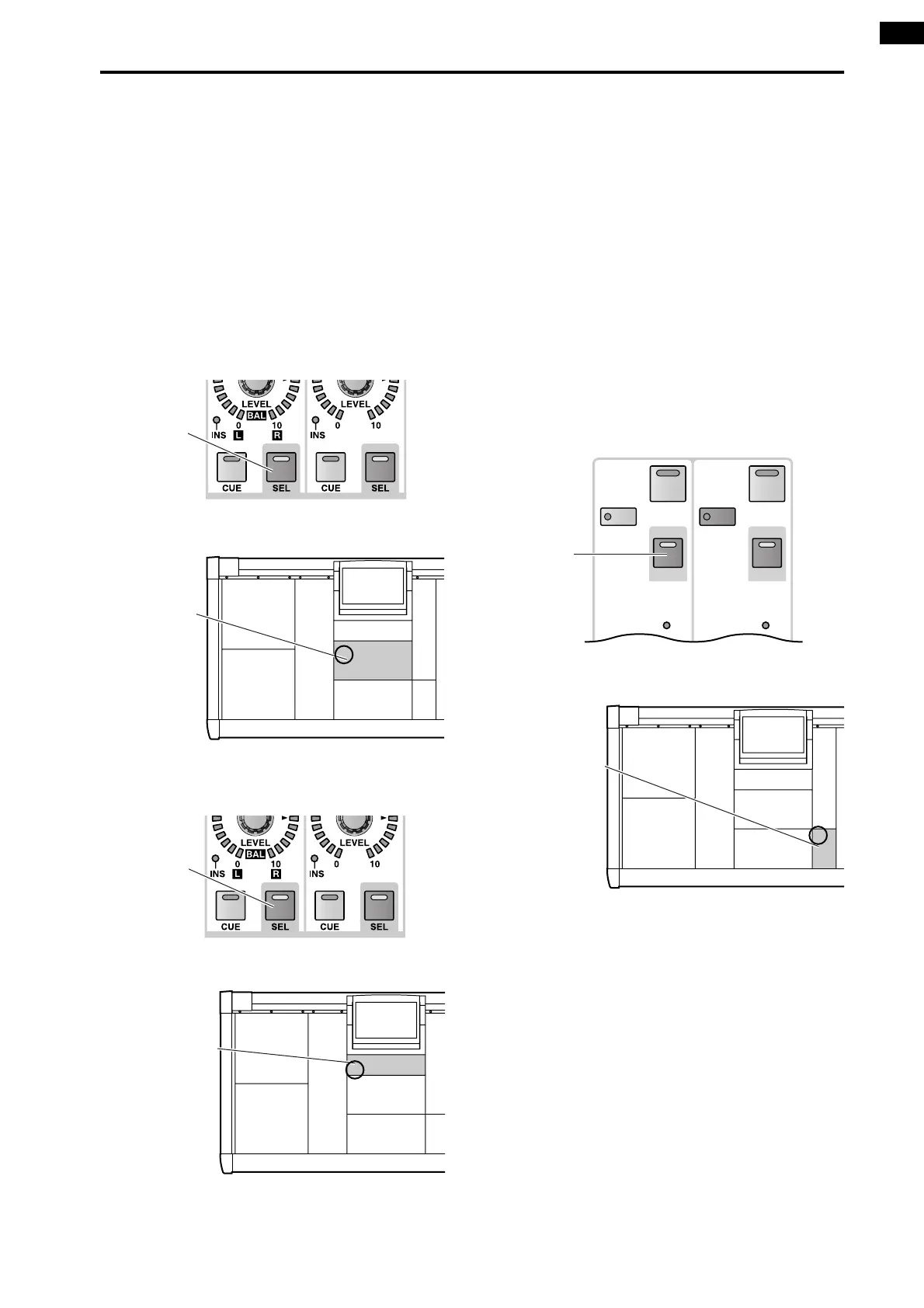
1. Using the [SEL] switch
You can use the following [SEL] switches to directly
select the desired output channel.
The [SEL] switch LED of the currently selected chan-
nel will light.
• MIX OUTPUT block MIX [SEL] switch
Selects a MIX channel 1–48.
• MATRIX OUTPUT block MATRIX [SEL] switch
Selects a MATRIX channel 1–24.
• STEREO OUTPUT block STEREO [SEL] switch
Selects the L channel or R channel of STEREO A/B.
If you repeatedly press the same STEREO [SEL]
switch, you will cycle between the L and R of that
channel.
[SEL]
switch
MIX OUTPUT block
MIX OUTPUT
block
[SEL]
switch
MATRIX OUTPUT block
MATRIX OUTPUT
block
INS
SEL
TO MTRX
INS
SEL
MONO
ON ON
[SEL]
switch
STEREO OUTPUT block
STEREO OUTPUT
block



 To Next Page