Global functions
48
Hint
A card with an indication of “VIRTUAL” on a yellow
background is virtually connected.
If a card is indicated as “ILLEGAL” on a red back-
ground, an input card is installed in an output unit
(or vice versa).
3 Card assignment buttons
These buttons are used to assign an I/O card to each
slot of the input unit. By clicking this button for a
slot in which no card has been installed, you can
assign a virtual card.
4 UNIT SELECT
This button is used to virtually connect a unit to the
jack selected by the IN 1 – IN 10 buttons.
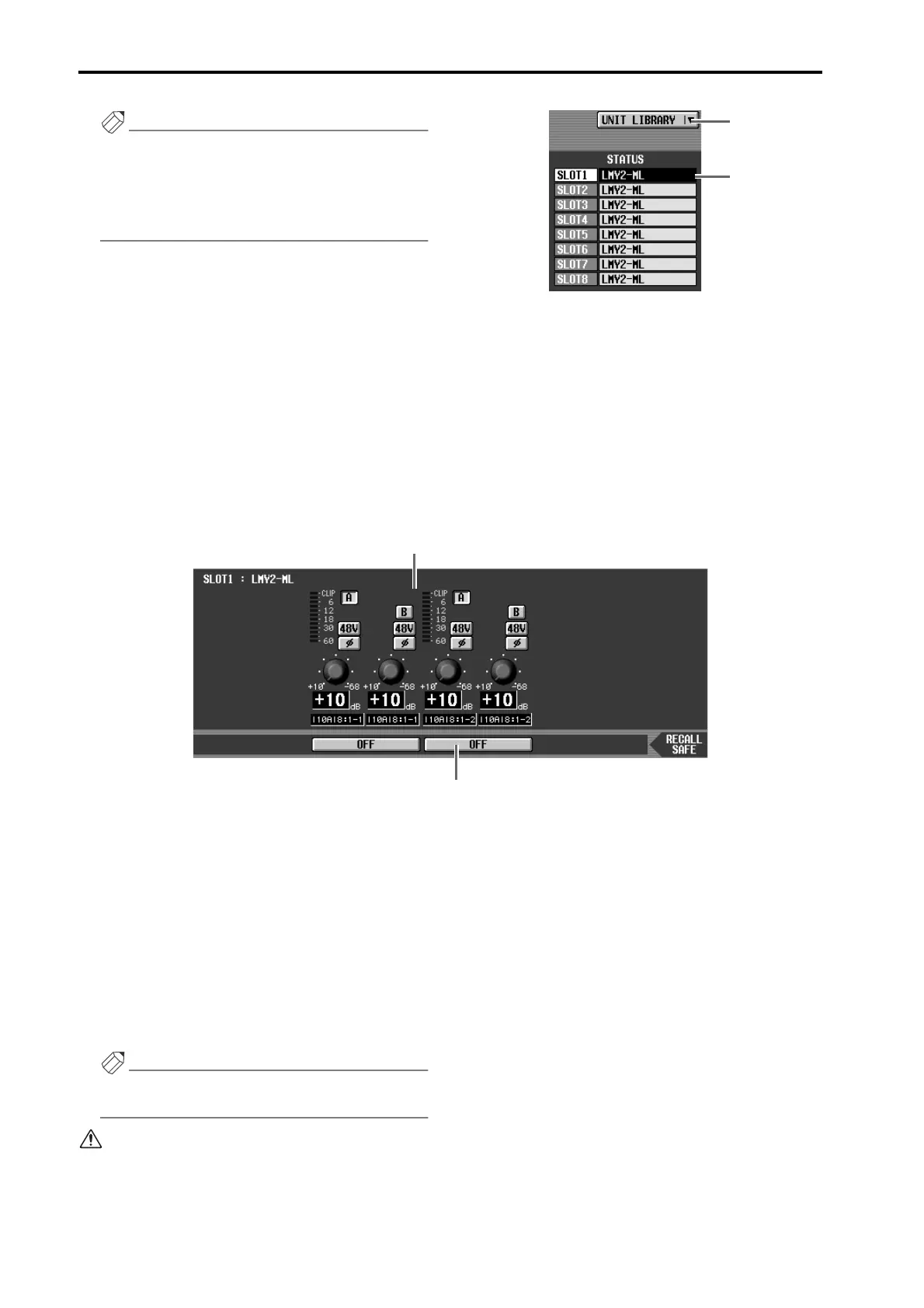
5 UNIT LIBRARY
This button accesses the UNIT LIBRARY, where you
can store/recall setting data for an entire unit. This is
the same function as the UNIT LIBRARY button in
the ST IN INS/UNIT LIB screen (IN HA/INSERT
function).
6 Card type
This shows the type of I/O card installed in each slot
1–8 of the currently selected input unit.
7 Card settings window
The settings of the selected I/O card are displayed in
this area.
If an AD card with head amp (LMY2-ML) is selected,
you can switch phantom power on/off, switch the
phase, select between input jacks A/B, and adjust
input gain.
8 RECALL SAFE
Sets the Recall Safe status of the currently selected
unit. In this screen, Recall Safe can be turned on/off
for each input jack.
Hint
Recall Safe for a unit can be set independently from
channel Recall Safe. Operation is also independent.
• Even if the type of unit or card changes when a new
scene or a unit library is recalled, the Recall Safe set-
ting of that unit will be maintained.
• The card will be displayed with shading if it is not
installed correctly, or if it is a card that cannot be
controlled (except when the unit is the DIO8).
6
5
7
8



 To Next Page