3
Automatic GEQ insertion
(GEQ PARAMETER screen)
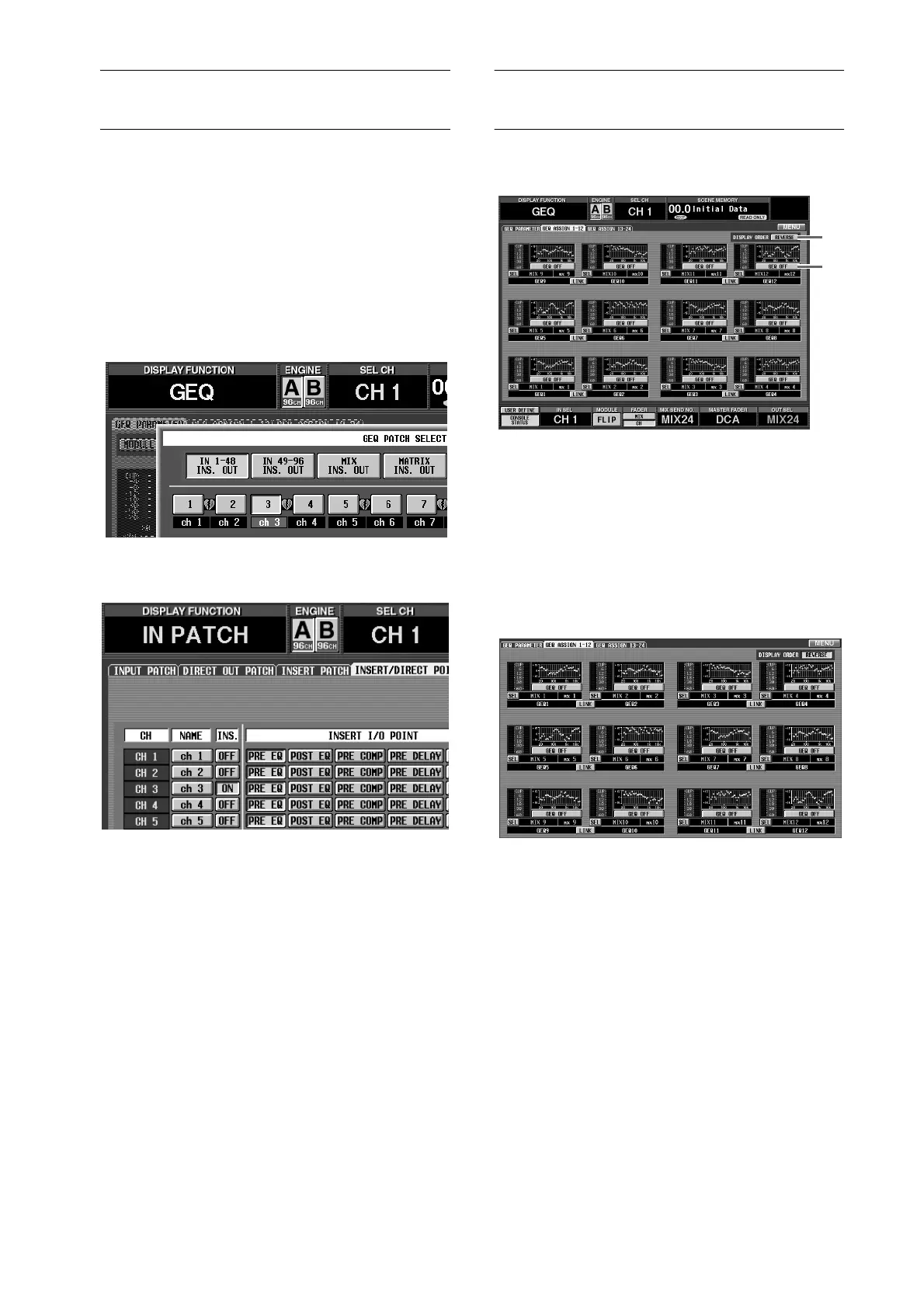
When you select a graphic EQ insert destination in the
GEQ function GEQ PARAMETER screen, insertion will
automatically be switched on in the corresponding
channel.
For example if you select a input channel as the GEQ
insert destination, the INS. button of the corresponding
channel will now automatically be turned on in the IN
PATCH function INSERT/DIRECT POINT screen. (It is
no longer necessary to manually turn the INS. button
on, as in earlier versions.)
“When you select an input channel as a GEQ insert
destination, ...”
“the INS. button of that channel will automatically be
turned on in the IN PATCH function INSERT/DIRECT
POINT screen.”
In the same way, if you select an output channel as the
insert destination, the INS. button of the corresponding
channel will automatically be turned on in the OUT
PATCH function INSERT POINT screen.
When you defeat graphic EQ insertion in the GEQ
PARAMETER screen, insert will automatically be
switched off for the corresponding channel.
Reference pages
•
Basic operation, pages 134–135
•
Software section, page 13
Additional functions in GEQ
ASSIGN 1-12 / 13-24 screens
The following buttons have been added to the GEQ
ASSIGN 1-12/13-24 screens.
1
GEQ ON/OFF button
This button switches each GEQ on/off.
2
DISPLAY ORDER REVERSE button
This button reverses the order of the GEQs in the
GEQ ASSIGN 1-12/13-24 screens. By default, the
GEQs are arranged in ascending order from bottom
to top, but will be arranged in ascending order from
top to bottom when you turn on this button.
“Order when the DISPLAY ORDER REVERSE button is
on”
Reference pages
•
Software section, pages 16–17
2
1



 To Next Page