Checking the operation of input units
35
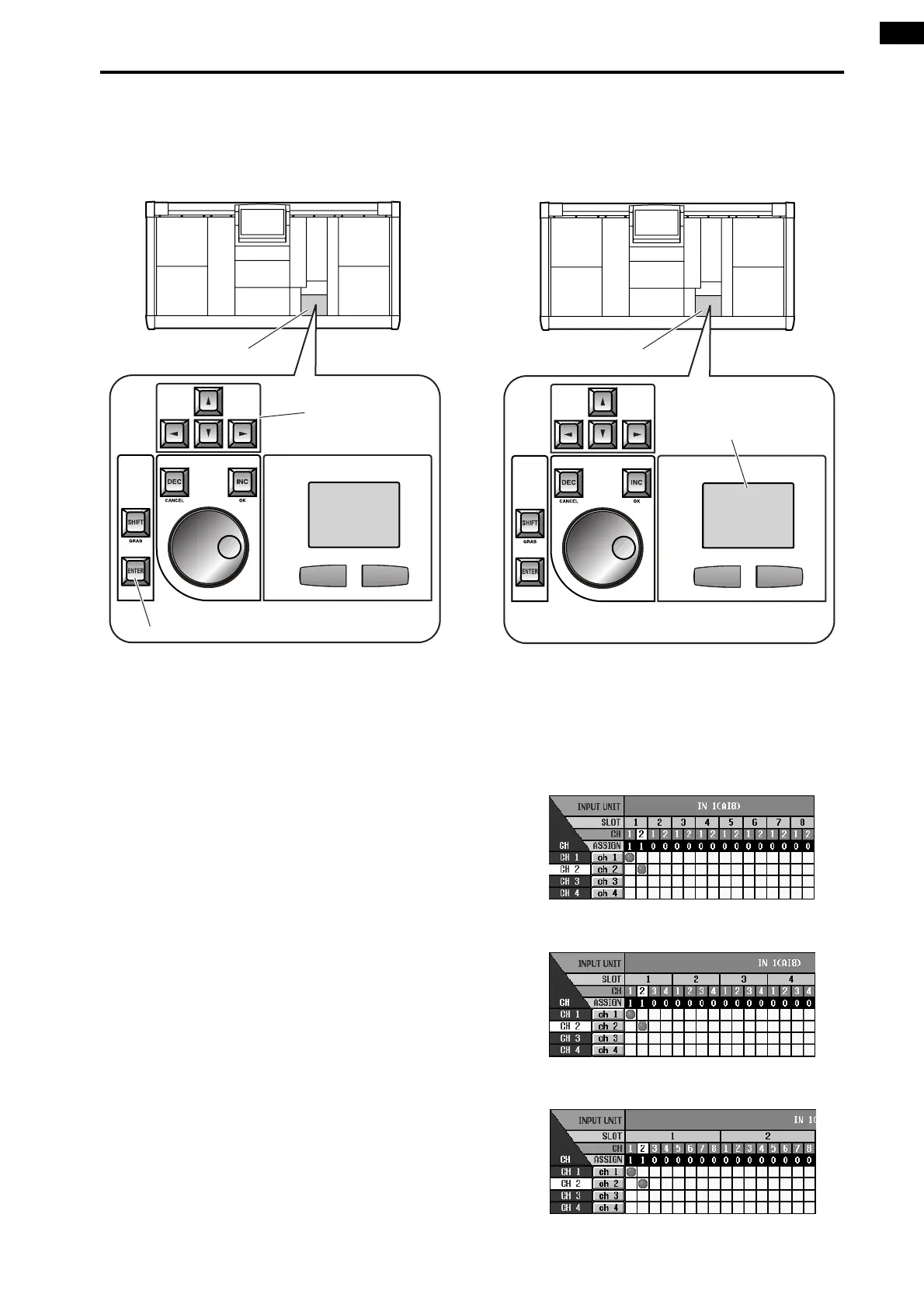
Using the switches of the console
1. Use the [CURSOR] switches in the data entry block
to move the cursor (the red frame) in the display to
the desired grid.
2. Press the [ENTER] switch to make a
●
symbol
appear.
Using the track pad of the console
1. Use the track pad to move the cursor to the desired
grid. (The cursor will change to the shape of a fin-
ger.)
2. Click the desired grid to make the
●
symbol
appear.
The screen will appear as follows when an input
source has been patched to input channels 1/2.
•
For an AI8 with a mic/line input card (LMY2-ML)
installed
•
For an AI8 with an AD card (LMY4-AD) installed
•
For a DIO8 with a digital I/O card installed
Data entry block
[ENTER] switch
[CURSOR] switch
Tra ck pad
Data entry block



 To Next Page