8
Changes in the main display
The main display has been changed as follows.
1
Cancel a modified scene memory number
When the scene memory title area is blinking, you
can click this area to return to the scene number that
was last stored/recalled. This is the same function as
the [CLEAR] switch of the SCENE MEMORY block.
2
CUE symbol
CUE symbols that indicate the section in which the
[CUE] switch is currently on have been added to the
screen. Each symbol has the following meaning.
•
INPUT CUE
This symbol will be displayed if the [CUE] switch
of an input channel is on.
•
OUTPUT CUE
This symbol will be displayed if the [CUE] switch
of an output channel is on.
•
DCA CUE
This symbol will be displayed if the [CUE] switch
of a DCA group is on.
•
SUB IN CUE
This symbol will be displayed if the SUB IN CUE
button is turned on in the MATRIX/ST function
SUB IN screen.
•
EFFECT CUE
This symbol will be displayed if the CUE button is
on in the EFFECT function EFFECT 1–EFFECT 8
screen or the EFFECT ASSIGN screen.
•
KEY IN CUE
This symbol will be displayed if the KEY IN CUE
button is on in the IN GATE/COMP function
GATE PRM screen.
Reference pages
•
Software section, page 3
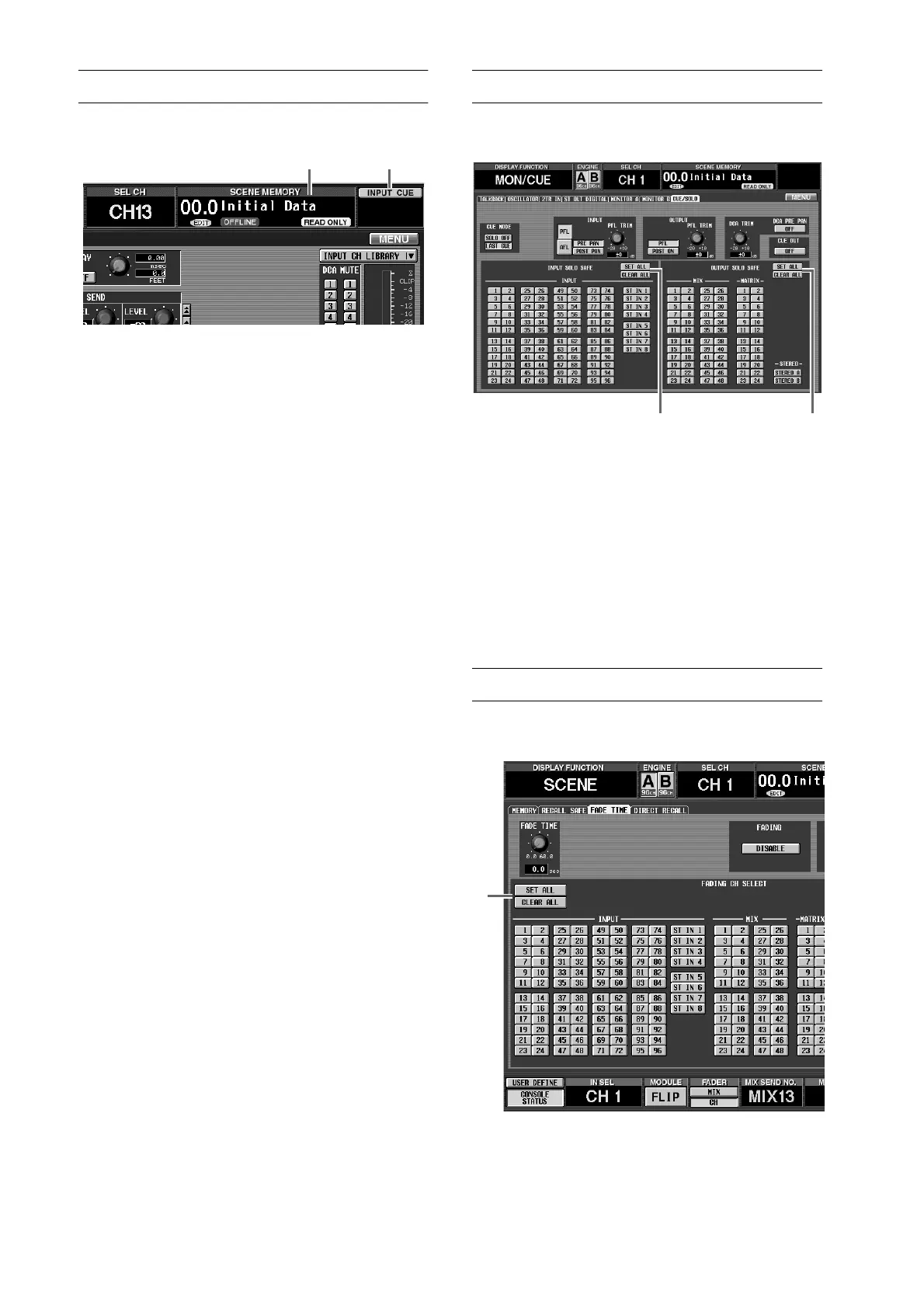
Changes in the CUE/SOLO screen
The MON/CUE function CUE/SOLO screen has
changed as follows.
1
SET ALL/CLEAR ALL button added to INPUT
SOLO SAFE section
This button sets/clears all Solo Safe settings for the
input channels.
2
SET ALL/CLEAR ALL button added to OUTPUT
SOLO SAFE section
This button sets/clears all Solo Safe settings for the
output channels.
Reference pages
•
Software section, pages 74–75
Changes in the FADE TIME screen
A SET ALL button has been added to the SCENE func-
tion FADE TIME screen.
When you click the SET ALL button (
1
), the fade func-
tion will be enabled for all input channels, output chan-
nels, and DCA groups.
Reference pages
•
Software section, pages 25–26
1 2
21
1



 To Next Page