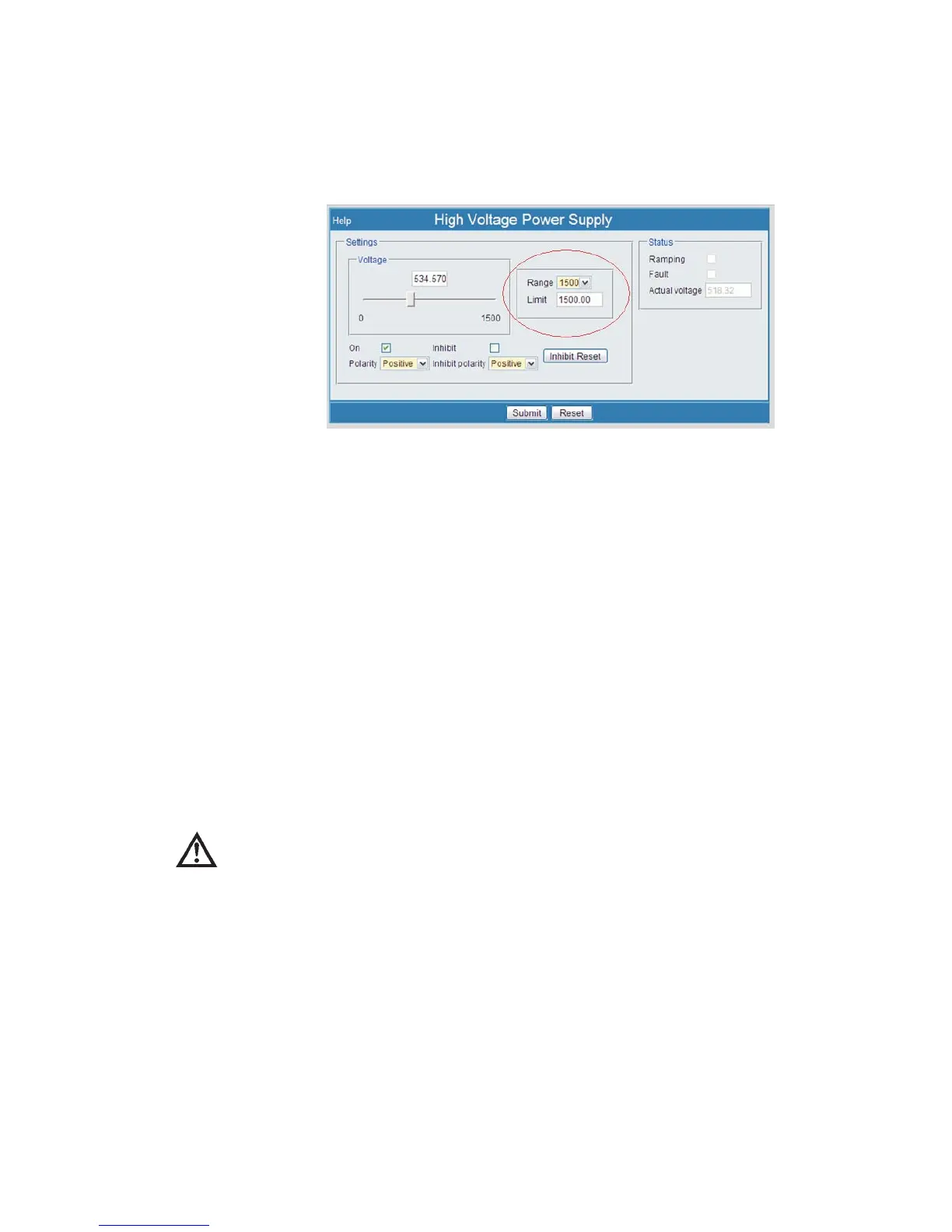
HVPS Limit Adjust
Enables/disables ability to adjust high voltage power supply Range and Limit set
-
tings, found on the MCA Settings | HVPS menu page (see page 92 in this manual).
Note
HVPS Limit is a sub-feature of the Hardware Adjust option under the
User's Security settings. If Hardware Adjust is not also enabled for this
User, then this setting is meaningless.
System
Enables/disables ability to change system settings, found under Setup | System, dis-
cussed starting on page 122.
Security
Security enables/disables the ability to change Security settings (this very option you
are reading about), including adding and deleting user accounts and modifying any
Lynx system parameter. This menu option is found under Setup | Security.
CAUTION Any User with Security access enabled has the ability to
select or modify any and ALL Security options and any other
Lynx system setting. This privilege should be carefully used
as it could lead to equipment damage and/or data loss.
Firmware
Enables/disables ability to update the Lynx system's firmware. Firmware updates may
be downloaded to a local PC and then installed in the Lynx by a person having this
feature enabled. This feature is found under the Maintenance | Firmware Updates
menu selection, discussed starting on page 136.
User’s Manual 119
Security | Firmware Setup
Figure 90 - HVPS, Limit Adjust settings are circled



 To Next Page