5.
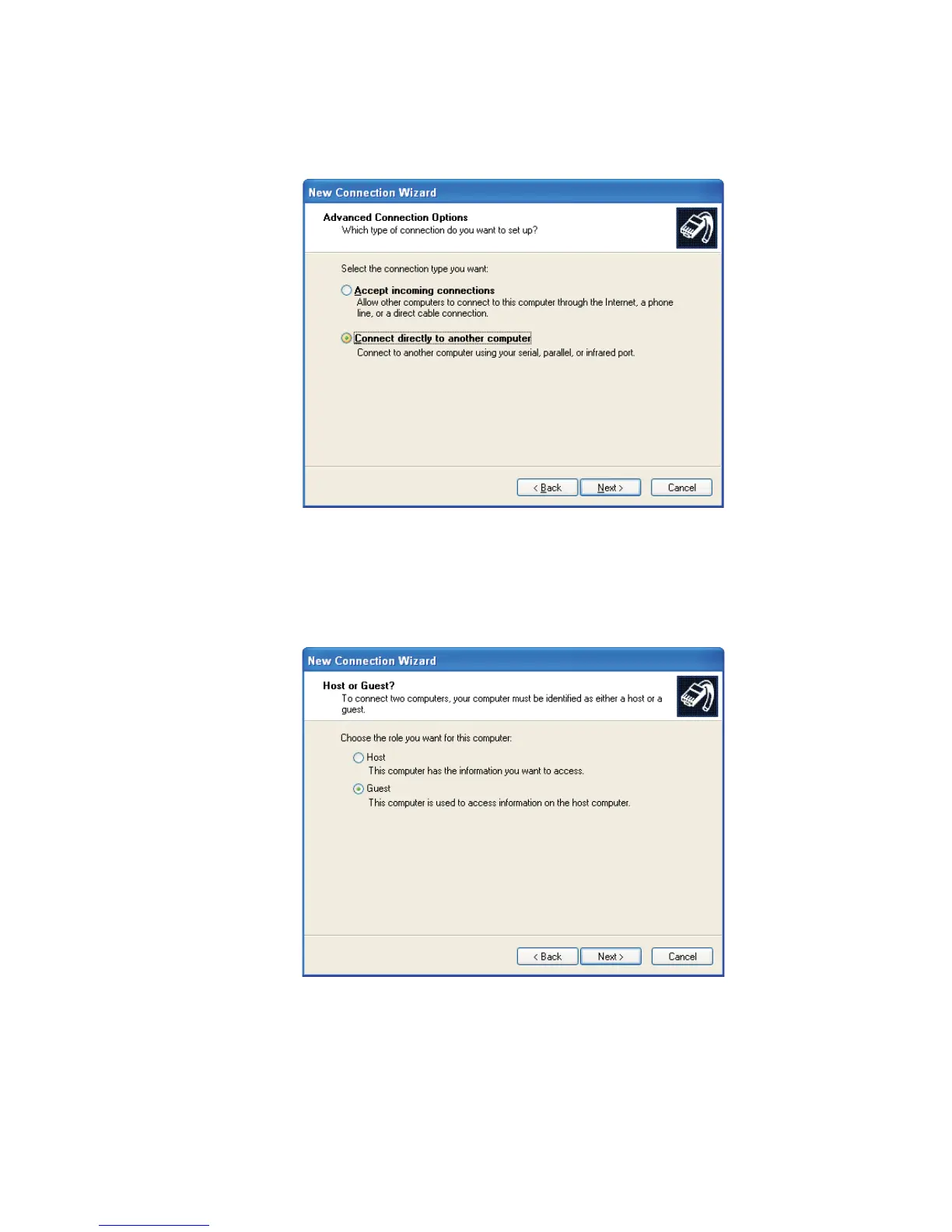
In the next screen (Figure 116), select Connect Directly to Another
Computer, then click Next.
6.
In the next screen, select Guest, then click Next.
Appendix B - Communications Setup
172 Lynx™ Digital Signal Analyzer
Figure 116 - Advanced Options
Figure 117 - Select Guest



 To Next Page