v 2.0 — March 2023 Altanium Delta5
128 Virtual Network Computing
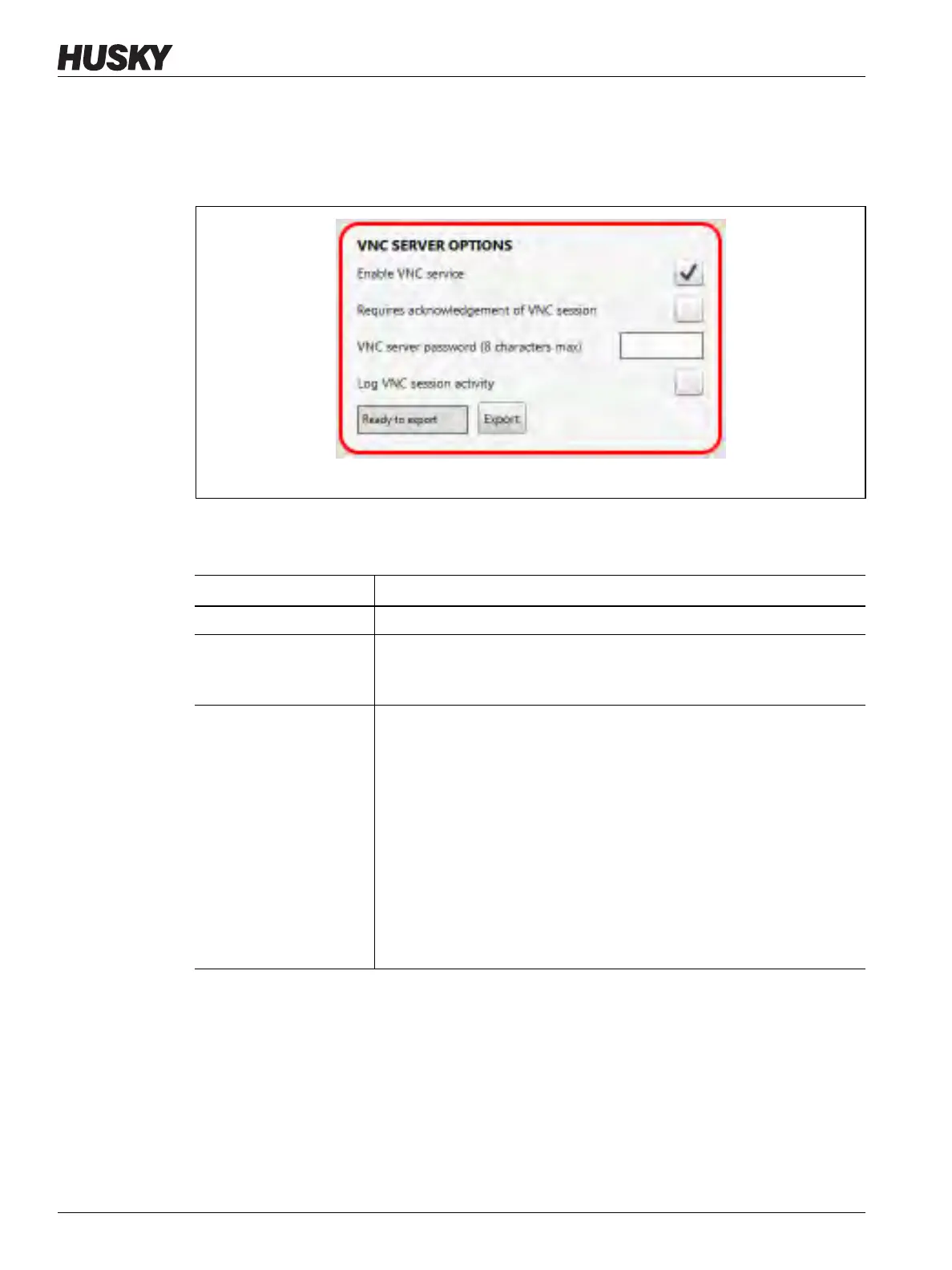
With the VNC feature installed on your Delta5 system, a VNC Server Options panel will show
on your Network screen. Refer to Figure 10-11.
For VNC operation, VNC client software must be installed. The controller and the IMM must
be on the same network with no firewall between them.
Table 10-4 describes the VNC Server Options.
Figure 10-11 VNC Server Options
Table 10-4 VNC Server Option Descriptions
Item Description
Enable VNC service Use this checkbox to enable the VNC service.
Requires
acknowledgement of
VNC session
Use this checkbox to enable the security challenge that is shown on the
server when a client tries to connect.
VNC server password (8
characters maximum)
Use this field to set a password that must be given by the client before a
VNC session/connection can occur.
NOTE: If the password is changed using the VNC client, the client will
disconnect without warning when the service stops. After a
period of about 15 seconds (which lets the service to restart and
stabilize), the client can reconnect to the server with the use of
the new password.
The password length must be between three and eight alphanumeric
characters.
NOTE: The password length is a limitation of VNC and not of the
operating system.



 To Next Page