v 2.0 — March 2023 Altanium Delta5
136 Time Synchronization
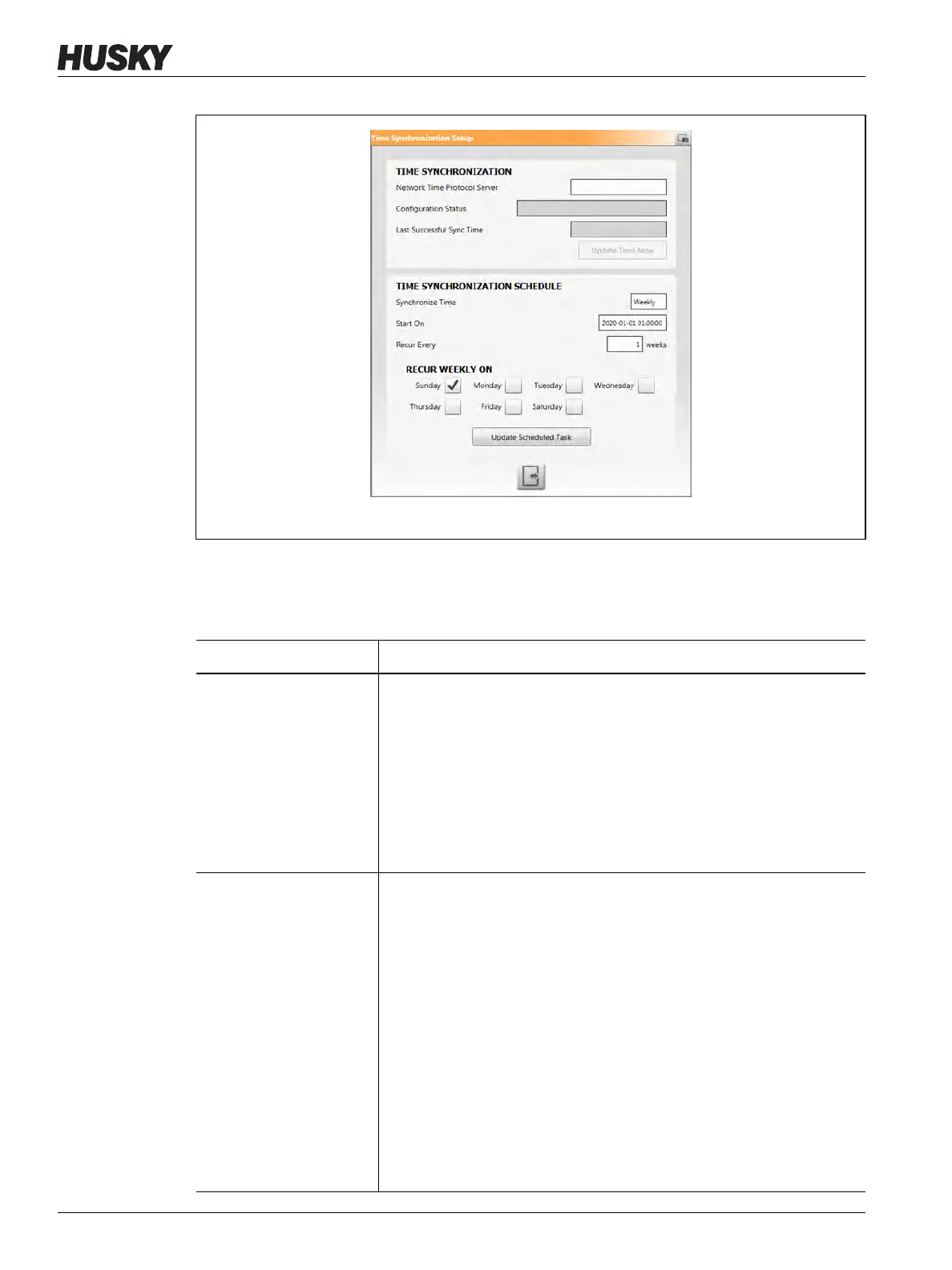
3. Enter the necessary information in the fields described in Table 10-7 to configure the
Time Synchronization.
Figure 10-15 Time Synchronization Setup Window
Table 10-7 Time Synchronization Setup Items
Item Description
Network Time Protocol
Server
This is either the domain name or IP address of the time server you want
to use to synchronize the time. Windows comes with a default list of
time servers that can be used as well:
• time.windows.com
• time.nist.gov
• time-nw.nist.gov
• time-a.nist.gov
• time-b.nist.gov
Configuration Status A status field that lets you know if a failure occurs. It also provides some
helpful information when trying to configure the NTP server or the
scheduled task. The possible values are:
• Error changing time service startup type
• Error changing time service configuration
• Time server has been removed
• Attempting to sync the time
• Successfully synced the time
• Error syncing the time
• Attempting to update scheduled task
• Successfully updated scheduled task
• Error updating scheduled task
• Task start time and date must be in the future



 To Next Page