Heats Setup - Monitoring 1 and Monitoring 2 147
User Guide v 2.0 — March 2023 System Setup
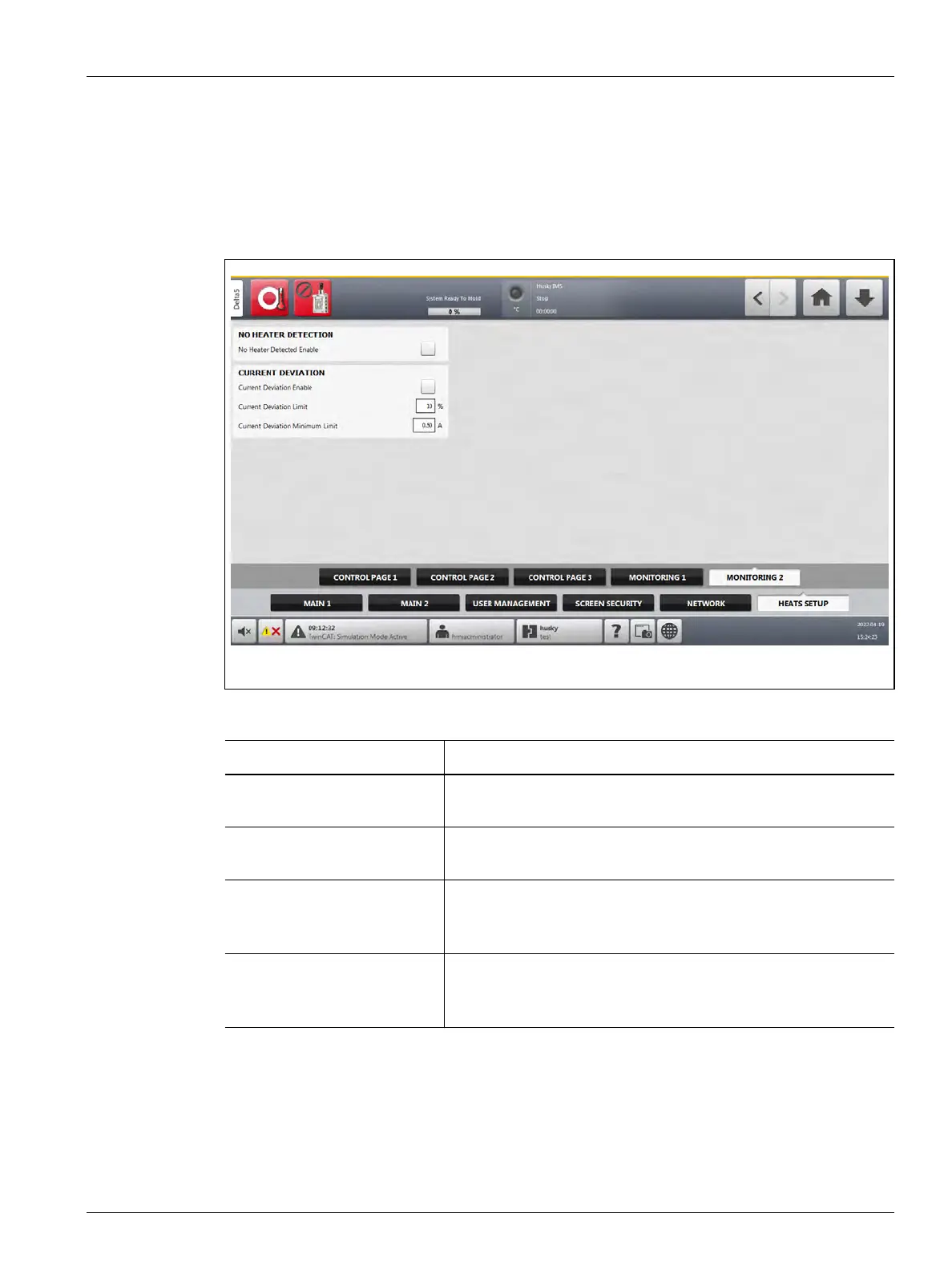
On the Monitoring 2 tab of the Heats Setup screen, mold monitoring configurations are set
for the categories that follow:
• No Heater Detection
• Current Deviation
The Monitoring 2 tab is shown in Figure 10-20 with the configuration settings for each
category. The configuration settings are described in Table 10-12.
Figure 10-20 Heats Setup - Monitoring 2
Table 10-12 System Setup Screen - Heats Setup - Monitoring 2
Item Description
No Heater Detected Enable When enabled, this feature causes an alarm when a heater has
failed or is no longer connected to the circuit.
Current Deviation Enable Enables or disables the Current Deviation feature. This setting is
disabled by default.
Current Deviation Limit Used to calculate the current deviation limit that would cause an
error. The default value is 10%. The minimum value is 1% and the
maximum value is 100%.
Current Deviation Minimum
Limit
Used as a minimum value that the calculated limit cannot be more
than. The default value is 0.50 A. The minimum value is 0.10 A and
the maximum value is 5 A.



 To Next Page