v 2.0 — March 2023 Altanium Delta5
156 Power Deviation
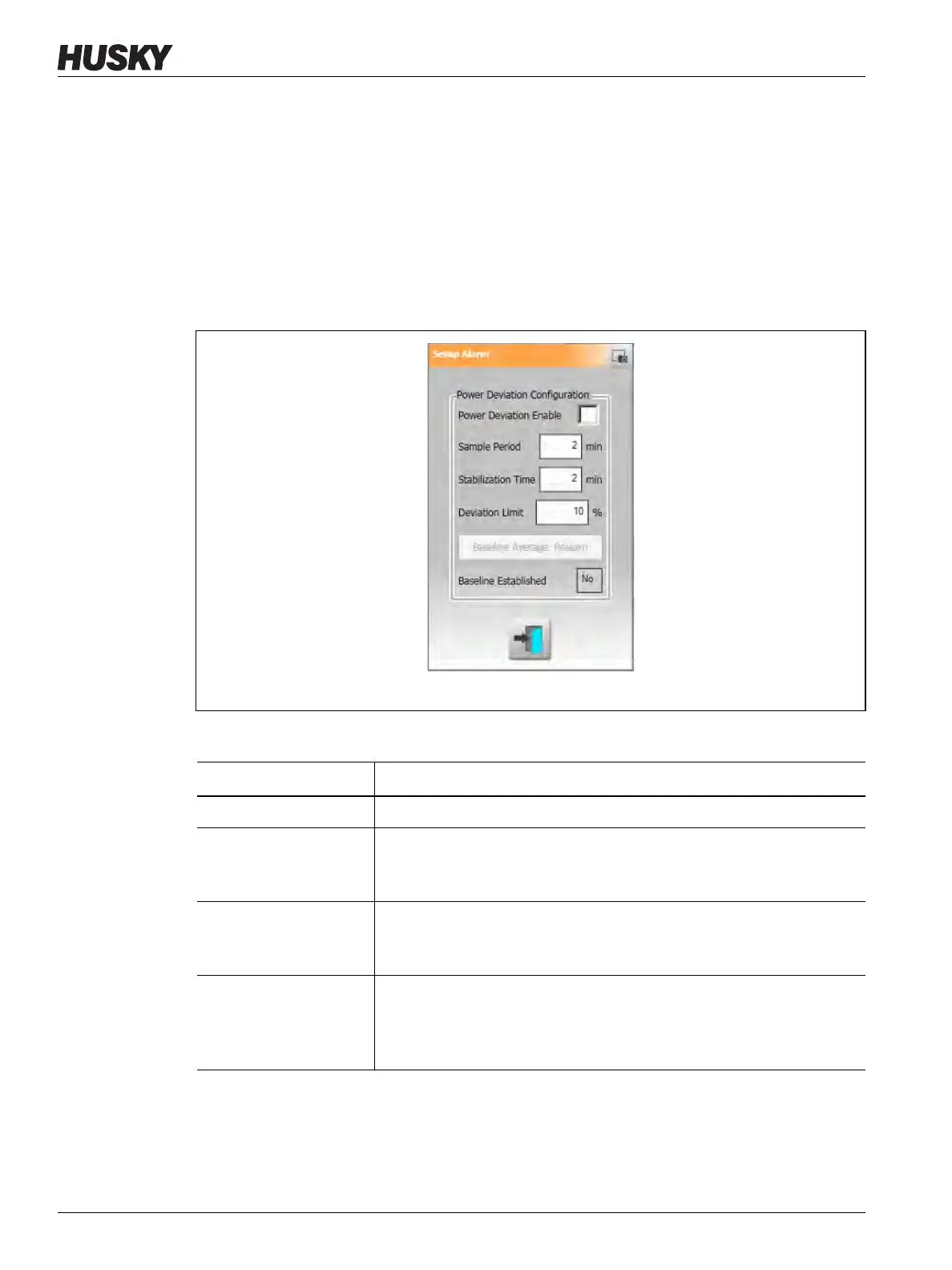
The Setup Alarm dialog window shows. Refer to Figure 10-25.
3. Touch each field to enter the changes and then touch the Accept button.
Refer to Table 10-14 for the field descriptions.
4. To enable the feature, touch the Power Deviation Enable checkbox, so a check mark
shows.
5. To accept changes, touch the Exit button.
NOTE: Before the Power Deviation routine can be executed, at least one zone in the system
must be classified based on similar function and operation.
Figure 10-25 Power Deviation Dialog Box
Table 10-14 Power Deviation Settings
Setting Description
Power Deviation Enable Used to enable or disable the feature.
Sample Period The interval of time the system uses to calculate a baseline
average power value (that is, to “know” the mold). The default
value is 2 minutes, and the range is from 1-10 minutes.
Stabilization Time The interval of time the system will take after all active zones have
reached their setpoints before it starts the Sample Period. The
default value is 2 minutes, and the range is from 1-10 minutes.
Deviation Limit Field This field is used by the system to decide the tolerance value that
is used to communicate an error. This value will only be used if the
value calculated by the system cannot be used. The default value
is 10%, and the range is from 1-100%, specified in 1% increments.


 To Next Page