Color Change and Non-Thermal Sensitive Resin Example 219
User Guide v 2.0 — March 2023 Color Change
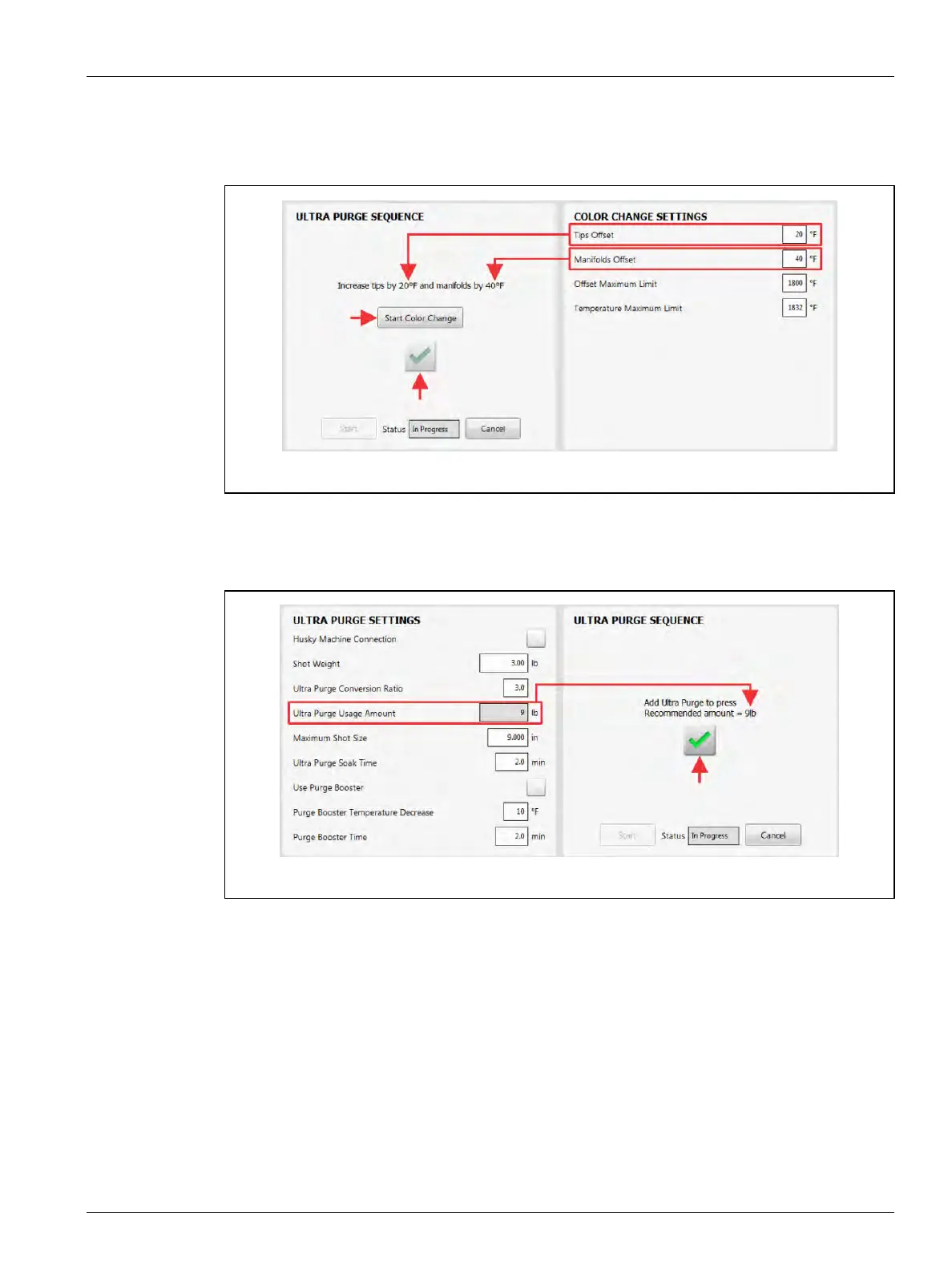
7. Increase the tips and manifolds offset temperatures, as necessary (refer to Figure 13-8).
8. Touch the Start Color Change button and then the green check mark button to
continue.
9. Add the recommended amount of Ultra Purge compound to the IMM (refer to
Figure 13-9).
10. When the compound had been added, touch the green check mark button to continue.
Figure 13-8 Increase Tips and Manifolds Offset Temperatures
Figure 13-9 Add Ultra Purge to Press



 To Next Page